
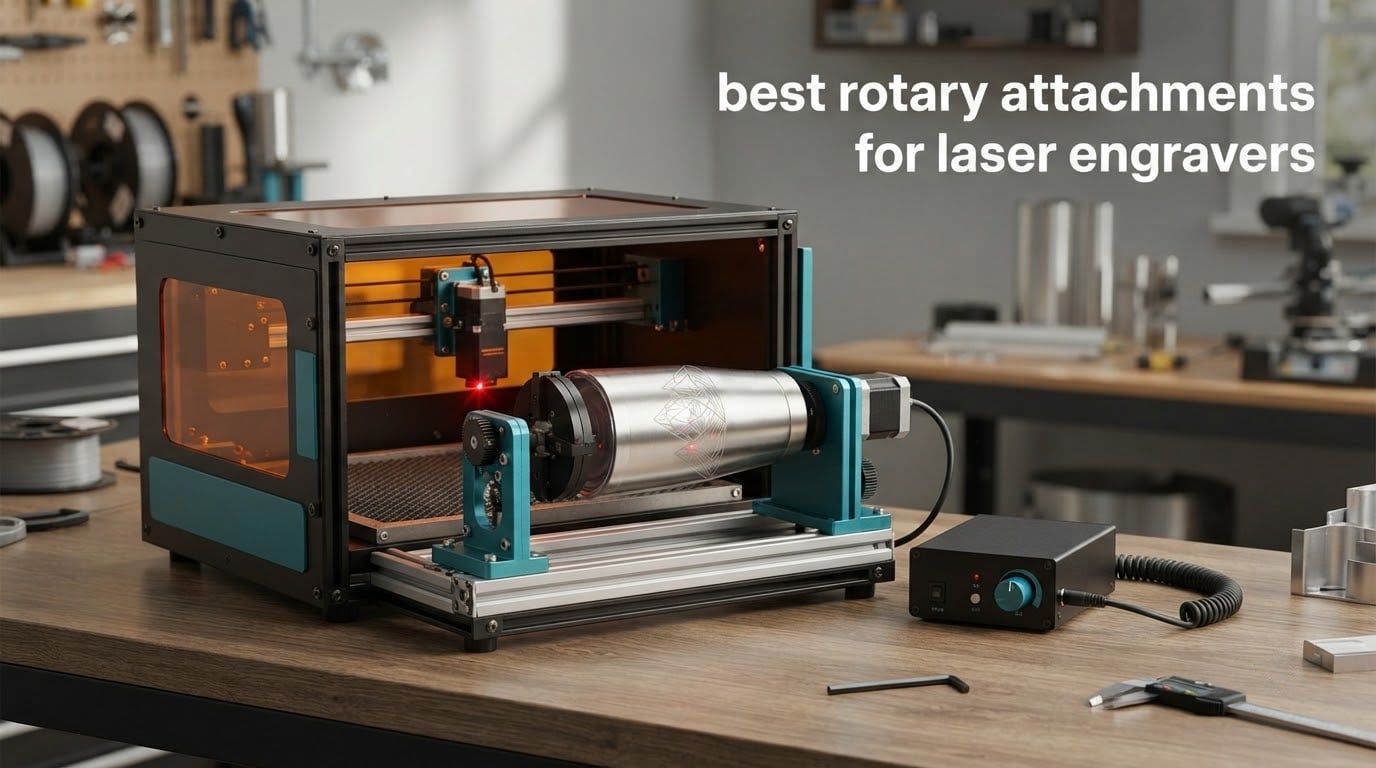
Tumblers, water bottles, wine glasses, pens, wooden bats — a flat-bed laser cannot touch any of them without help. That help is a small add-on that spins the workpiece while the laser head stays parked at one end of the bed, and picking the right one is the difference between a clean wrap in about ten minutes and an hour of skewed letters you have to sand off.
We put the ten best rotary attachments for laser engravers through their specs, cross-checked owner reviews, and sorted them by the three things that actually decide whether a job looks good: how the object is gripped, how wide the diameter range is, and whether the module talks to your machine’s controller without drama. Three of them cover the vast majority of what buyers need, so those lead the list. If you are still choosing a machine, our laser engraver picks for small businesses is worth a read first.
One note before we start. A rotary attachment is a powered, automated cylinder. It is not the handheld Dremel-style tool people picture when they hear “rotary tool for engraving,” and the confusion comes up constantly in the forums we checked.
Top 3 Rotary Attachments for Laser Engravers in 2026

xTool RA2 Pro 4-in-1 Rotary
- Roller chuck sphere and ring modes
- 360°/s with 0.45° stepper angle
- Adjustable Z-axis for tall items

ORTUR Laser Rotary Roller
- 7-step adjustment from 8mm to 110mm
- Works with LaserGRBL and LightBurn
- 723 owner reviews
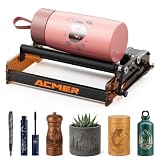
ACMER M3 Rotary Roller
- High-grip rubber roller
- Built-in rotary mode toggle
- Two cables included
The RA2 Pro takes the top spot because it is the only attachment here that covers all four gripping modes in one frame and holds a 4.6 rating across 396 reviews. The ORTUR roller wins on proven reliability and the widest review base in the group, and the ACMER M3 is the cheapest way to learn rotary work without giving up grip quality.
All 10 Rotary Attachments Side by Side in 2026
| Product | Specifications | Action |
|---|---|---|
| xTool RA2 Pro 4-in-1 Rotary |
|
Check Latest Price |
| ORTUR Laser Rotary Roller |
|
Check Latest Price |
| ACMER M3 Rotary Roller |
|
Check Latest Price |
 Longer Rotary Roller Series Longer Rotary Roller Series |
|
Check Latest Price |
 ORTUR YRC1.0 Chuck Rotary ORTUR YRC1.0 Chuck Rotary |
|
Check Latest Price |
 Creality Laser Rotary Roller Creality Laser Rotary Roller |
|
Check Latest Price |
 AlgoLaser RR2 Rotary Roller AlgoLaser RR2 Rotary Roller |
|
Check Latest Price |
 Creality Rotary Roller Pro Creality Rotary Roller Pro |
|
Check Latest Price |
 Longer Chuck Rotary Longer Chuck Rotary |
|
Check Latest Price |
 xTool RA3 Smart MagSwap Rotary xTool RA3 Smart MagSwap Rotary |
|
Check Latest Price |
What Is a Laser Rotary Attachment?
A laser rotary attachment is an add-on that spins a cylindrical object on its axis while the laser head stays still, so a flat-bed laser can engrave a full 360 degrees without a dedicated cylindrical engraver.
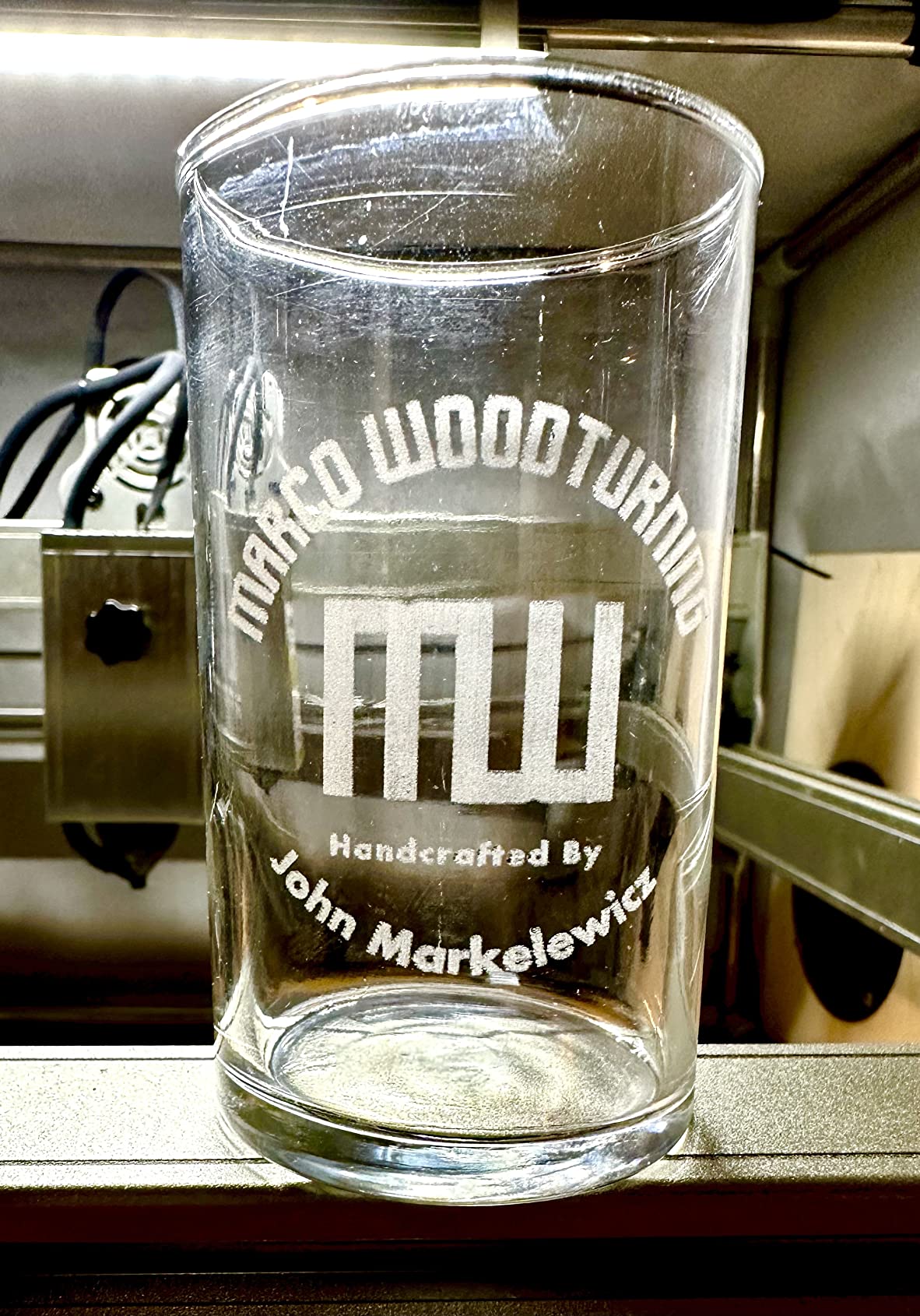
Under the surface, a drive motor turns the workpiece, and the software advances the X axis at exactly the rate the surface passes the beam. That match is governed by a steps-per-mm value tied to the object’s circumference, which is why the same file can come out perfect on one job and stretched on the next.
The second piece is support. A tailstock or top roller holds the far end so the cylinder cannot wobble, and grippers — rollers or jaws — set how firmly the object is held. Get the center height wrong and you get surface speed drift, which is the number one complaint we found in owner reviews.
The Three Types of Rotary Attachment
Owners on the forums describe the category with three names, and the taxonomy holds up once you have handled all three. The type decides what you can engrave, not the brand.
Roller (sometimes called a hot dog roller). The workpiece rests on a spinning metal or rubber drum and friction holds it in place. Cheap, quiet, fast to set up, and it grips nothing on its own. Best for straight cylinders and cans.
4-wheel. Four small rollers pinch the object between them. It holds better than a single drum and handles mild tapers, but the wheels need to sit at exactly the right height.
Chuck. A three-jaw chuck and a tailstock clamp the object from both ends. This is the accurate one, and the only type that grips cones, spheres, rings and handled mugs properly.
Several of the modules we tested are hybrids that bundle a roller and a chuck in the same frame, which is why the multi-mode design keeps coming up. A commenter on r/Laserengraving put the beginner case plainly, recommending a PiBurn rotary as the one to start on because it is easy to learn.
1. xTool RA2 Pro: The Multi-Mode Rotary That Does Everything
xTool RA2 Pro for xTool S1, F1, F1 Ultra, P2, M1 Ultra and Most Laser Engraver (Must with Riser), Y-axis Rotary Roller for Engraving Cylindrical Objects, Wine Glass, Tumbler, Engraver Accessory
360°/s max speed
0.45° stepper angle
Adjustable Z-axis
4-in-1 modes
Pros
- Switches between roller chuck sphere and ring modes
- Chuck grips tumblers securely and repeats well
- Plug-and-play with power cables included
- Adjustable Z clears taller items
Cons
- Default height can be short for a full mug wrap
- Chuck jaws sit low and cap the largest diameter
- Enclosure must stay open on enclosed machines like the F1
This is the module we recommend to anyone who does drinkware as a real product line rather than a hobby. The 4-in-1 frame means roller mode for cans and tubes, chuck mode for travel mugs, sphere mode for balls and ornaments, and ring mode for small rings, all without bolting on a second attachment.
Owner reports on the chuck grip are consistent. People engraving 36 oz tumblers describe centered, repeatable results, and the numbers back that up: 4.6 stars across 396 reviews with 82% five-star ratings, the strongest combination in this group.
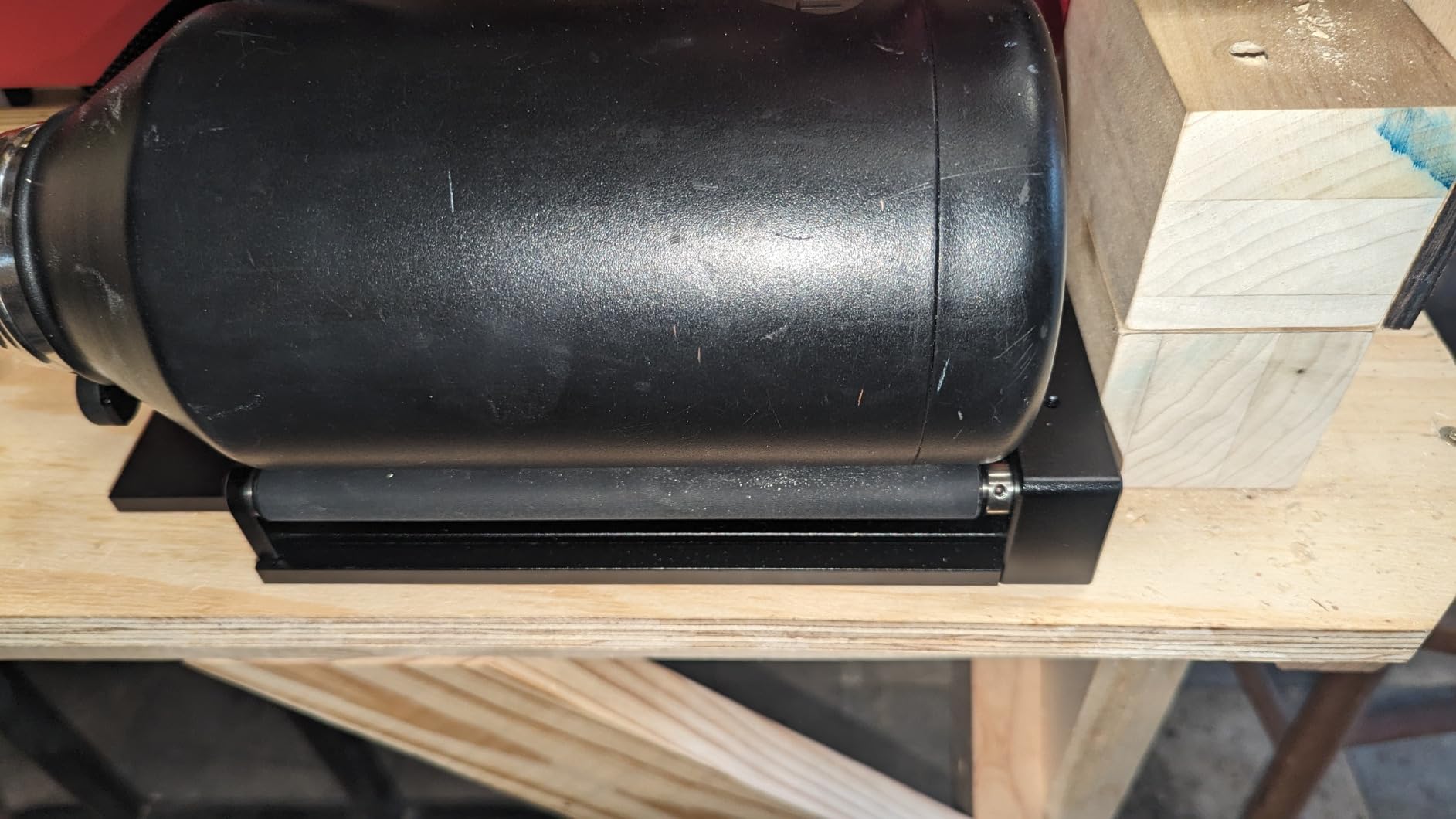
Setup is genuinely quick. Owners report running it for the first time in about half an hour, and the speed ceiling of 360°/s with 0.45° stepper resolution gives it headroom for multi-pass jobs on coated tumblers.
The one thing to plan around is height. Some users find the default Z position too short to wrap a mug completely, which means the riser or a manual Z raise. Chuck jaws also sit low, which limits the largest workpiece diameter, and on machines like the F1 you keep the enclosure open during the job.
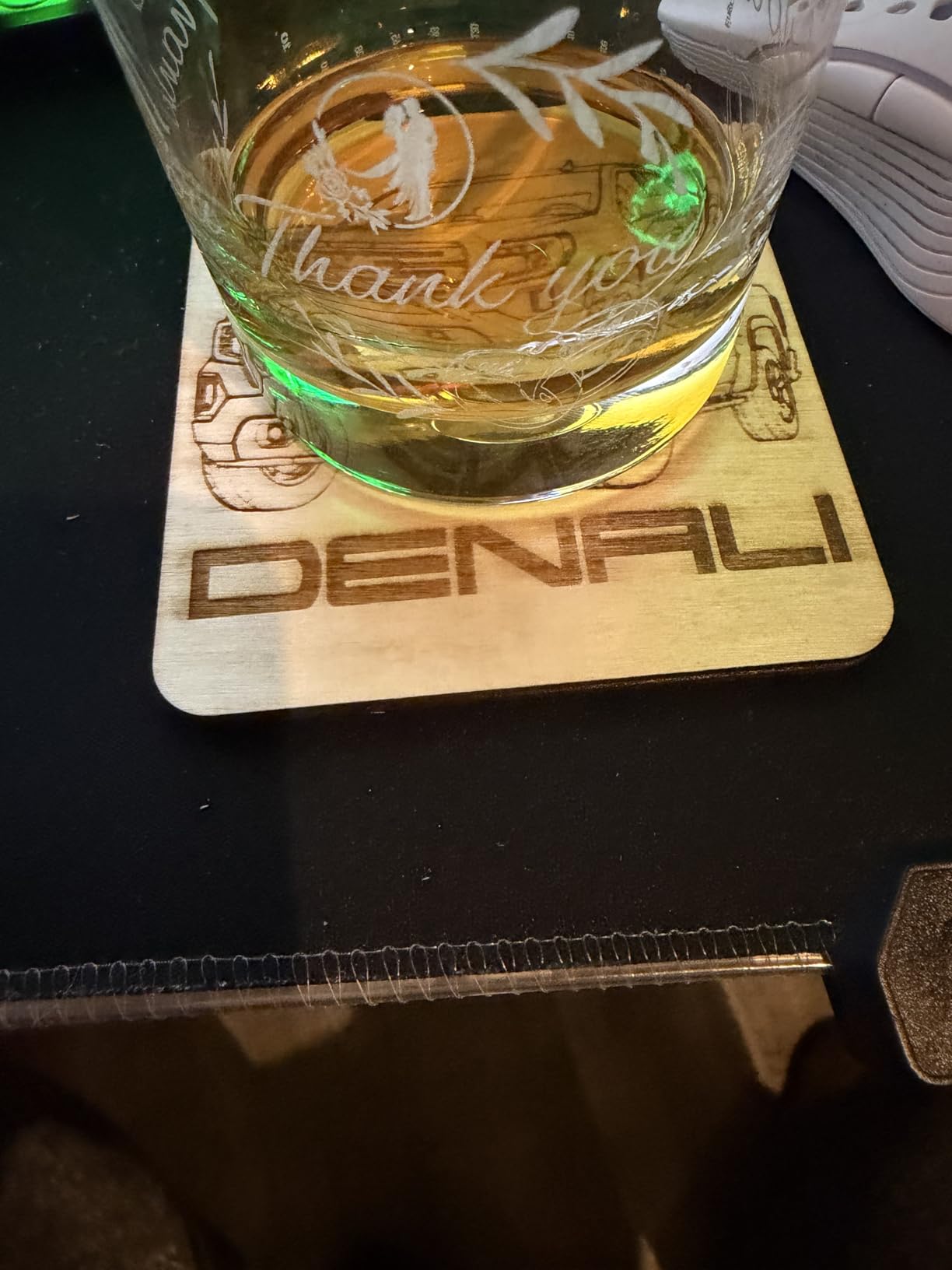
What the chuck mode handles well
Travel mugs, insulated tumblers, handled mugs and glasses are the sweet spot, because the jaws bite into a surface that a friction roller cannot hold. The grip stays steady through a long wrap, which is where most drift problems show up.
It also fits the xTool machines natively — S1, F1, F1 Ultra, P2, M1 Ultra and D1 Pro — and runs under Laserbox Basic, LaserGRBL and LightBurn. If your shop is already xTool, this is the shortest path from flat work to a full tumbler line.
Where it falls short
If your largest object is a big vase or a wide-mouth jar, the low-set jaws will limit you more than the speed will help. Measure the widest diameter you plan to run before you buy, and check it against the jaw clearance rather than the roller rating.
The laser body matters too. The listing pairs this with the widest xTool range of any attachment here, but the enclosure-open requirement on an F1 means you are not running a sealed cell for glass or acrylic work.
2. ORTUR Laser Rotary Roller: The Proven Roller With the Biggest Following
ORTUR Laser Rotary Roller, 360° Laser Engraver Y-axis Rotary Module for Engraving Cylindrical Objects Cans, 7 Adjustment Diameters, Min to 8mm, Compatible with Most Laser Engraving Machines
7-step 8mm to 110mm range
2.4 lb
LaserGRBL and LightBurn
Pros
- Largest review base in the group at 723 ratings
- 7-step adjustment from 8mm to 110mm
- Works across Windows Mac and Linux
- Handles bottles pipes bowls and small items
Cons
- Cross-brand machines need a blue and green wire swap
- Smooth glossy cylinders need careful setup
With 723 ratings averaging 4.4 stars and 72% five-star, the ORTUR YRR is the most established rotary module we could find, and that volume tells you something real about support and parts availability. It is the pick if you want the lowest-risk roller on the market.
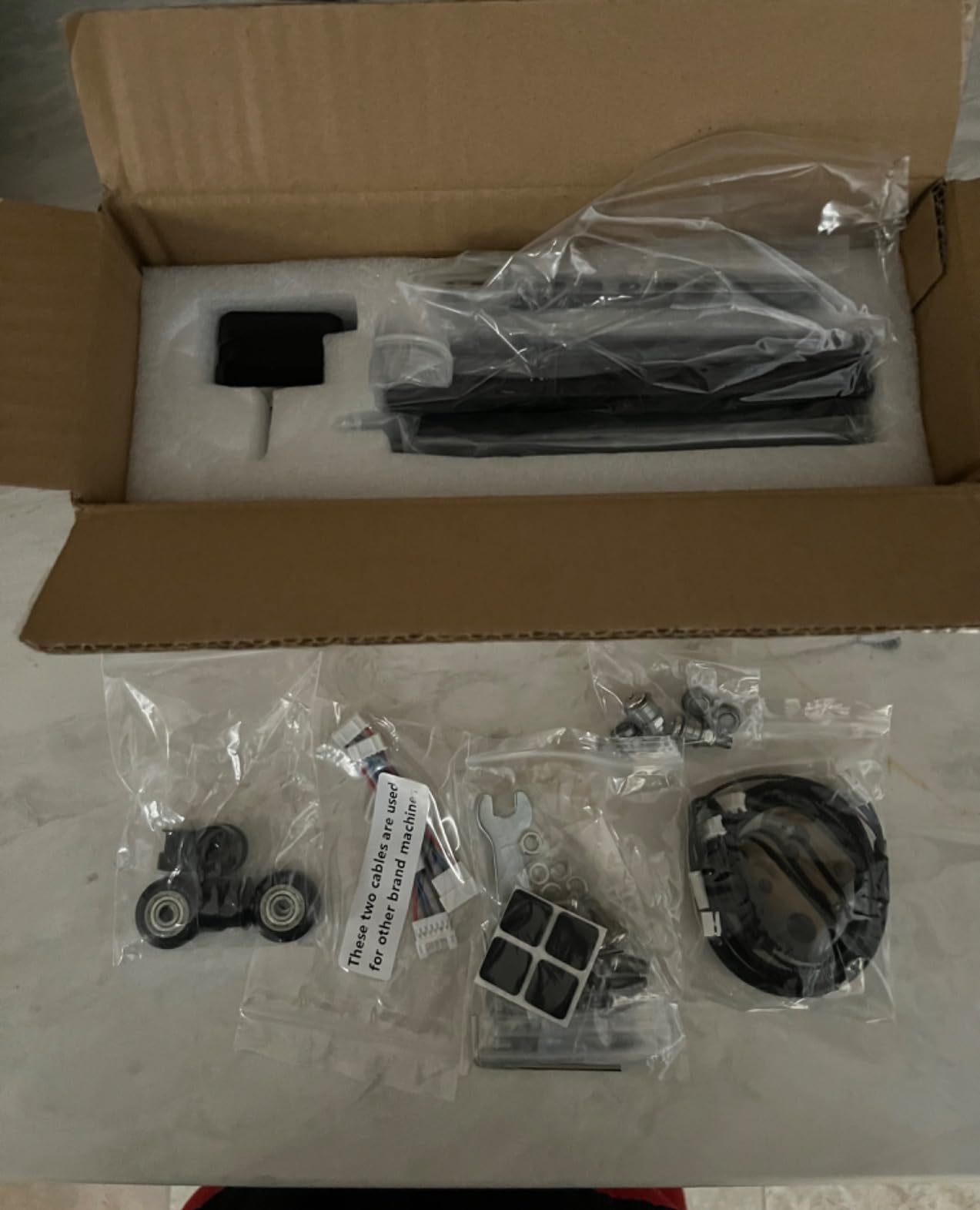
Seven adjustment steps cover diameters from 8mm up to 110mm, which is a wider span than most rollers in this list. Owners use it on cups, bottles, pipes, bowls, even guitars and drums, so the range is not just marketing.
Software support is broad. It works with LaserGRBL and LightBurn on Windows, Mac and Linux, and most third-party engraver brands connect after a simple wire change at the end of the cable.
That last point is the one thing to read twice. If your machine is not an ORTUR, you are swapping the blue and green wires before it communicates, which is a five-minute job but a real one for a first-time owner.
Why the review volume matters here
Review count is a rough proxy for support, and in this category it separates sharply. The ORTUR roller carries 723 ratings; the highest-rated budget units in the same shopping listings sit on a handful. When something goes wrong at step 40 of a production run, brand reach is worth more than a slightly tighter surface finish.
It is also the module most owners recommend outright to newcomers, and the one that appears most often in how-to threads as a first purchase before moving up to a chuck.
Where the friction design bites
A roller grips by surface contact, not by clamping, so a very smooth or glossy cylinder can creep. Laser-coated tumblers are exactly that surface. Set the center height carefully, expect to retune between diameters, and do a short test cut before a full wrap.
The other limitation is raw accuracy. If you need to engrave cones, spheres or rings, this is the wrong tool — there is no jaw, no tailstock and nothing to hold an odd shape against.
3. ACMER M3 Rotary Roller: The Straightforward Budget Roller
ACMER M3 Laser Rotary Roller, Rotary Module for Cylindrical Engraving
High-grip rubber roller
Built-in mode toggle
Two cables included
Pros
- Rubber roller holds tumblers and pens steady
- Toggle switch returns to flat mode fast
- Two cables cover ACMER and other brands
- Compact and light at 1.87 lb
Cons
- Assembly required before first use
- Machine and software settings need manual configuring
- Newest module in the set with a 48-review history
The M3 is the simple version of the roller idea done well. It is one of the newest modules in the group and carries 48 reviews at 4.3 stars with 69% five-star ratings — a young track record, but a clean one so far.
Its best feature is unglamorous and useful: a built-in toggle switch on the module itself. Flip it and you are back to flat-material engraving without unplugging anything, which saves real time when you alternate between a batch of tumblers and a stack of flat boards.
The rubber roller is the grippier surface than a bare metal drum, and owners specifically call out its hold on cups, tumblers, bottles, pens, tubes and bowls. Two connection cables are included in the box, one for ACMER machines and one for other compatible brands.
Best used for
Straight-sided cylinders of consistent diameter: water bottles, steel tumblers, pens, tubes. That is the workload this roller does best, and it does it without calibration drama once the height is set.
If your first goal is learning the software side — steps per mm, rotary mode, surface speed — this is a low-cost way to get there, and the toggle switch makes mixed-job days less painful.
Where you will notice the limits
Assembly is required before the first use, and machine and software settings have to be configured manually after connecting. Neither step is hard, but both mean you are not unboxing into a finished workflow.
With 48 reviews behind it, long-term durability data is thin. It ranks #59 in its category, well below the ORTUR roller’s position, so if you run production volume you are leaning on a much smaller install base.
4. Longer Rotary Roller Series: Built for Longer Cylinders
Longer Rotary Roller Series,with Bracket, Y-Axis 360° Rotation for Laser Engraver Engraving Cylindrical Objects Tumblers Cans Cups Bottles, Compatible with 99% of Laser Engraver,Size 268 * 184 * 60mm
268 x 184 x 60mm drum
3.14 lb
Two wiring harnesses
Pros
- Two wiring harnesses cover most engravers
- Adjustable height fits small trinkets to tall vases
- Stable support through a full job
- Category sales rank #46 signals broad use
Cons
- Some machines need the alternate harness tried first
- Roller friction grip struggles with irregular items
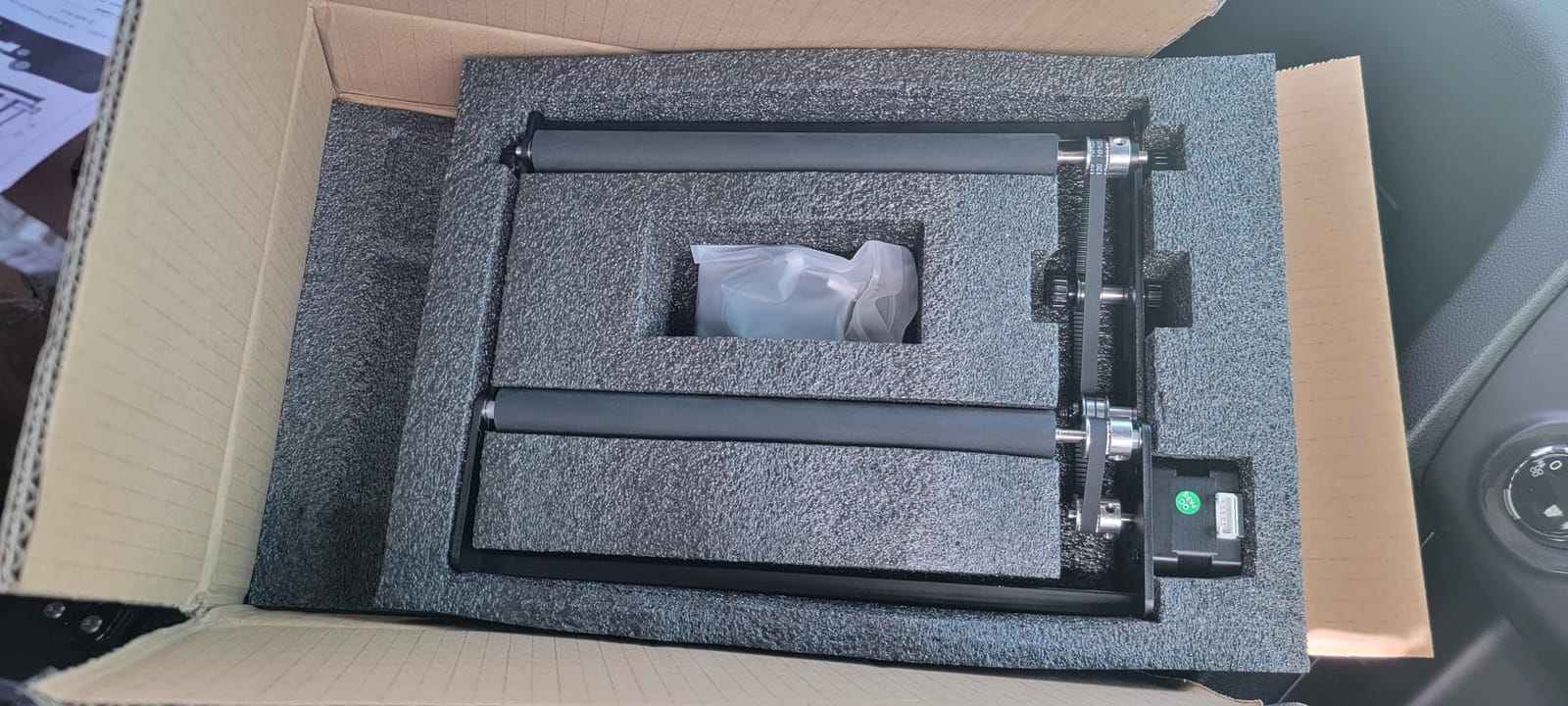
The Longer roller series is aimed at the jobs a compact drum cannot take: long bat blanks, tall bottles, fence posts and anything where the object is the length of the module rather than a short tumbler. The drum assembly measures 268 x 184 x 60mm.
Two wiring harnesses come in the box, one with a white connector and one with a black, and between them they cover the bulk of engravers on the market. Owners value the adjustable height range most, because it lets the same unit handle small trinkets and tall vases without a rebuild.
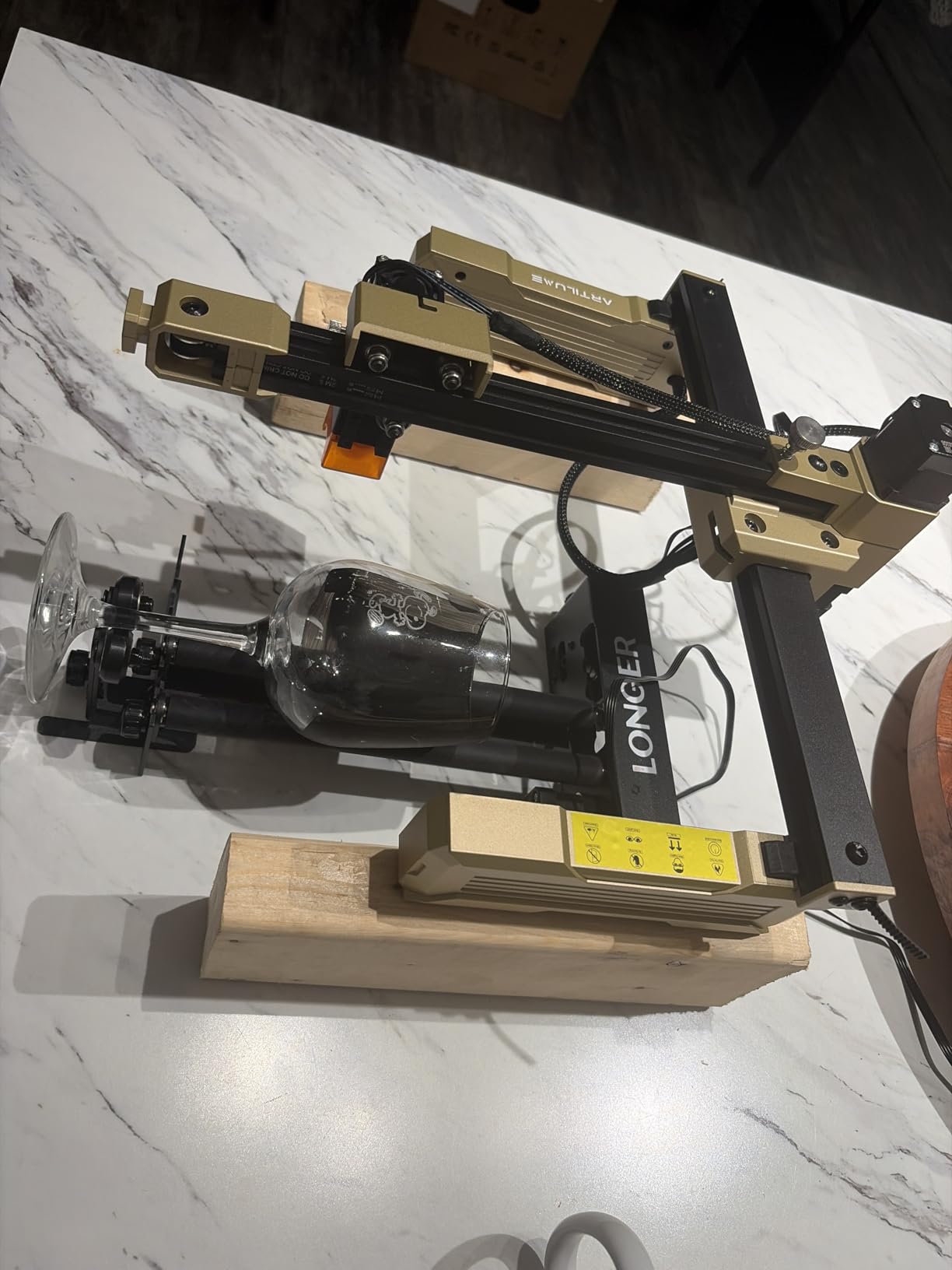
Reviewers report stable support and accurate positioning, which is what keeps surface speed honest across a long job. 222 ratings at 4.4 stars with 74% five-star puts it in the same reliability band as the ORTUR roller.
Its best sellers rank of #46 in Jewelry Making Engraving Machines & Tools is a good tell — this is a widely adopted unit in the hobby engraver community, not a niche accessory.
When this drum earns its keep
Long cylinders. Wooden bats, rolling pins, batons, tall water bottles and fence stakes all sit better on a 268mm drum than on a short roller. A commenter on r/Tools suggested wooden baseball bats as an underused rotary project, noting they are not perfect cylinders but a good part of one — this is the module class that can take that job.
The adjustable height range also makes it a good second rotary if your work alternates between very small items and something tall.
Where it will frustrate you
If your machine does not take the first harness, you are swapping to the other one and rechecking communication. That is a small annoyance that repeats every time you move the module.
It is a roller, so it grips by friction. Irregular or very smooth items need careful center height, and anything conical or ball-shaped is outside what the surface can hold.
5. ORTUR YRC1.0 Chuck Rotary: Accurate Work in Chuck, Ring and Sphere Modes
ORTUR YRC1.0, Y-axis Rotary Chuck for Most Laser Engravers, Jaw Chuck Rotary, Y-axis Rotary Roller Engraving Module for Engraving Cylindrical Objects, Wine Glass, Tumbler, Ring
1mm to 120mm jaw range
360°/s
1.69 kg aluminum
1/2-20 UNC
Pros
- Chuck ring and sphere modes in one frame
- Jaws dial from 1mm to 120mm
- Four-step installation
- Works with Laser Explorer LaserGRBL and LightBurn
Cons
- Jaw changes take practice even with the spanner
- Tailstock adds assembly steps versus a plain roller
This is the accuracy option from the ORTUR range. Instead of friction, it uses interchangeable jaws in a chuck with a tailstock, so the object is clamped at both ends and cannot shift surface speed mid-job.
The jaw range is the standout: 1mm to 120mm of engraving diameter, with a sphere range of 25mm to 150mm and a ring range of 11mm to 100mm. 98 ratings at 4.4 stars with 72% five-star reflect owners who mostly cite the multi-mode design and the very wide span.
Speed is 360°/s with 180° of angle adjustment, and the body is machined aluminum on a 1/2-20 UNC thread at 1.69 kg. That weight is not incidental — a chuck that moves is a chuck that skews.
Installation is reported as a simple four-step process, and it covers all ORTUR engravers plus Laser Explorer, LaserGRBL and LightBurn.
What the chuck changes about your work
Clamping fixes the two failure modes a roller cannot: wobble in tall items and slip on tapered or handled objects. Once a champagne flute or a handled mug is clamped between jaws and a tailstock, it stays put for the whole wrap.
Sphere and ring modes extend the same frame to balls, ornaments and jewelry, which is how this unit reaches beyond drinkware without another purchase.
Where the tradeoff shows
Swapping a jaw takes some practice even with the included spanner, and the tailstock assembly is a real step compared with dropping a roller on a bracket. Budget more setup time than a roller and you will be fine.
It also sits at the narrow end of this list for proof: 98 reviews is solid but far behind the ORTUR roller’s 723. The design is proven, the support base is not as deep.
6. Creality Laser Rotary Roller: Best on Cones and Tapers
Creality Laser Rotary Roller for Engraving Curved Surface Objects
5mm to 120mm range
7-level gears
24-month guarantee
Pros
- Handles conical as well as cylindrical items
- 7-level gear adjustment 5mm to 120mm
- Adjustable support for Yeti cups and wine glasses
- LaserGRBL and LightBurn
Cons
- Software parameter must be edited manually around each job
- Compatibility framed around Creality engravers
- Friction grip on very smooth cylinders
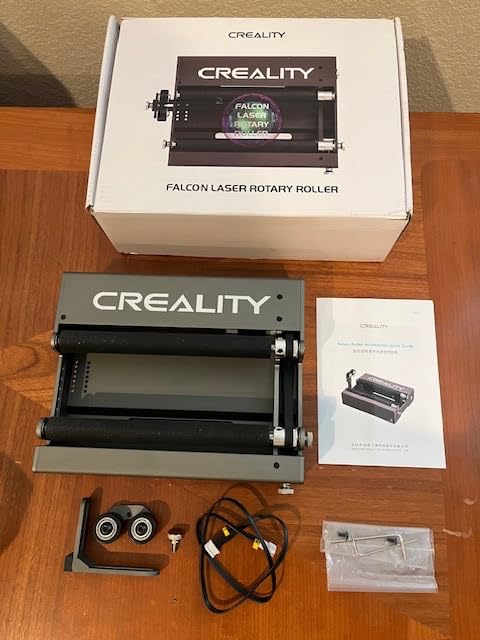
This roller is the one to look at if your work includes tapered objects. Seven gear levels cover 5mm to 120mm, and the listing explicitly calls out cylindrical and conical items such as cups, bottles, pens and cans.
The adjustable support module is the part that matters for drinkware. Owners point out that it handles odd shapes — Yeti cups, wine glasses — that a plain roller struggles to keep level while turning.
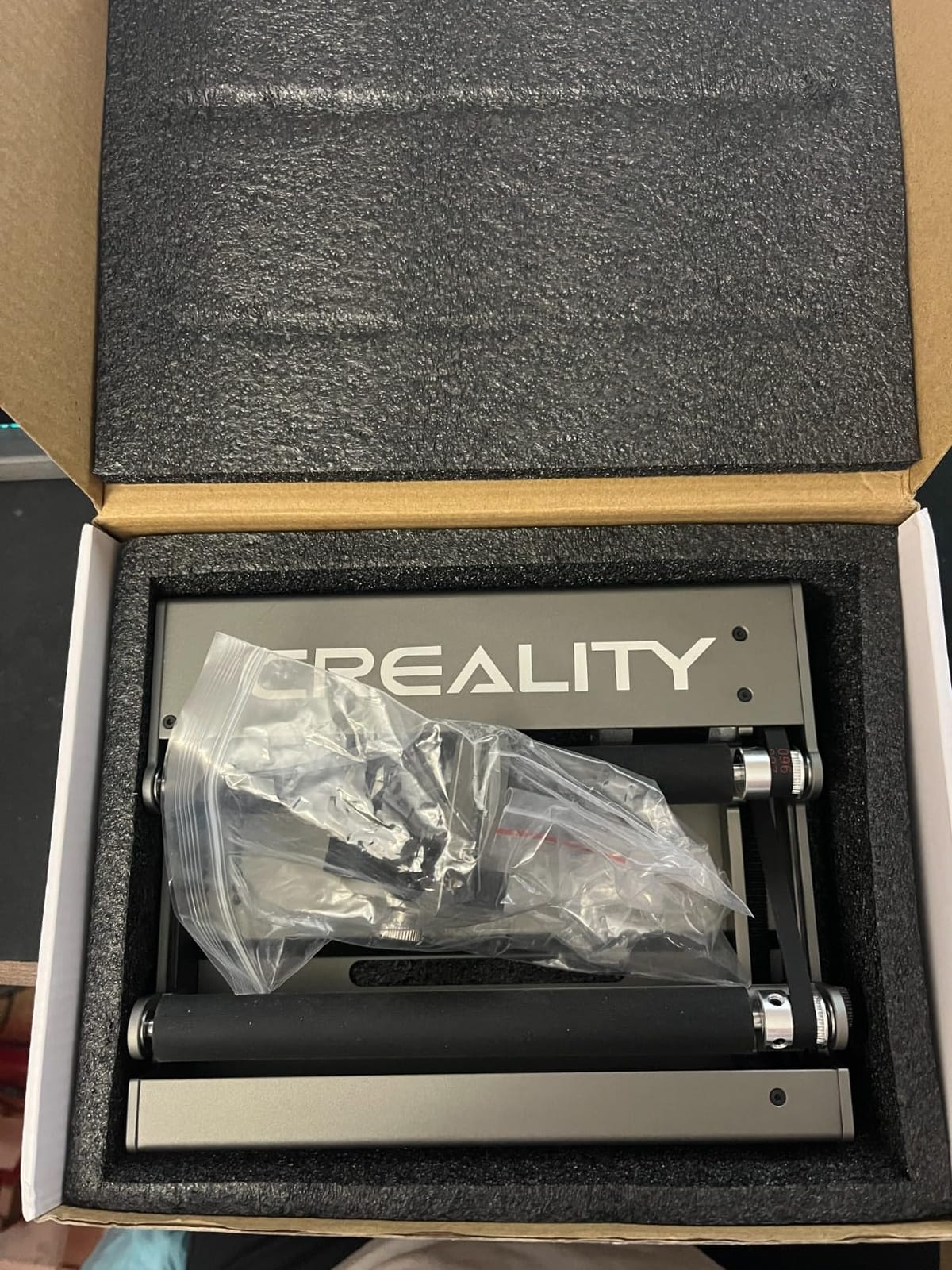
It runs on LaserGRBL or LightBurn and carries a 24-month Creality quality guarantee, which is longer than most warranties in this category. 90 ratings at 4.3 stars with 69% five-star is a decent but unremarkable track record.
One detail worth planning around: the setup instructions tell you to change a software parameter before use and set it back afterward, so it is not a permanent setting.
When tapers decide the purchase
A bottle neck, a tapered sleeve or a conical glass will not ride a standard roller at constant speed. The gear levels shift the effective diameter to follow the taper, which is why this one earns a spot on a list of mostly straight-cylinder options.
For flat-bottomed drinkware with odd profiles, the adjustable support module is what keeps the axis true, and that is the same axis problem that causes skew.
Where the friction design bites
Like every roller here, grip comes from surface contact. Very smooth cylinders need careful height setting, and a coated tumbler that will not bite is the most common complaint pattern across this whole category.
Fitment is framed around Creality engravers, so on another brand you should verify the interface before buying. And the manual software parameter edit is an extra step on every job you forget and then remember halfway through.
7. AlgoLaser RR2: The Roller With No Software Setup
Algolaser Laser Engraver Rotary Roller – Y-axis Rotary Roller for Laser Engraver – 360° Adjustable Rotary Roller for Cylindrical Objects Tumblers,Bottle with for Alpha/DIY KIT Laser Engraver
7-step to 150mm
42 hybrid stepper motor
No drivers required
Pros
- No software setup or extra drivers
- Works with LightBurn LaserGRBL and AlgoLaser APP
- 7-step adjustment reaching 150mm
- Pre-assembled with a two-screw install
Cons
- Smallest review base at 32 ratings
- Friction roller needs correct height centering
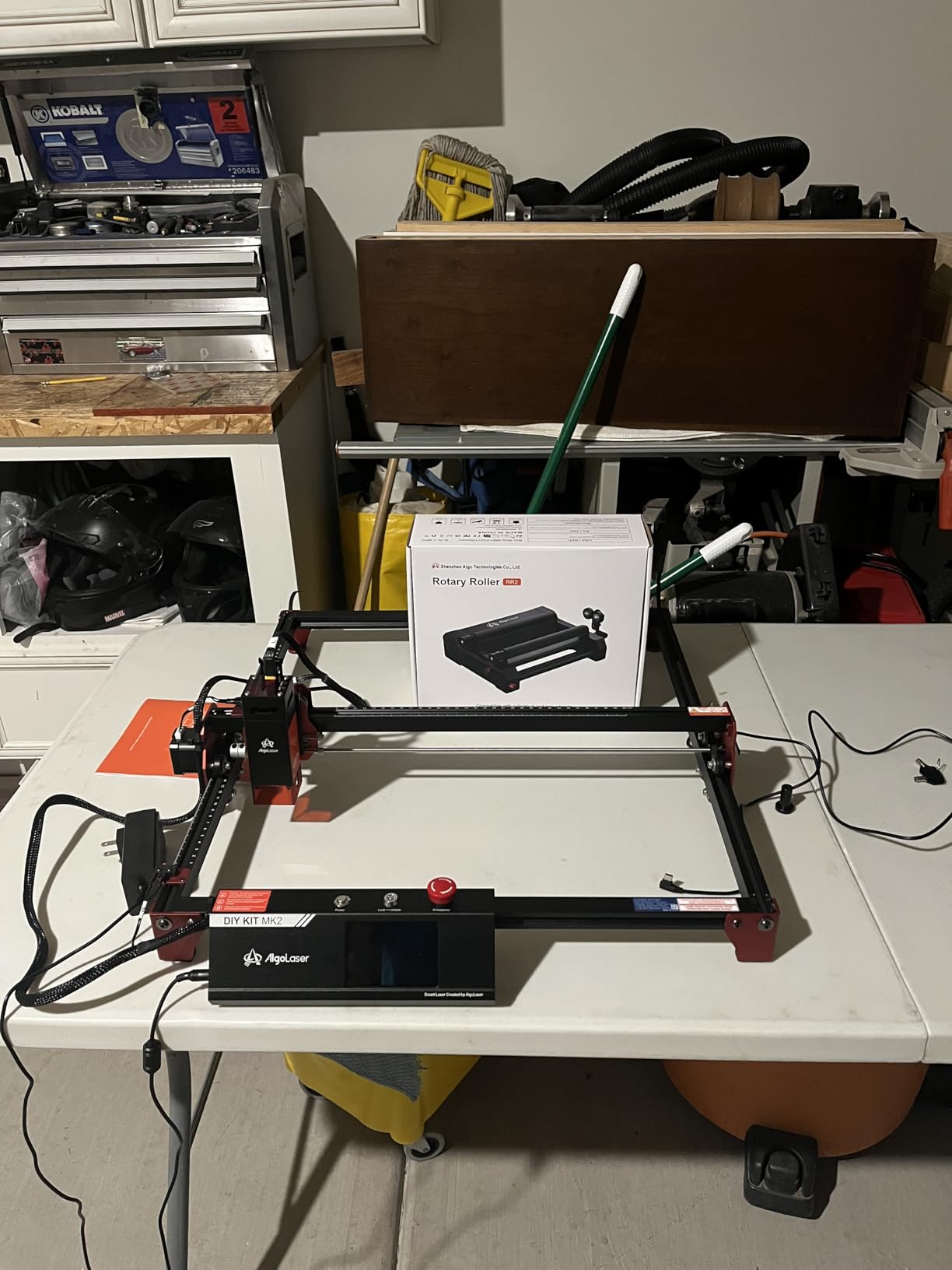
The RR2 removes the step most people get stuck on. Because the roller’s surface linear speed matches the unmodified Y-axis speed of the machine, no driver install and no parameter edit is required before you start cutting.
That single design choice is why it holds a 4.5 star average — the second highest rating here — despite carrying only 32 reviews. It also covers the widest diameter of any roller in this group, with seven adjustment steps reaching up to 150mm.
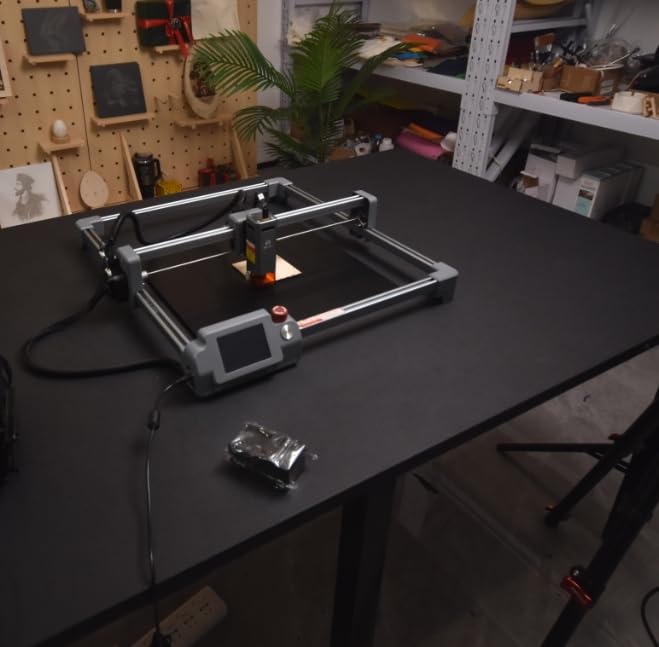
It works under LightBurn, LaserGRBL and the AlgoLaser app, and runs on most GRBL-controlled engravers. A 42 hybrid stepper motor drives it, and the module arrives pre-assembled so installation is two screws.
78% of ratings are five-star, which is a strong ratio, but treat it as early data rather than a settled track record.
Why zero configuration matters
Steps-per-mm calibration is where most beginners lose an afternoon. If your module matches the stock axis speed, you skip that entirely, load a file, and start marking a test pattern. For a first rotary, that removes the most common reason people quit.
The 150mm ceiling also makes it useful for wider cans and short bottles than most budget rollers reach.
Where the thin review base bites
Thirty-two ratings is the smallest sample in this roundup, and that means durability data is limited. You cannot tell yet how the rubber roller looks after a year of production work.
Grip is still friction, so glossy cylinders need accurate center height. And while the no-setup claim covers the module, your own software still needs a correct rotary profile selected.
8. Creality Rotary Roller Pro: Three Grippers That Protect Glass
Creality Rotary Roller Pro, Laser Engraver Accessories 3-in-1 Kit for Falcon and Other Engraving Machines, Jaw Chuck for Glass, Cylindrical Objects, Ring, Cups, Pens
3 gripper sets
1-110mm cylinders
10-130mm balls
PH2.0-6P
Pros
- Trapezoidal L-shaped and hexagonal grippers
- Soft pads grip without cracking glass
- No assembly needed
- Cylinders balls rings and shaped items
Cons
- Risers not included on some machines
- One report of failure within two weeks
- Soft pads compress on very small diameters
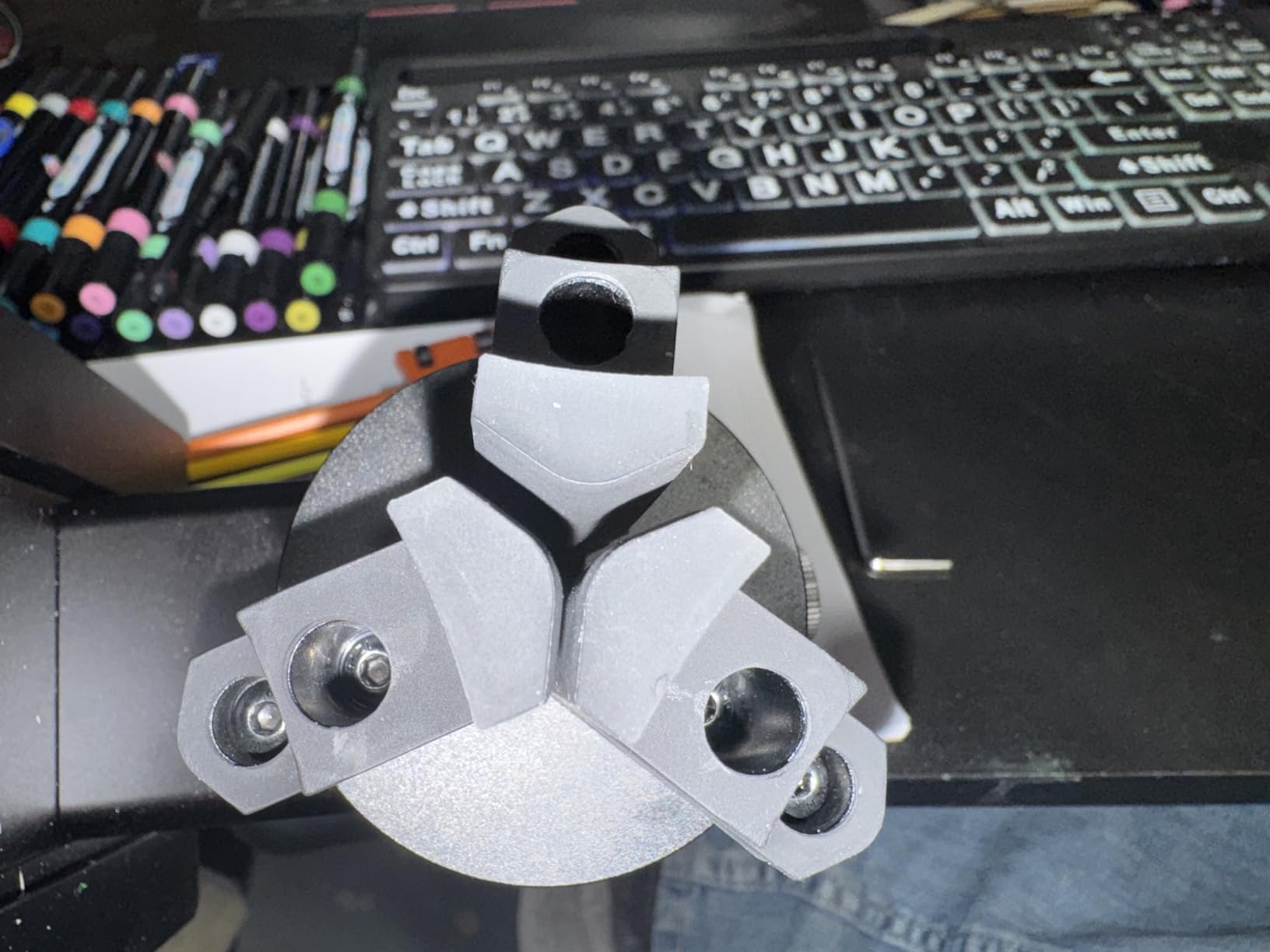
This kit solves a problem rollers cannot: gripping something without squeezing it. Three gripper sets — trapezoidal, L-shaped and hexagonal — let you match the contact to the object, and anti-slip soft pads add friction while protecting fragile pieces like glass.
The diameter coverage is the broadest of any chuck-style kit here. Cylinders 1-110mm, shaped items such as handled mugs and tumblers 25-75mm, balls 10-130mm, and rings and bracelets 15-100mm.
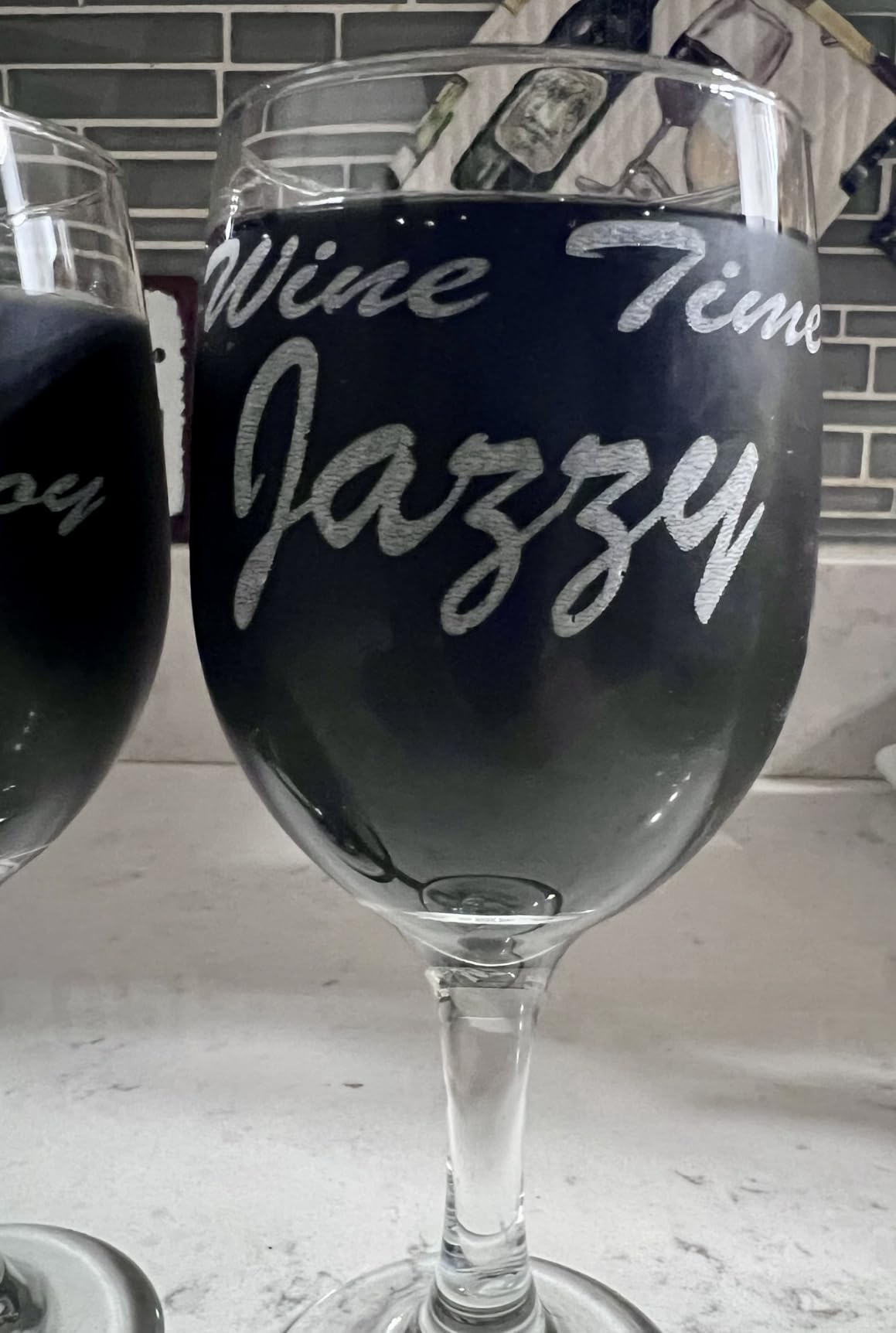
The interface is PH2.0-6P, six-pin, which the listing puts at compatible with the Creality Falcon series and roughly 95% of engravers, running on LaserGRBL and LightBurn. Owners cite solid construction and good value for the cost, and there is no assembly.
53 ratings at 4.3 stars with 67% five-star is a middling score with two recurring issues: risers not being included, and at least one report of a unit failing within two weeks that eventually got replaced under warranty.
When soft pads are the right call
Glass is the case this kit is built for. Friction rollers can scuff or chip a surface, and a padded jaw increases grip while spreading the contact. If you engrave drinkware, wedding favors or anything that shows fingerprints, that trade is worth making.
The three gripper geometries also cover the awkward jobs — a handled mug that a plain jaw cannot get level, or a ball that needs three points of contact.
Where it falls short
Check whether your machine needs risers before you order; they are not included on some setups, and that is the single most reported friction point. The soft pads that grip well on larger items also compress on very small diameters, setting a practical floor on the smallest piece you can hold.
The early failure report is worth weighing if you run production volume. A warranty replacement resolved it, but that is time you spend not engraving.
9. Longer Chuck Rotary: Three Modules for Odd Shapes
Longer Chuck Rotary Roller is ideal for engraving cylindrical, wine glass, and irregular objects. Y-axis 360° rotation, compatible with Ray5, Ray5 Mini, B1, and most other frame-style laser engravers.
0.014° stepper accuracy
360°/s
Three jaw modules
Pros
- Single-step jaw double-step jaw and hex rod modules
- Covers glasses tumblers bats rings pens balls
- 0.014° stepper control accuracy
- All-in-one design needs no extra installation
Cons
- Lowest average rating in the set at 4.2
- Three swappable modules mean more setup decisions
- 10% one-star share in reviews
This chuck is organized around three interchangeable gripping modules rather than one jaw set: a single-step jaw, a double-step jaw, and a hexagonal rod. Between them they are aimed at wine glasses, Yeti tumblers, wooden bats, rings, pens, balls and handled mugs.
The drive side is the strongest part. A 360° free rotation speed with 0.014° stepper motor control accuracy gives you very fine control over surface speed, and the all-in-one integrated design needs no separate installation step.
It is aimed at Longer Ray5, Ray5 Mini and B1 machines and most other frame-style engravers, running on LaserGRBL and LightBurn. Its #13 ranking in Roller Stands tells you demand is real.
We are flagging the rating honestly: 4.2 stars across 80 ratings is the lowest average here, with a 10% one-star share — the largest of any product in this roundup.
What the three modules buy you
The hexagonal rod is the interesting one, because it is how you hold an item with a flat face or an edge rather than a clean cylinder. The double-step jaw handles tapered and handled pieces that a single jaw cannot level.
That range is why it works on bats as well as glasses. For irregular work, having the right contact geometry in the box beats re-engineering a clamp mid-job.
Where the rating drop comes from
Three swappable modules mean more decision-making at setup than a single roller needs. You are choosing the contact before every new object type, and that friction is part of why the reviews are more mixed.
Buy it if your catalog is genuinely irregular. If you mostly engrave straight cylinders, the roller options give you a cleaner workflow for less complexity.
10. xTool RA3 Smart MagSwap Rotary: Built Around Magnetic Quick Changes
xTool RA3 World’s First Smart MagSwap Rotary for xTool P3, F2 Ultra, F1 Ultra, F2 Laser Engraver, 360° LiDAR Mapping Alignment, Intelligent Rotary that Masters Engraving on Rings, Tumblers & Ornaments
130mm chuck
MagSwap magnetic swap
360° LiDAR mapping
Pros
- Tool-free magnetic swap between four modes
- Easier and more precise setup than the RA2
- 3D preview and mode recognition cut guesswork
- 130mm chuck handles larger items
Cons
- LiDAR auto-focus only works on the xTool P3
- Rotary pass speed capped near 400mm/s
- No origin reset or centered-origin option in software
The RA3 replaces screws with magnets. MagSwap lets you change between chuck, roller, sphere and ring modules in seconds with no tools, and owners who have used both RA2 and RA3 report noticeably easier setup and stronger grip with easier centering.
Then there is the software layer: 3D preview, automatic mode recognition and auto-focus through 360° LiDAR Mapping. The chuck is enlarged to 130mm, and a one-step inner ring angle adjustment helps on small rings.
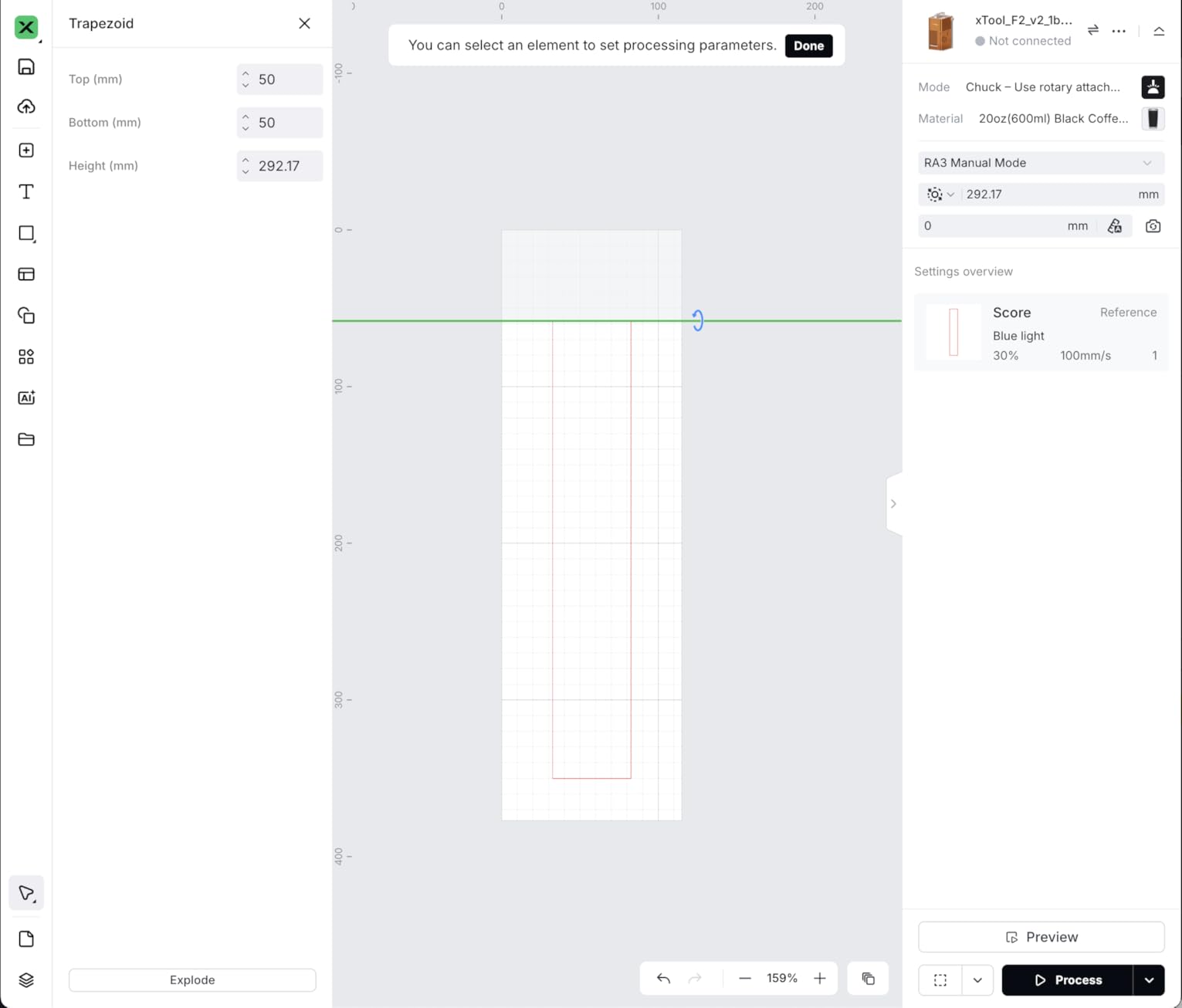
65 ratings at 4.5 stars with 82% five-star puts it close to the RA2 Pro’s satisfaction level, and a 12-month manufacturer warranty is standard. Owners running both units tend to keep the RA2 for glass and fine objects and reach for the RA3 for precision angular work.
The honest caveat is that the headline features are narrower than the marketing suggests, and we would rather you know that before ordering.
What the magnetic swap genuinely changes
Tool-free changes mean you stop treating the rotary as a single-purpose tool. Chuck a ring, swap to roller for a bottle, switch to sphere for an ornament — the whole job stays on one attachment instead of four setups.
For glass and delicate rounded objects, the combination of strong grip, easy centering and no screw disassembly is the strongest workflow in this roundup.
Where the software limits you
360° LiDAR Mapping auto-focus is only available on the xTool P3, not the F2 or F2 Ultra. Rotary pass speed is capped around 400mm/s regardless of the laser body, so fast multi-pass settings simply are not valid.
Reported software gaps include no origin reset when cancelling a job, radial preview artifacts, and no way to define a centered design origin. There is also no jig or mechanical coupling, so the unit is hand-aligned and can lose alignment if bumped, and one detailed report cites grinding noise from the servo box inside roughly 20 hours. If you own a P3 and work on rings or ornaments daily, it is a serious tool. On other xTool bodies, you are paying for features you cannot switch on.
How to Choose a Rotary Attachment for Your Machine
Compatibility decides everything else. A rotary is a stepper motor on a Y axis, so it needs a controller that speaks rotary profile — GRBL-based machines usually do, Ruida-based CO2 lasers generally do not. Check your controller before the price.
Confirm the controller. LaserGRBL and LightBurn handle rotary mode on most machines. Ruida controllers and some closed-box firmware do not, no matter what the listing claims.
Pick the grip for your objects. Straight cylinders and cans take a roller. Tapers and odd drinkware need the 4-wheel or adjustable-support type. Cones, spheres, rings and handled mugs need jaws and a tailstock.
Check the diameter range against your largest piece. Marketing numbers often describe the roller, not the jaw clearance. Measure the widest item you plan to engrave.
Look at the motor spec. Precision steppers with published angular accuracy give you steadier surface speed than an unspecified motor.
Check the software workflow. Some modules need a parameter edited before and after each job; some need nothing at all. That difference is minutes per job over a month.
Count the reviews. Inventory depth matters as much as design. In this category the gap between a 700-review product and a 30-review product is support, spares and proven longevity.
One more practical note. If your project list is broader than tumblers, remember that the same attachment covers much more. Our rotary tool guide for crafts covers the hand-tool side for detailing work that is easier done off the machine.
Why Engravings Skew and How to Fix It
Skewed and stretched letters are the most common complaint in every forum thread we checked, and in almost every case the cause is one of four things rather than a faulty module.
Steps-per-mm is set for the wrong circumference. Measure the actual object diameter and enter it. Guessing produces text stretched along the direction of rotation.
Center height is off. If the roller or jaw sits above or below the true center, the effective diameter changes continuously and the image shears. Re-level after every diameter change.
The object is slipping. Friction rollers creep on glossy or coated cylinders. Clean the surface, add grip, or move to a chuck.
The tailstock is loose or the piece is off-axis. A tall wobbling object changes radius mid-job, which shows up as letters that start right and drift.
A quick diagnostic helps. Cut a 20mm square test block at three different points around the cylinder. If the squares match in width, the file is fine and your alignment is not. If the top and bottom differ, it is height or slip, not your design.
Your First Rotary Setup in Four Steps
If you are moving from flat material to curved objects for the first time, this is the shortest reliable path. Budget an evening.
Mount and level. Fit the module to the Y rail, set the roller or jaw height so the object axis is at beam height, and lock it. Do not skip the level.
Set steps per mm. Measure the real circumference of your first object, enter it in LightBurn or LaserGRBL, and save the value as a material profile so you never retype it.
Mark a test. Run a simple square and a line of text at the same speed you would use for the real job. Check the squares, not the text.
Do a low-power first pass. Get the alignment right before you commit to a full-power job on coated steel, where a mistake shows permanently.
Once the test squares match, move up. Most people find the first three jobs slow and the fourth noticeably faster, because they stop adjusting the same four things.
Frequently Asked Questions
What is a good rotary tool for engraving?
For laser engraving, a good rotary tool is a powered add-on that spins the workpiece on the Y axis, not a handheld Dremel-style tool. The xTool RA2 Pro is the strongest all-round pick because it covers roller, chuck, sphere and ring modes; the ORTUR roller is the safest budget-friendly choice for straight cylinders.
What is the best laser rotary attachment for tumblers?
For tumblers specifically, a chuck rotary grips best because it clamps the cylinder at both ends instead of relying on friction. The xTool RA2 Pro is our top pick, and the ORTUR YRC1.0 is the dedicated chuck option if you only ever engrave drinkware.
How do I calibrate a laser rotary attachment?
Measure the real diameter of the object, calculate its circumference, and enter the matching steps-per-mm value in LightBurn or LaserGRBL, then save it as a material profile. Level the roller or jaw so the object axis sits at beam height, then cut a 20mm test square at three points around the cylinder and confirm they match.
Why is my engraving stretched or skewed on a rotary?
Almost always one of four causes: steps per mm set for the wrong circumference, roller or jaw height above or below the object center, a slippery surface letting the piece slip, or a loose tailstock letting a tall object wobble. Re-level after every diameter change and test with squares before judging the text.
Can I use a laser rotary attachment with a diode laser?
Yes, as long as the machine runs a GRBL-based controller such as LaserGRBL or LightBurn. Most rollers in this roundup are aimed at diode and frame-style engravers, including the ACMER, AlgoLaser and Creality units. Ruida-controller CO2 lasers are the main exception, so verify your controller before buying.
What are the most profitable items to engrave with a rotary?
Tumblers and insulated bottles lead because they are durable, easy to coat and popular as gifts. Wine bottles, whiskey glasses, pens and wooden bats follow, with rings and ornaments adding higher per-piece value if your chuck handles small diameters well.
Conclusion
For most people moving into cylindrical engraving, the best rotary attachments for laser engravers come down to grip type and controller. Pick the xTool RA2 Pro for genuine multi-mode work, the ORTUR roller for proven straight-cylinder reliability, or the ACMER M3 if budget is the deciding factor.
Whichever you choose, the module is the easy half. Budget an evening for level, steps per mm and a test block, and the difference between a clean wrap and a scrapped tumbler stops being luck. Round out your setup with the rest of our 2026 equipment guides, including our coverage of rotary cutting systems for quilters if you also work with fabric.