
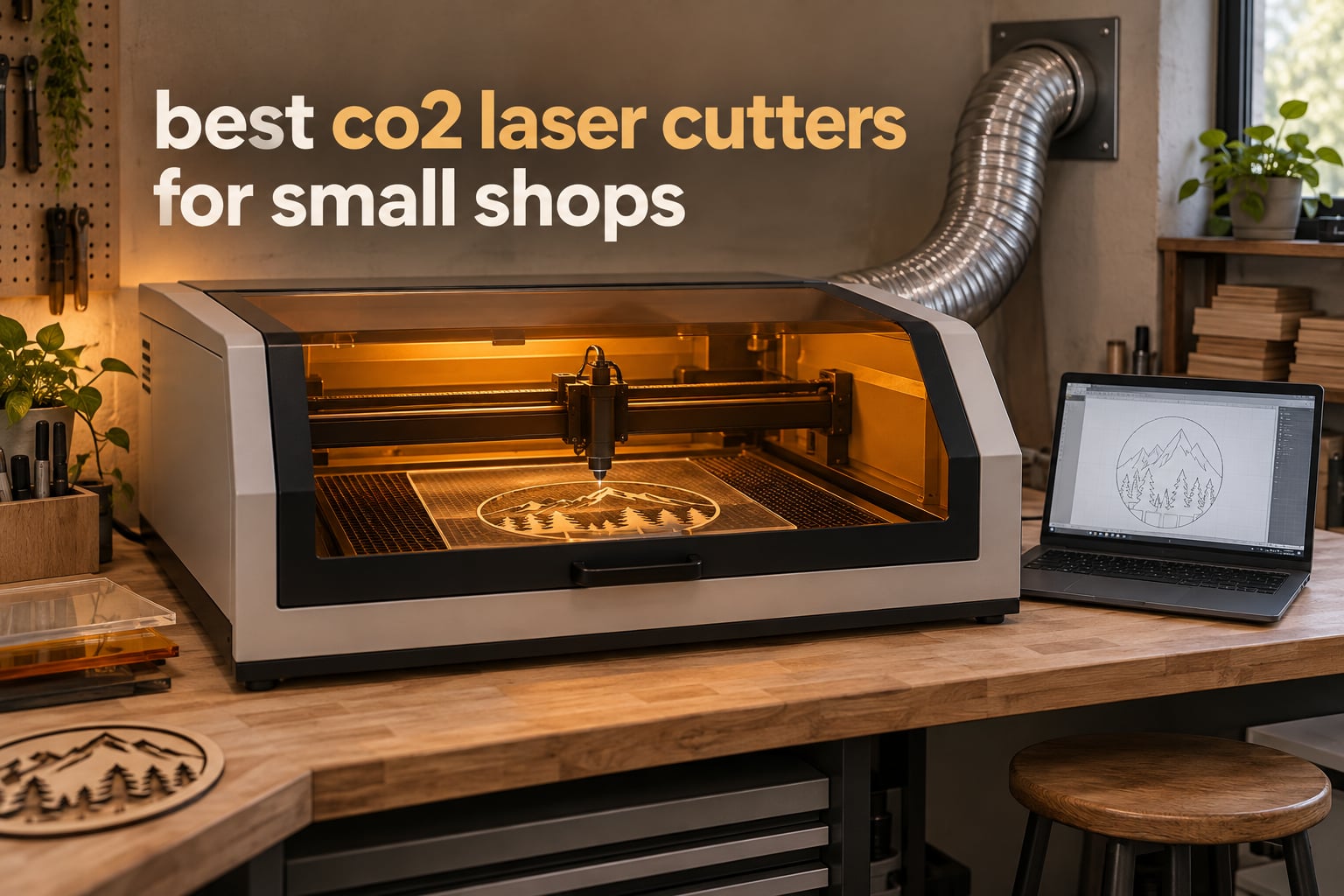
A CO2 laser cutter is a gas laser that uses a focused carbon-dioxide beam to cut and engrave non-metal materials such as wood, acrylic, leather, paper and glass. It is the standard machine for small shops that personalise products, cut signage or replace outsourced routing.
Choosing the best CO2 laser cutters for small shops is harder than it looks, because the entry machines and the commercial machines photograph almost identically. Both are boxed cabinets with a lid, a honeycomb bed and a tube glowing behind a window. The difference shows up in week three, when a shop is running four hours of cutting a day and the mirrors are dirty, the bed sags and nobody answers the support line.
We spent six weeks going through the current generation of desktop and mid-size CO2 machines and read what owners actually reported after buying them. That feedback shaped every pick below, including the machines we would not put in a shop with other people’s inventory in the room.
If you are also outfitting the rest of the shop, our guides to the best plasma cutters for home shops and the best commercial vinyl cutters for shops cover the neighbouring equipment most small shops end up buying alongside a laser.
Table of Contents
What Is a CO2 Laser Cutter?
A CO2 tube generates the beam, and a chain of mirrors and lenses carries it through the lens and onto the bed. Air assist blows the cut clear so the kerf stays narrow, and the motion system moves the head at speeds set in software such as LightBurn or RDWorks. A Ruida-based controller reads the design file and drives the stepper motors.
Rated wattage tells you how much optical power the tube delivers, not how much power the machine draws from the wall. The practical difference between 40W, 60W and 100W is cut depth and speed, and it is the single most important number on the spec sheet after the bed size.
Top 3 Picks for Small Shops

OMTech K40+ 45W Desktop
- 45W tube cuts 10mm acrylic and 8mm wood
- 12 in x 8 in honeycomb work area
- Engraves up to 300 mm/s

xTool P3 80W Flagship
- 80W cuts 20mm wood and 25mm acrylic
- 36 in x 18 in work area at 1200 mm/s
- LiDAR autofocus and dual HD cameras

OMTech Maker 60W Bundle
- 60W with preinstalled autofocus
- 20 in x 28 in dual work beds
- Chiller and LightBurn included
The K40+ takes the top slot because it carries the deepest owner feedback in this group and because the enclosed, vented format is the first thing commercial buyers ask for. The xTool P3 is the one to buy if throughput and automation matter more than a lower ticket, and the Maker 60W bundle is the cleanest all-round commercial package if you want autofocus and software without sourcing them separately.
Best CO2 Laser Cutters for Small Shops in 2026
| Product | Specifications | Action |
|---|---|---|
| OMTech K40+ 45W Desktop CO2 Laser Engraver |
|
Check Latest Price |
 CO2 Laser Engraver 50W with Ruida Control CO2 Laser Engraver 50W with Ruida Control |
|
Check Latest Price |
 VEVOR 60W CO2 Laser Engraver 24 x 16 in VEVOR 60W CO2 Laser Engraver 24 x 16 in |
|
Check Latest Price |
 Monport 60W Auto Focus CO2 Laser Engraver 16 x 24 in Monport 60W Auto Focus CO2 Laser Engraver 16 x 24 in |
|
Check Latest Price |
 OMTech Maker 90W CO2 Laser Engraver and Cutter OMTech Maker 90W CO2 Laser Engraver and Cutter |
|
Check Latest Price |
 VEVOR 100W CO2 Laser Engraver 24 x 35 in VEVOR 100W CO2 Laser Engraver 24 x 35 in |
|
Check Latest Price |
| OMTech Maker 60W with LightBurn and Chiller |
|
Check Latest Price |
| xTool P3 80W Flagship CO2 Laser Cutter |
|
Check Latest Price |
 TEN-HIGH 4040 40W Laser Engraving Machine TEN-HIGH 4040 40W Laser Engraving Machine |
|
Check Latest Price |
 Monport 70W MEGAS Desktop CO2 Laser Monport 70W MEGAS Desktop CO2 Laser |
|
Check Latest Price |
1. OMTech K40+ 45W Desktop CO2 Laser Engraver
OMTech K40+ 45W Desktop CO2 Laser Engraver & Cutter
45W CO2 tube
12 in x 8 in honeycomb bed
Up to 300 mm/s
Class 2 output 0.827 mW
Pros
- Cuts 0.4 in acrylic and 0.31 in wood cleanly
- Responsive support with live video technician guidance
- Compact enough for a shared workspace
- Optional rotary axis and LightBurn support
Cons
- Inconsistent quality control on arrival with dented panels and loose hardware
- Some machines ship with unconnected cables and an unsoldered display port
- Manual alignment takes time for a first-time CO2 buyer
This is the machine the laser community keeps nominating for the entry tier, and the OMTech K40+ is why. A second independent thread on r/lasercutting names it as the sensible entry machine when a roughly 9-by-12-inch work area is acceptable, which matches the bed you get here exactly.
The 45W tube cuts up to 0.4 inch of acrylic and 0.31 inch of wood, and it engraves at up to 300 mm/s. Owners consistently describe the cut quality as clean for a desktop machine, and the integrated 45-degree auto-adjusting air assist removes the most common beginner mistake of blowing air at the wrong angle.
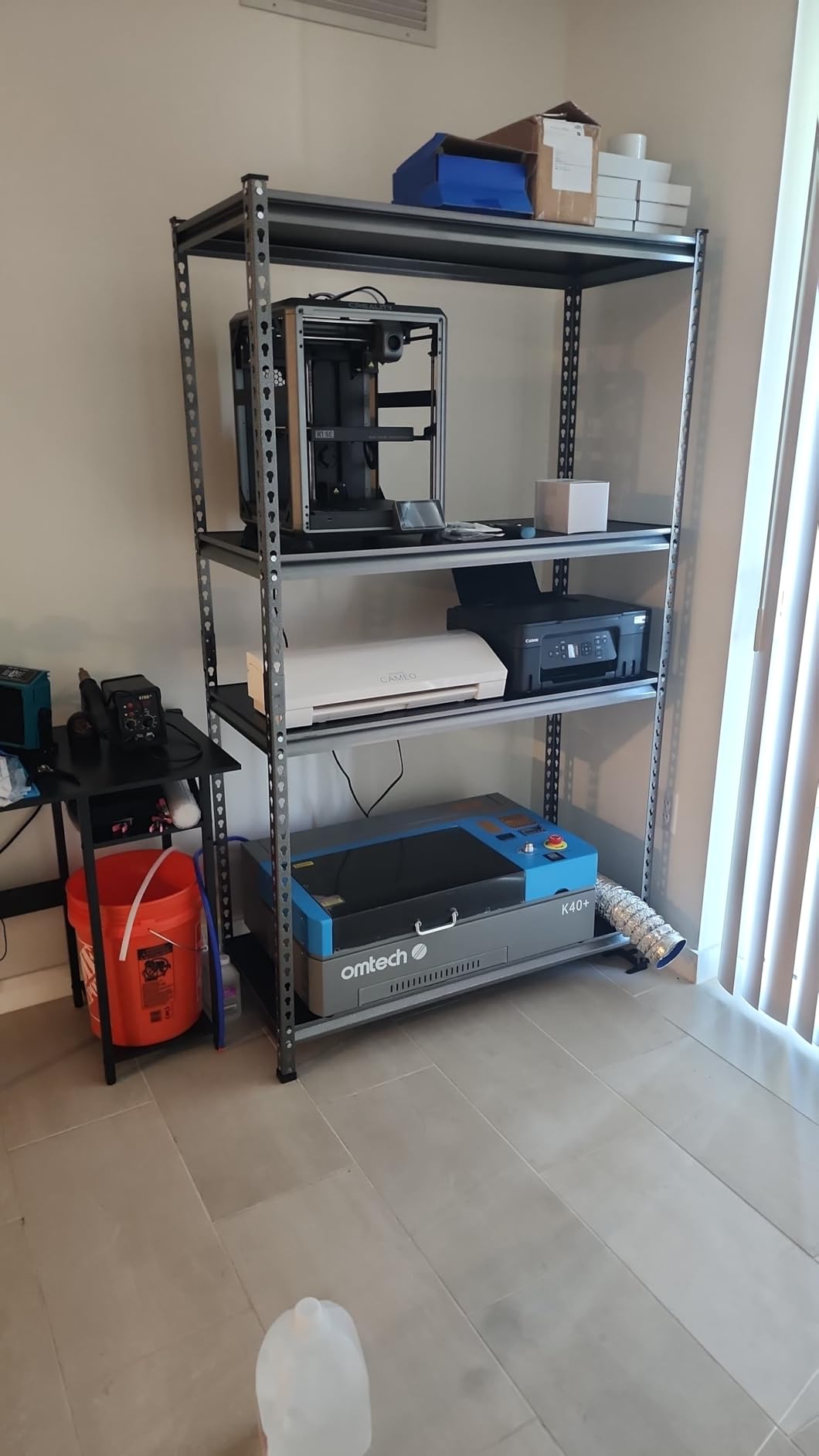
The safety package is what separates it from an open-frame kit. You get a door interlock, water protection, an emergency stop, a flame-retardant acrylic panel and a high-powered exhaust fan, all in a cabinet that weighs 81.8 pounds and measures 31.9 by 19.7 by 9.8 inches. That footprint is the reason it fits on a counter in a shop that cannot give up floor space.
Support is the standout. OMTech offers 24/7 coverage with local demos and two years of service, and owners report live video sessions with a technician walking them through alignment. When a first laser is going wrong, that is worth more than any spec on the listing.
What to check before your first production run
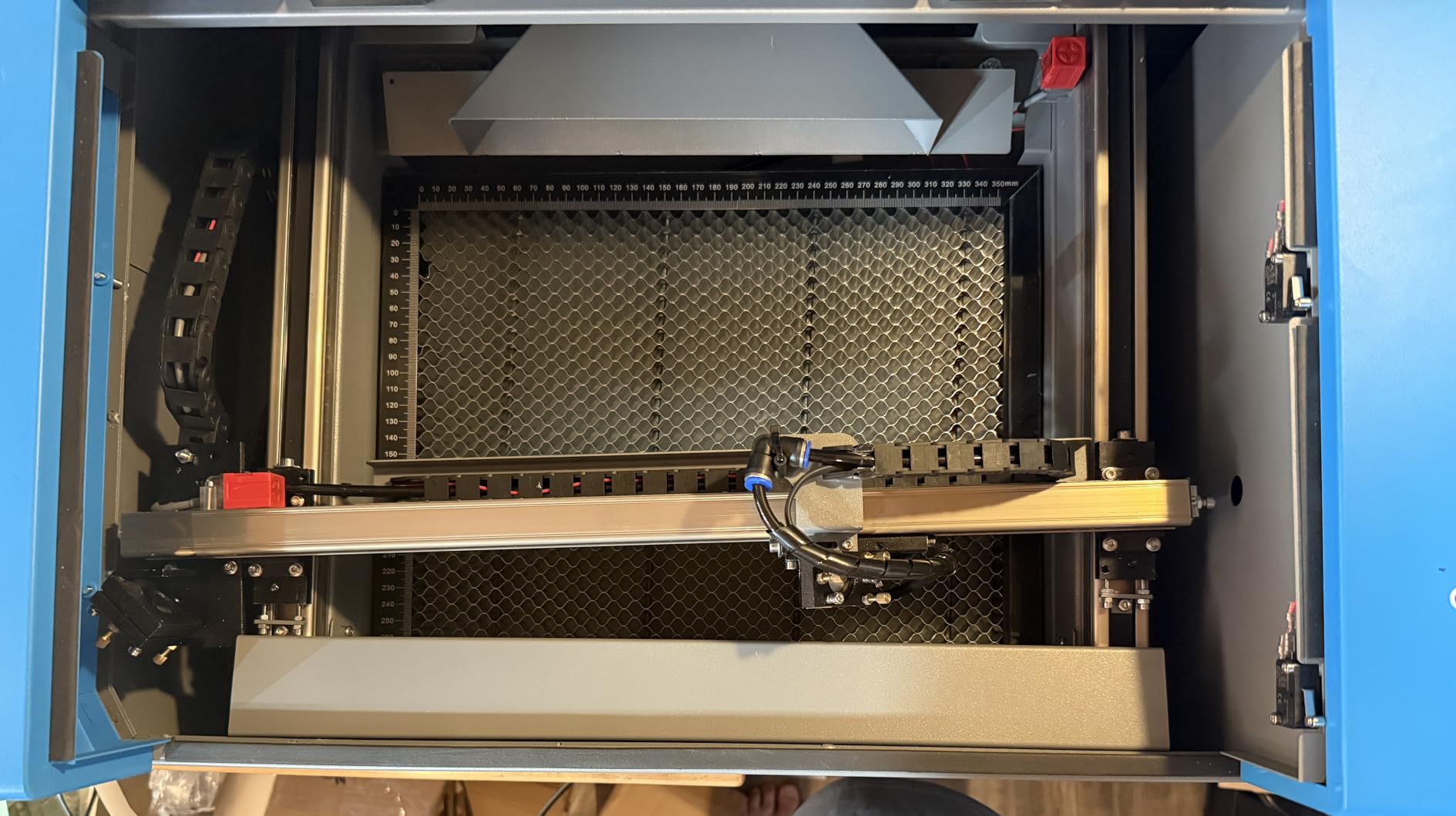
Budget a full afternoon for setup. Manual alignment takes time for anyone who has never run a CO2 laser, and the manual assumes you already understand focal distance and air pressure.
Check the frame and the gantry on arrival. A recurring theme in the reviews is inconsistent quality control, with dented panels, loose internal hardware and gantries out of alignment. Some machines also arrive with unconnected cables and an unsoldered display data port.
When the K40+ is the wrong call
The 12 by 8 inch bed is the constraint. It is fine for blanks, tags, jewellery and small signage, and it becomes painful the moment you are nesting a batch of coasters or cutting full plywood panels.
A supplied safety switch and USB cable have needed adjustment or replacement before reliable use in some cases, so factor in a few small parts for the first month. It is also a 45W tube, so thicker material means multiple passes rather than a single clean cut.
2. CO2 Laser Engraver 50W with Ruida Control, 16 x 16 Inch
CO2 Laser Engraver Machine, Ruida Control System, 50W, 16 x 16 inches Working Area
50W CO2 tube
16 x 16 in work area
143 pounds
Ruida-based motion control
Pros
- Compact footprint that fits smaller workshop spaces
- Owner has moved through multiple tubes on the same machine
- Good precision and detailed pattern reproduction
- Rotary attachment capability
Cons
- Very limited published review volume
- 50W output leaves some owners wishing they had specified more power
- Initial calibration takes time for operators new to CO2 lasers
This is a 50W tube in a 16 by 16 inch frame from Newlin Tech, and the single long-term owner report is the most interesting thing about it. That owner describes no regrets after years of use, having replaced the laser tube twice on the same machine. Tube longevity like that is exactly what a shop should be looking for.
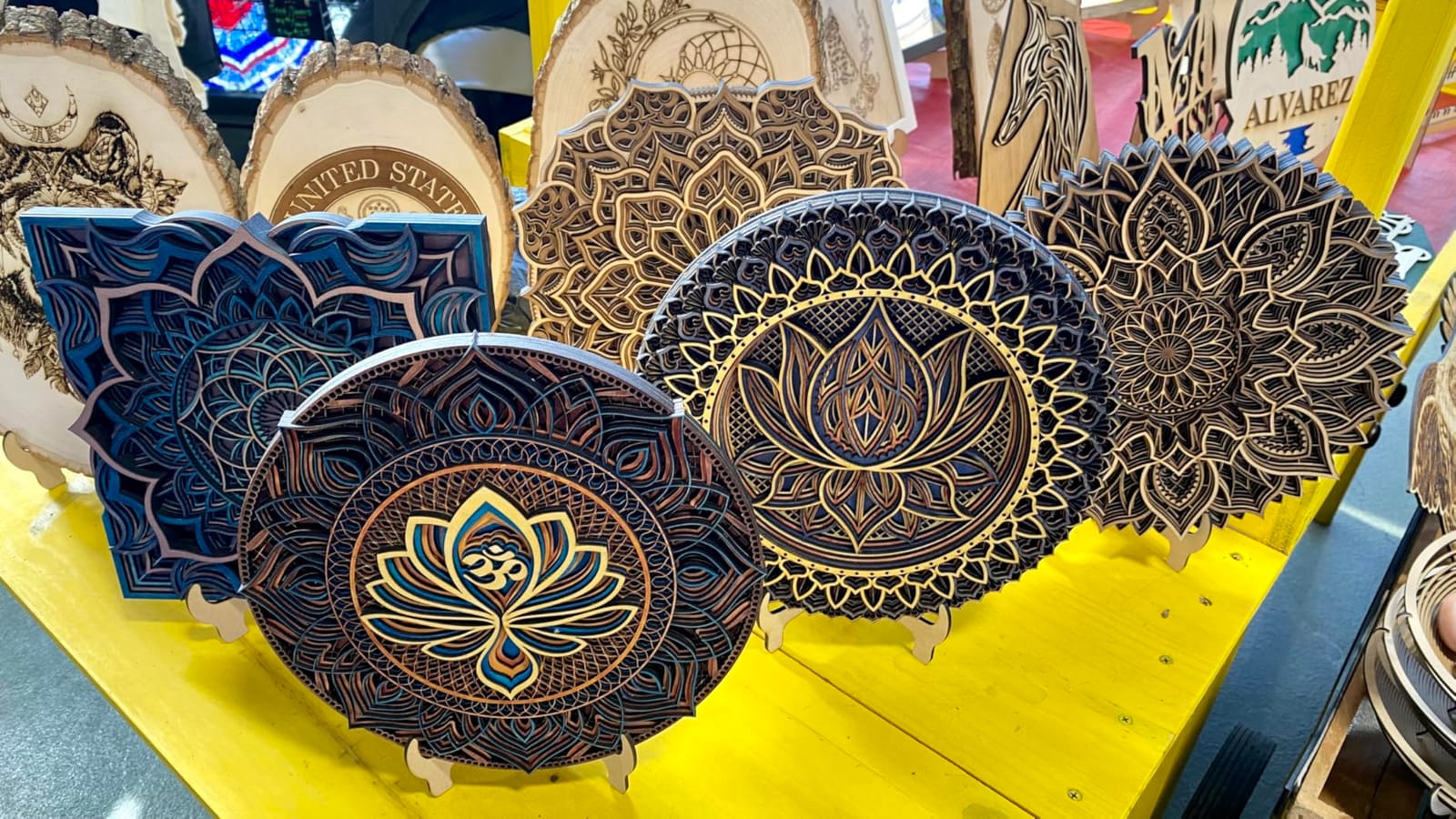
The Ruida-based control system handles multiple file formats and design software, and the rotary attachment capability means tumblers and bottles are a later purchase rather than a different machine. The frame is 35.5 by 30 by 16.5 inches at 143 pounds, which is genuinely compact for a 50W machine.
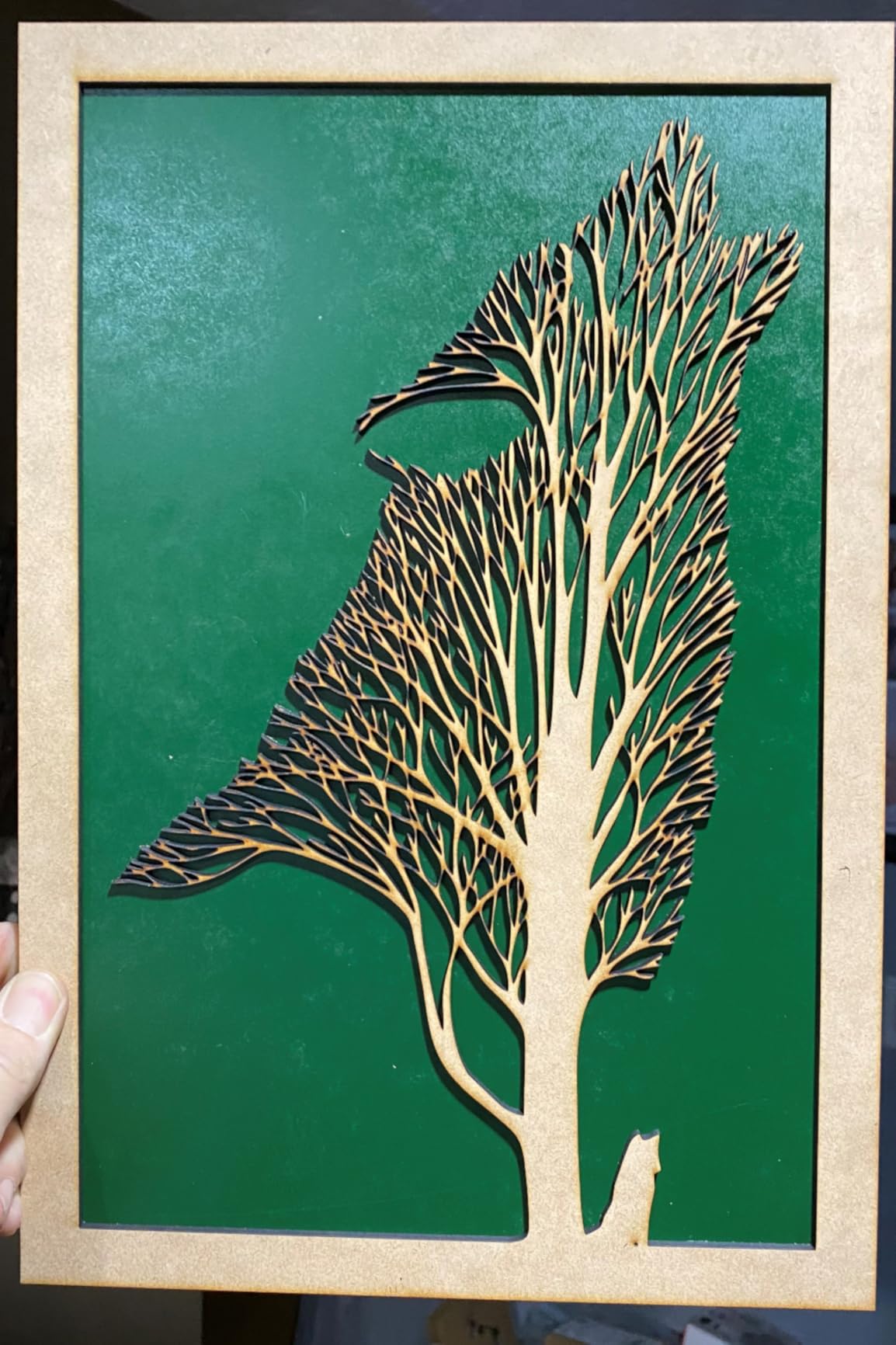
Patterns reproduce accurately, which is the part that matters when you are cutting the same product forty times. Power is steady, and the machine is rated Class 2 at 0.827 mW output, so the enclosure does most of the safety work.
Its weakness is evidence, not design. With one published rating, there is no track record to lean on, and the 50W figure is the reason some owners report wanting more headroom for thicker material.
Why the Ruida controller matters for repeat jobs
A Ruida-based controller executes the design file directly rather than relying on a host computer staying awake. For a shop running overnight batch jobs, that removes a whole class of failure.
Multiple file formats and design software are supported, so your existing artwork pipeline does not have to change on day one.
Where the 50W ceiling will show
Owners report wishing they had specified more power, and that is the honest trade. A 50W tube handles acrylic and wood well at thin to medium gauge and slows noticeably on thick material.
Calibration takes time if you are new to CO2 lasers. Plan the first week around learning focal distance rather than around earning.
3. VEVOR 60W CO2 Laser Engraver, 24 x 16 Inch
VEVOR 60W CO2 Laser Engraver, 24 x 16 in, CO2 Laser Engraver Cutter Machine with 4 Way Pass Air Assist, Engraving Cutting Machine, Compatible with LightBurn CorelDRAW RDWorks, for Wood Acrylic Glass
60W CO2 tube
24 x 16 in dual work beds
Up to 600 mm/s
3500+ hour tube life
Pros
- Fast cutting speed with strong consistent output
- Four-way pass-through handles longer material
- Dual honeycomb and blade beds for different job types
- Tube rated for 3500+ hours
Cons
- Not suitable for bare metal engraving
- Manual focusing needs more operator input than autofocus machines
- One owner reported a consistent leftward offset between indicated and actual cut start
A 60W tube reaching up to 600 mm/s with burr-free edges is a strong spec sheet for this class, and the dual work beds are the reason this machine is worth a look. You get a honeycomb bed for small parts and an aluminum blade bed for slats and frames, and the four-way pass-through takes long material without re-measuring.
Owners describe the cutting speed as strong and consistent, which is the useful part for batch work. It handles wood, acrylic and coated metals, and the tube life is rated at 3,500 hours or more with acrylic recommended up to 10 mm.
Focusing is manual, done from the control panel, a knob or the table height using a focusing scale. It works, but it takes more operator input than a machine with autofocus, and on a busy day that input adds up.
Setting up the pass-through bed properly
The four-way pass-through is the feature that changes how you work. Long lengths of plywood or acrylic slide straight through, so you stop reloading material by hand and start measuring once.
The dual beds are not redundant. The honeycomb holds small parts flat without tipping them, and the blade bed lets thin strip material sit without falling through. Alternate between them based on the job.
Watch the alignment offset before production
One owner reported a consistent offset between the indicated cut position and where the beam actually starts, and that offset needs compensating before cutting. Test a known pattern on your own material first.
Bare metal engraving is out of reach. Coated metals work, but this is not a fiber machine and shops planning to mark raw steel should look elsewhere.
4. Monport 60W Auto Focus CO2 Laser Engraver, 16 x 24 Inch
Monport 60W Auto Focus CO2 Laser Engraver with Lighburn,16″x 24″ Laser Engraving Cutting Machine with 2 Way Pass Air Assist Digital Control Panel RDWorks,Commercial Laser Cutter
60W CO2 tube
16 x 24 in work area
4500 DPI
Enclosed aluminum rails
Pros
- Up to 800 mm/s engraving and 400 mm/s cutting
- Autofocus removes manual focal-distance trial and error
- Enclosed rails protect the motion system from smoke and debris
- Red dot guidance for positioning and job sizing
Cons
- Very small published review base makes long-term reliability hard to judge
- Enclosed aluminum rails add weight and bulk for this class
Resolution up to 4500 DPI with a 2.0 inch focal distance is the headline here, and it is a detail-oriented number rather than a marketing one. At that focal length you can hold tiny fonts on jewellery and small engraved labels without the strokes filling in.
Speeds run up to 800 mm/s engraving and 400 mm/s cutting, which is fast for a 60W machine. One-touch autofocus from the control panel removes the focal-distance trial that slows down every job change on a manual machine.
The rails are enclosed aeronautical aluminum with X and Y stepper motors, which shields the motion system from smoke and debris. Red dot guidance marks the head position, the work path and the project size, so you can lay out a job without burning a test cut.
Why the enclosed rails matter over time
Smoke and debris are what kill open rail systems. An enclosed rail keeps contamination off the linear guide, and in a shop running multiple shifts it should extend the service life of the motion system.
A safety shutdown sensor halts operation if the window cover is open, and the built-in air assist nozzle clears debris, heat and combustible gases from the cut. Both features matter more in a commercial room than they would at home.
What a single rating cannot tell you
With one published rating, there is no long-term reliability record for this configuration. Treat the spec sheet as promising and the durability as unproven.
The enclosed rails add weight and bulk for a machine in this class, so measure the intended bench before ordering rather than after.
5. OMTech Maker 90W CO2 Laser Engraver and Cutter
OMTech Maker 90W CO2 Laser Engraver & Cutter
90W Yongli H2 tube
20 in x 28 in dual beds
Up to 23.6 ips
8000 hour tube rating
Pros
- Large step up in cutting ability over desktop machines
- Engraves up to 0.4 in deep on non-metallic materials
- Yongli H2 tube rated for 8000 hours
- Four-way pass-through doors simplify oversized jobs
Cons
- Large footprint at roughly 57 inches wide limits placement
- Heavy at over 225 pounds makes repositioning difficult
- Small published review base for the 90W configuration
The 90W is where a shop stops doing repeat passes. Owners describe a decisive upgrade from entry-level desktop machines, particularly on wood, acrylic and glass, and the headroom for thicker material at commercial volumes is the reason to spend here.
The Yongli H2 tube is rated for up to 8000 hours of usage, which is a materially longer service interval than the class average and directly reduces the biggest recurring ownership cost. Engraving depth reaches up to 0.4 inch on non-metallic materials and speeds hit 23.6 inches per second.
The 20 by 28 inch honeycomb and aluminum blade beds plus four-way pass-through doors mean oversized material is a routine job rather than a special occasion. The widened flame-retardant viewing window carries a cover interlock that cuts the beam when opened.
Where 90W earns its extra cost
Thicker material in a single pass. Shop owners describe the machine handling wood and acrylic easily and etching glass well, and the extra power shows up most clearly on plywood, thick acrylic and deep engraving for layered products.
The 8000-hour tube rating matters because tube replacement is the line item that decides whether an expensive machine was cheap to own. A longer interval spreads that cost across more jobs.
Measure twice, because it is a big machine
The footprint runs about 57.1 by 34.3 by 27.6 inches and the machine weighs 227 pounds. In a tight shop that footprint is the first constraint and the last thing to change.
The published review base for the 90W configuration is small, so long-term reports on this specific tube are still thin compared with the entry models.
6. VEVOR 100W CO2 Laser Engraver, 24 x 35 Inch
VEVOR 100W CO2 Laser Engraver, 24 x 35 in, 19.7 IPS Laser Cutter Machine with 2-Way Pass Air Assist, Compatible with LightBurn, CorelDRAW, AutoCAD, Windows, Mac OS, Linux, for Wood Acrylic Fabric More
100W CO2 tube
24 x 35 in work area
Cuts 0.59 in in one pass
Class 1 rated enclosure
Pros
- Largest work area in this roundup at 840 square inches
- 100W power cuts up to 0.59 in in a single pass
- Class 1 enclosed rating with automatic beam cut-off
- Linear guide rails support smooth curve cutting
Cons
- Very heavy at 551 pounds requiring a planned installation
- Cabinet footprint runs over 64 inches wide
- Small published review base for this size class
This is the machine for shops cutting full plywood and thick acrylic panels. The 24 by 35 inch honeycomb work area gives 840 square inches of workspace, and 100W power cuts up to 0.59 inch in a single pass.
Front and back pass-through doors handle oversized material, so a full sheet can enter without being trimmed first. Operating speed is 19.7 inches per second across wood, acrylic, cardboard, glass, leather and stone, and the intelligent laser head pairs a red-dot pointer with linear guide rails for smooth curve cutting.
The enclosure is the safety story here. A tinted eye-protection window with automatic power cut-off when opened, plus an emergency stop and air assist, and the whole cabinet is rated Class 1 under IEC 60825-1. Movable casters help with repositioning.
Why bed area beats power for panel work
A shop owner running 50 to 80 signs a week gains most from nesting multiple pieces onto one sheet, and that gain comes from area rather than wattage. 840 square inches is what makes nesting realistic here.
The digital control panel works with LightBurn, CorelDRAW and AutoCAD across Windows, Linux and macOS, with file transfer by USB disk, cable or network. Nothing forces a single operating system on the shop.
Plan the floor space first
At 551 pounds and over 64 inches wide, this needs a floor-rated area and an installation plan rather than a corner of the bench. Movable wheels help, but the route into the shop matters more.
Only a few ratings are published for a machine this size, so treat the long-term durability picture as developing. The Class 1 rating does remove the laser-safety argument from your insurer conversation, which has real value.
7. OMTech Maker 60W with LightBurn and Water Chiller
OMTech Maker 60W CO2 Laser Engraver with LightBurn & Water Chiller
60W CO2 laser
20 in x 28 in dual beds
Autofocus and motorised bed
Chiller and LightBurn included
Pros
- 4.7 average with no ratings below four stars
- Autofocus and motorised bed remove manual focus trial
- Water chiller and LightBurn included so nothing extra to source
- Four-way pass-through doors handle longer production pieces
Cons
- Heavy and bulky at roughly 249 pounds needing dedicated floor space
- Bundle pricing runs above comparable 60W configurations
- Only a handful of published reviews and all recent
This is the cleanest commercial package in the roundup. The box contains the 60W engraver, a water chiller and LightBurn, so the two items every new owner ends up buying separately are already covered.
Autofocus is preinstalled and finds focal distance automatically, and the motorised bed raises and lowers at a button press. Together those two features remove the single biggest time loss on a 60W machine, which is setting focal height for every material change.
The 20 by 28 inch honeycomb and aluminum blade beds plus four-way pass-through doors make this a production machine rather than a hobby box. Built-in air assist removes smoke and protects the lenses and reflective mirrors, and the widened flame-retardant window lets you watch a job without leaning in.
What the bundle actually saves you
A water chiller is not optional for a 60W tube. Consistent cooling is what keeps output steady through a long job, and a machine that throttles halfway through a batch is a machine that produces inconsistent parts.
LightBurn included removes the software question entirely, which matters because controller-specific workflows are the most common early frustration for new operators.
Where the bundle version costs you
Bundle pricing sits above comparable 60W configurations sold without the chiller and software. If you already own both, this is not the version to buy.
At roughly 249 pounds and 47.2 by 34.3 by 36.6 inches, it needs dedicated floor space. The published reviews are few and recent, so documented long-term tube durability is still outstanding.
8. xTool P3 80W Flagship CO2 Laser Cutter
xTool P3 80W Flagship CO2 Laser Cutter with Intelligent Automation
80W CO2 laser
36 in x 18 in work area
1200 mm/s maximum speed
Class 1 enclosed design
Pros
- Cuts half inch pine and 5-6mm maple easily with much faster MDF work than a 50W
- LiDAR autofocus and dual cameras make batch setup repeatable
- Fully enclosed Class 1 with active fire detection and suppression
- Expandable with conveyor feeder and LiDAR rotary attachment
Cons
- Proprietary xTool Studio software is required and LightBurn users report a difficult transition
- Material preset library is thinner than advertised
- Effective usable bed width reported closer to 17 inches
- Support responsiveness is inconsistent
The P3 cuts 20mm wood and 25mm acrylic at up to 1200 mm/s in a 36 by 18 inch desktop work area, and owners describe cutting half inch pine and 5-to-6mm maple easily with MDF running much faster than on a 50W machine. It is the throughput machine in this roundup.
The Automated Creation System handles the setup work: LiDAR ranging autofocus, dual HD cameras and an AutoLift Base adjustable up to 8.7 inches. A 16MP SkyView camera plus a close-range detail camera give 0.0079 inch alignment accuracy, which is what makes repeatable batch work realistic rather than aspirational.
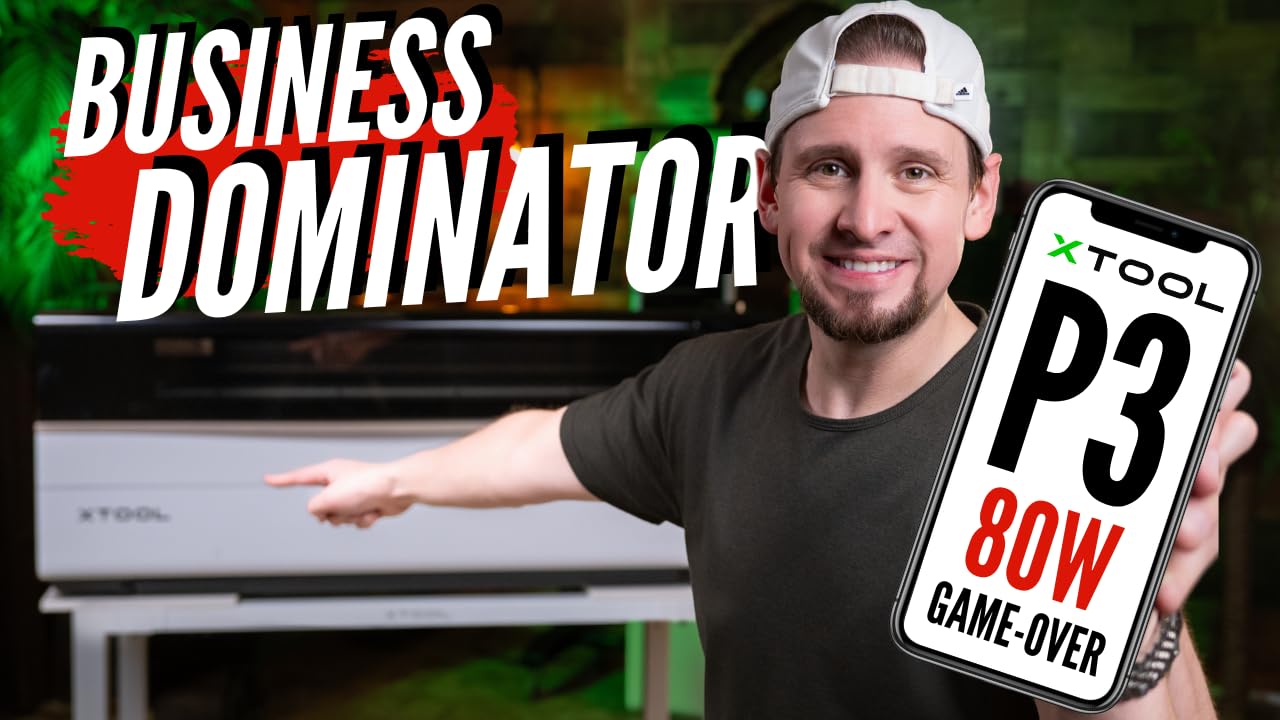
Safety is handled properly. The fully enclosed Class 1 design uses lid interlocks, active detection and suppression, and scrap buildup alerts, so the machine is defensible in a shared workspace and with an insurer.
Nesting is automated too, with Smart Nesting claiming 98.7 percent material utilisation and Variable Batch Fill that imports from a spreadsheet. For a shop selling by the sheet, material yield is a direct margin line.
Where the automation pays for itself
If your work is repetitive, LiDAR autofocus and the dual cameras remove the manual setup that eats an operator’s day. You set the job once and the machine repeats it.
Smart Nesting at a claimed 98.7 percent utilisation is the feature that reduces cost per part on acrylic and plywood, and the expansion path runs to a conveyor feeder, a MagSwap RA3 LiDAR rotary attachment, a 5W IR laser and an AP2 Max air purifier.
The software trade you have to accept
xTool Studio is required, and users migrating from LightBurn report a difficult adjustment period. If your whole workflow is already built in LightBurn, that is a real cost.
The material preset library is thinner than advertised, with some experienced users considering recommended settings too aggressive for tube life. Usable bed width is reported closer to 17 inches than the advertised 36 by 18, and support responsiveness is inconsistent, with unanswered website inquiries reported.
9. TEN-HIGH 4040 40W Laser Engraving Machine
TEN-HIGH® 4040 400x400mm 15.7×15.7 inches 40W 120V Crafts laser engraving machine with USB port, Standard version.
40W 120V CO2 laser
400x400mm work area
0.01mm accuracy
Up to 600 mm/s
Pros
- Good build quality with engraving results owners are pleased with
- Mirrors arrived properly aligned out of the box
- Setup reported straightforward even for first-time buyers
- Compact square 4040 format suits signage and blanks
Cons
- Bed lowers only far enough for roughly 5 cm thick material
- Instructions are poorly translated into English
- Finding correct focal length needs experimentation
- Very small published review base on a long-running listing
The 4040 format is the classic small-shop square frame, and TEN-HIGH has been building it since 2015. Engraving accuracy is quoted up to 0.01mm with speeds to 600 mm/s, and owners report the mirrors arriving properly aligned, which removes the most common first-day problem.
Setup is reported straightforward even for buyers with no prior laser experience, and the adjustable laser current with CorelDRAW direct output covers text, patterns, photos and designs. The metal build gives it a solid feel that open-frame kits cannot match.
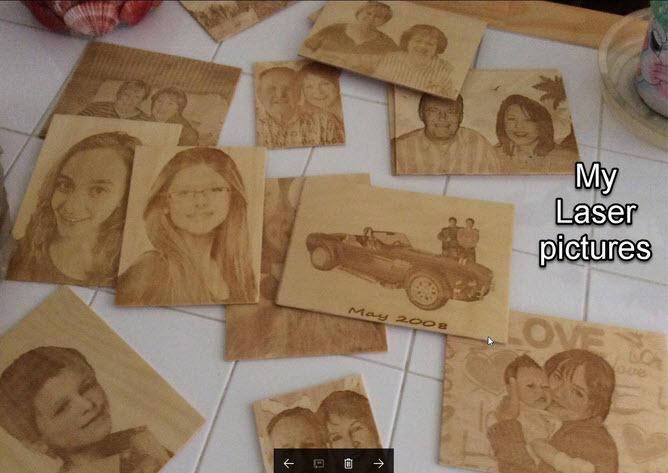
The square 400 by 400mm work area suits signage and engraving blanks, and the range of bed sizes and wattage configurations means you can move up the line later without changing platform.
What stops this being a shop machine is height, not power. The bed lowers only far enough for roughly 5 cm thick material, which limits thicker material, and the documentation is weak.
Where a 40W still makes sense
Engraving is where 40W earns its place. Photos on wood, laser-marked leather, stamped labels and shallow cuts on thin acrylic all run well at this level, and speed is the priority.
If your products are flat and shallow, this machine is faster per job and simpler to operate than anything larger, which is a real advantage for a one-person shop.
Know the limits before you buy
The roughly 5 cm thickness ceiling is the deciding number. Plan your material around it or move up the range, because discovering it mid-order is expensive.
Instructions are poorly translated into English and not very helpful, and finding the correct focal length requires experimentation and external video guidance. The published review base is very small on a long-running listing, so recent feedback is limited.
10. Monport 70W MEGAS Desktop CO2 Laser
Monport 70W Desktop CO2 Laser Engraver & Cutter(28″ X 14″) – MEGAS| Built-in Water Cooling, 8MP HD Camera, AutoFocus
70W laser
Cuts 20mm acrylic and 18mm basswood
0.03mm minimum spot size
28 in x 14 in work area
Pros
- One owner with a working shop reports clean engraving and strong cuts on wood glass and leather
- Very small dot size handles tiny detail well
- Built-in water cooling supports sustained production
- 8MP camera plus autofocus and Smart Batch Fill
Cons
- Polarised owner feedback between a 5 star shop operator and a unit with failing safety sensors
- Door-open and fire sensors reported throwing false alarms that halt operation
- Laser head reported failing to return to home position reliably
- Bundled software perceived as limited
This machine has the most divided owner feedback in the roundup, and we think you should read both reports before ordering. One working shop owner reports clean engraving and strong, consistent cuts on wood, glass and leather. Another reports safety sensors failing out of the box, false alarms that halt operation, and a unit that arrived without a proper ground wire.
On paper the specification is excellent for detail work. A 1.5 inch focusing lens achieves a 0.03mm minimum spot size at up to 1000 DPI, and the 70W laser cuts up to 20mm acrylic and 18mm basswood in a 28 by 14 inch work area.
Built-in water cooling, an 8MP HD camera, built-in autofocus with thickness sensors and Smart Batch Fill for batch engraving are all features you would want in a production machine. There is also a five-minute alignment procedure using a low-power visible laser.
When the detail spec is the right reason to buy
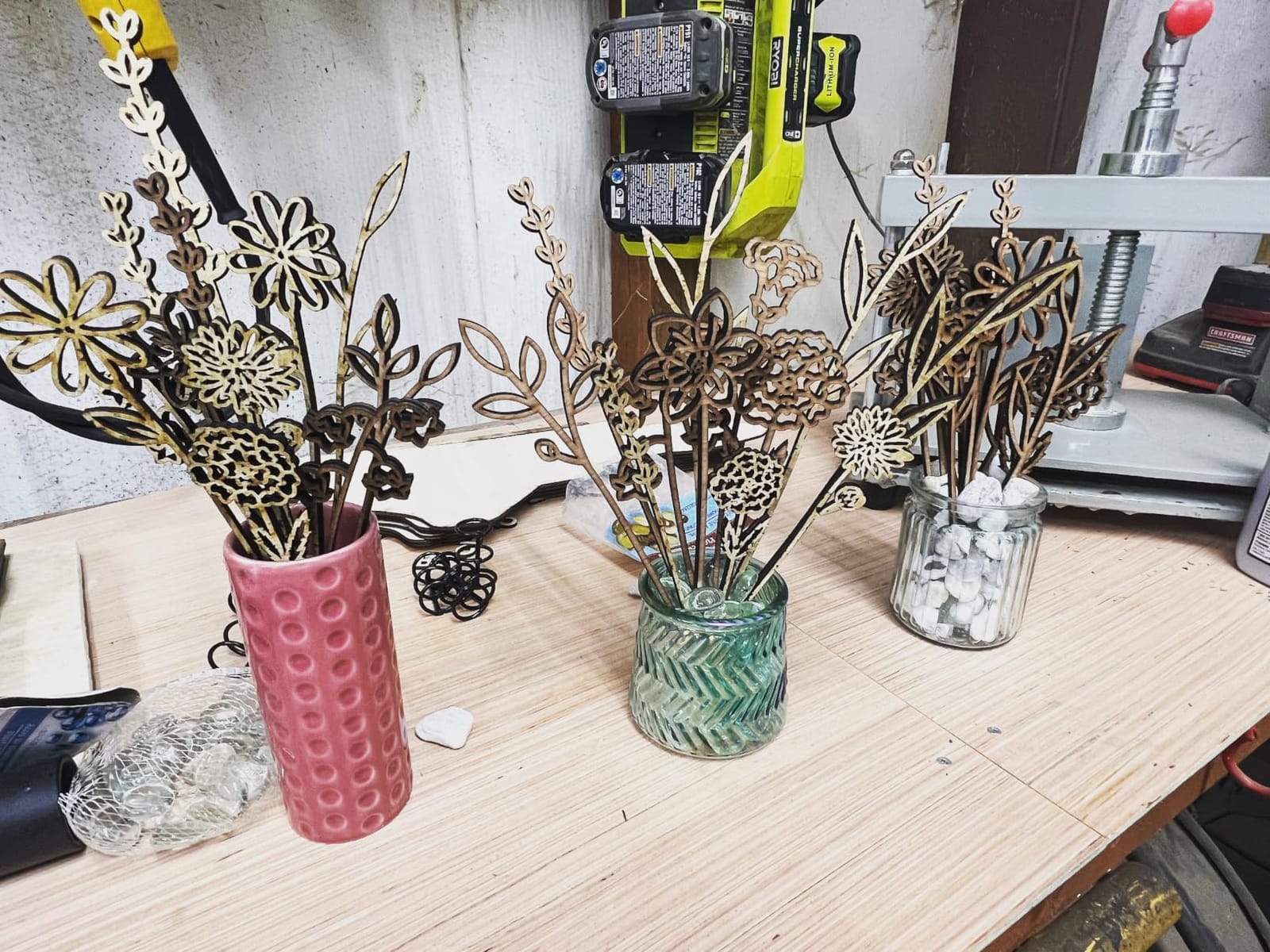
The 0.03mm minimum spot size is the draw for shops doing fine jewellery work, tiny text on ring interiors or engraving on small curved surfaces where a larger dot would blur detail.
Built-in water cooling is what allows sustained production rather than short bursts, and the 8MP camera makes batch alignment far quicker than eyeballing a test cut.
The reliability reports you cannot ignore
Reported problems include door-open and fire sensors throwing false alarms that halt operation, the laser head failing to return to home position reliably with drifting alignment and inconsistent start points, and a missing ground wire on one machine.
Bundled software is perceived as limited, with support suggesting third-party LightBurn for troubleshooting. At 221 pounds the machine is heavy despite the desktop form factor, and repeatable results appear to require prior laser experience. Ask the seller to confirm the safety sensor behaviour before you commit.
How to Choose a CO2 Laser Cutter for a Small Shop
1. Match wattage to the material you actually sell
Rated wattage sets cut depth and speed. The mapping below is the shortcut most shops need, and it holds across the machines in this roundup.
Around 40W suits light engraving, thin acrylic, leather marking, photos on wood and shallow cuts on paper goods. Around 50W to 60W is the small-shop sweet spot for acrylic signage, plywood and layered products, with the 60W machines here cutting up to 10mm acrylic or reaching 0.4 inch engraving depth. Around 70W to 90W handles thicker plywood and acrylic in fewer passes, with the 70W model cutting 20mm acrylic and the 90W rated to 8000 tube hours. 100W and above is for full panels and production volume, with the 100W machine in this roundup cutting 0.59 inch in a single pass.
2. Size the bed around your largest material sheet
Bed size decides whether you nest or whether you trim material by hand. Small shops spend most of their gains on area rather than power, because nesting several parts onto one sheet is what turns raw material cost into margin.
A 12 by 8 inch bed handles blanks and small signage. A 16 by 16 inch square covers typical blanks and coupons. A 20 by 28 inch bed suits production signage. Anything above 24 by 35 inches exists for full panels.
3. Never cut these materials
This list matters more than any spec, because the failure mode is a fume cloud in an enclosed machine in a shared shop.
PVC and vinyl release chlorine gas and corrode the machine and the room. Polycarbonate is the most dangerous common material, producing a severe burn-ignition reaction. ABS gives off styrene and cyanide-bearing fumes. Any unknown plastic cannot be identified by the machine, so do not guess. PVC-backed vinyl and imitation leather are the usual culprits in craft supply aisles, and they look identical to safe materials.
Avoiding them needs an enclosure with an interlock, an exhaust fan and a proper air filtration unit. Never rely on opening a lid.
4. Budget for the running costs, not just the machine
The sticker is the smallest part of the total. A realistic ownership figure includes a water chiller, an air pump or compressor, exhaust ducting and filtration, plus consumables: lenses, nozzles, mirrors, honeycomb beds and the eventual tube replacement.
The tube interval varies widely by machine. A 3500-hour rating and an 8000-hour rating are different cost-per-job realities, which is why the 90W machine earns its place in a high-volume shop. Keep spare lenses and nozzles on the shelf rather than waiting on delivery.
5. Treat enclosure and safety features as a buying gate
Small shop buyers name enclosure and venting as a non-negotiable, and it is a liability question before it is a preference one. Look for a door interlock that cuts the beam, an emergency stop, flame detection or suppression, air assist and an exhaust path that discharges outside.
Also confirm with your insurer and your landlord before the machine arrives. A Class 1 enclosed machine is far easier to have approved than a Class 4 cabinet with a lid.
6. Decide CO2, diode or fiber
A CO2 laser is the right default for a small shop: it cuts wood, acrylic, leather and paper, and it engraves coated metals and glass. A diode laser is cheaper and air-cooled but is far slower on anything thicker than thin material and does not handle acrylic cleanly.
Fiber lasers mark bare metal, which CO2 cannot do at any wattage. If your product line is metal marking, the decision is made for you. Otherwise, CO2 covers the majority of small-shop work.
What to avoid
Avoid open-frame kits with no enclosure, no flame detection and no support. In a commercial space they are a fire risk and an insurance problem, and there is no safe way to run one with other people in the room.
Avoid cloud-locked control software you cannot run offline, and avoid any machine whose seller cannot name a replacement tube, controller and board. Software lock-in fears are a real reason some shops walk away, and they are justified.
For the rest of the shop, the best cabinet table saws for small shops and the best DTF printers for small apparel shops cover the other common production bottlenecks.
Frequently Asked Questions
What is the best CO2 laser engraver for a small business?
The OMTech K40+ 45W is the best all-round starting point for a small business because it is fully enclosed, has the deepest owner feedback in its class and cuts 0.4 inch acrylic. Shops producing weekly volume should step up to a 60W machine with autofocus, such as the OMTech Maker 60W bundle, where the motorised bed and included chiller remove daily friction.
What is a good priced CO2 laser cutter?
A good priced CO2 laser cutter for a small shop is a fully enclosed 50W to 60W machine with a door interlock, emergency stop, air assist and an exhaust fan. Budgeting under the machine cost for a chiller, air supply, filtration and consumable lenses and nozzles keeps the total realistic rather than surprising.
What materials should you never use in a CO2 laser cutter?
Never cut PVC and vinyl, polycarbonate, ABS or any unknown plastic. PVC releases chlorine gas that corrodes the machine and the room, polycarbonate triggers a severe burn-ignition reaction, and ABS gives off styrene and cyanide-bearing fumes. PVC-backed vinyl and imitation leather are the most common accidental exposures.
What watt CO2 laser do I need for acrylic and plywood?
Around 60W covers most small shop acrylic and plywood work, cutting up to 10mm acrylic cleanly and reaching roughly 0.4 inch engraving depth on non-metallic material. Around 40W suits light engraving and thin material only, while 80W to 100W machines exist for full plywood panels and high production volume.
Is laser engraving profitable for a small shop?
It can be, and the economics come from material yield and repeatability rather than from the machine alone. A shop owner running large-format machines reports 50 to 80 signs a week at a healthy average order value, because nesting several parts per sheet cuts material cost. A furniture maker reports replacing outsourced CNC routing and paying back the machine in under three months.
Do I need an enclosed laser for a commercial space?
Yes. An enclosed laser with a door interlock, flame detection, air assist and a filtered exhaust is the minimum sensible configuration for a shared commercial workspace. Enclosure is a liability question rather than a preference one, and a Class 1 enclosed machine is considerably easier to get approved by a landlord and an insurer.
Conclusion
For most small shops, the OMTech K40+ 45W is the right starting point among the best CO2 laser cutters for small shops: it is enclosed, it has the deepest owner feedback here, and it fits on a counter. The first thing to buy alongside it is a chiller, an air supply and a filtered exhaust, not a bigger laser.
When weekly volume justifies stepping up, the 60W to 90W range is where production lives, and the xTool P3 80W is the throughput choice if you can adapt to its software. Measure the bench, check the never-cut list and confirm the exhaust route before the machine arrives, then start nesting to make the material pay for itself. Whatever you order in 2026, budget for the consumables in year one, because that is where the real cost lives.