
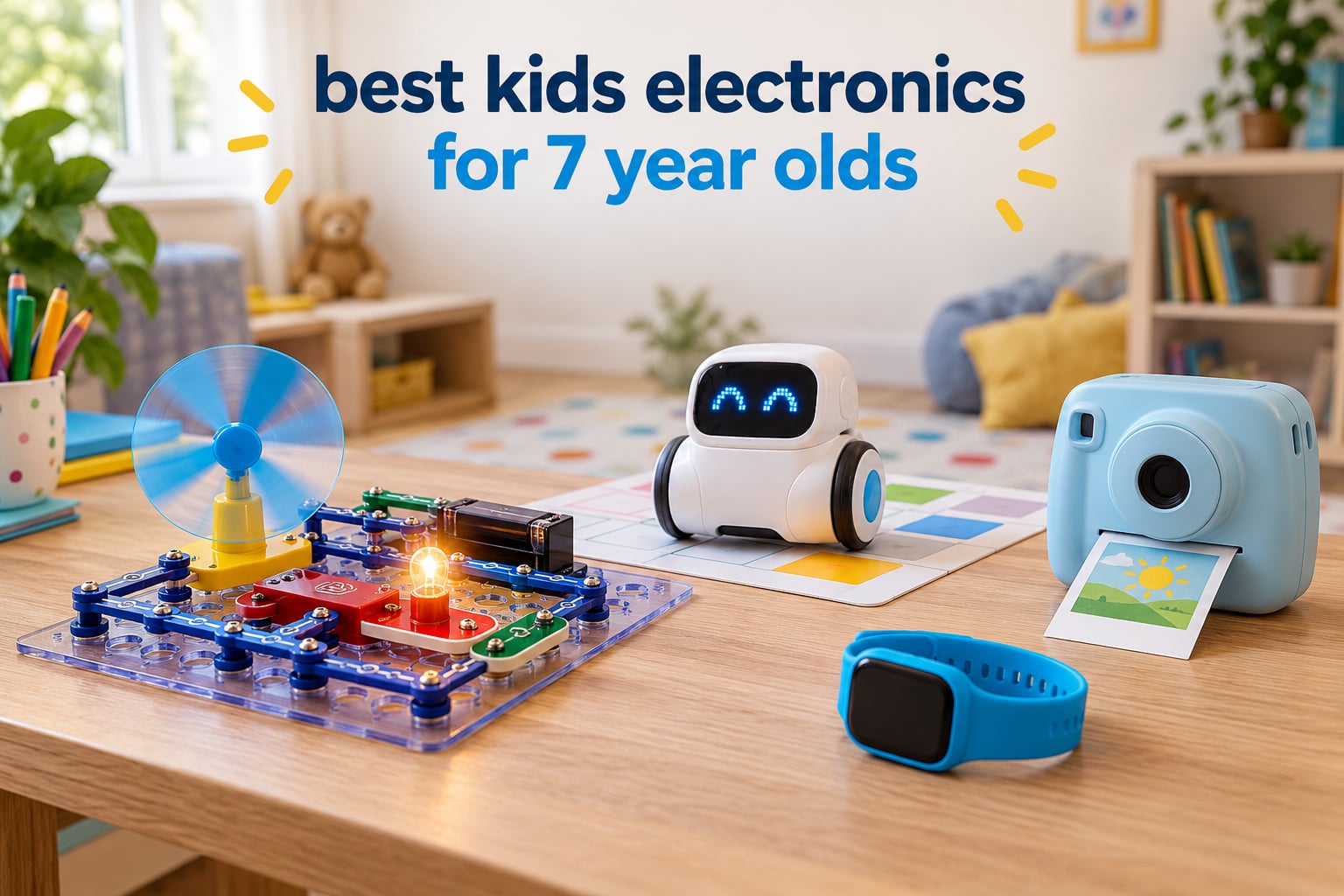
The best kids electronics for 7 year olds are solderless circuit kits, screen-free coding robots, kid-friendly cameras and beginner music or drawing machines. At this age a child can follow multi-step instructions, spot why a light did not turn on, and fix it. That is the moment electronics stops being an adult assembly project and starts being real learning. The picks below are ranked by whether a 7-year-old can genuinely work independently, whether the feedback loop is immediate, and whether the thing still gets opened in month three.
Most lists for this age are useless to you. They either recommend products rated eight and up and leave you to work out whether a seven-year-old can manage the manual, or they recommend another screen and call it educational. Neither helps when you are standing in a shop in December trying to buy something that is not another tablet.
We built this list around the question parents actually ask on forums: does this actually work at exactly seven, or is it an eight-plus product in a seven-year-old wrapper? Each pick below carries an honest age read, a straight note on what we did not like, and a plain statement of whether the batteries come in the box. Where a product is really aimed at a nine-year-old, we say so.
A few ground rules before we start. We do not put prices on this page, because they move daily and a stale number is worse than no number. Everything here is an affiliate link, which costs you nothing extra. And none of these picks requires an adult to sit and supervise from minute one, with the partial exception of the circuit kit, where a first session together is genuinely worth it.
Top 3 Picks for 7-Year-Olds in 2026

Snap Circuits Beginner SCB-20
- 21 circuit projects
- Snap-together safe parts
- Illustrated manual

The Snap Circuits SCB-20 takes the top slot because its learning payoff is the most concrete in this list: a closed circuit, a motor, an LED, and a child who can see why it failed. The Echo Pop Kids takes the screen-free audio slot. The Fire HD 8 Kids Pro is the strongest connected option if your child already owns devices and you want better parental control rather than another bare tablet.
All 12 Picks at a Glance in 2026
| Product | Specifications | Action |
|---|---|---|
| Snap Circuits Beginner SCB-20 |
|
Check Latest Price |
| Amazon Echo Pop Kids |
|
Check Latest Price |
 Amazon Fire HD 8 Kids Pro Amazon Fire HD 8 Kids Pro |
|
Check Latest Price |
 Learning Resources Botley Learning Resources Botley |
|
Check Latest Price |
 Code and Go Robot Mouse Code and Go Robot Mouse |
|
Check Latest Price |
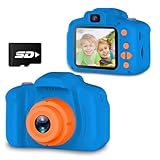 Seckton Kids Selfie Camera Seckton Kids Selfie Camera |
|
Check Latest Price |
 ESOXOFFORE Instant Print Camera ESOXOFFORE Instant Print Camera |
|
Check Latest Price |
 RIVGOT Drawing Robot RIVGOT Drawing Robot |
|
Check Latest Price |
 Force1 Tornado RC Car Force1 Tornado RC Car |
|
Check Latest Price |
 Wiszodet Kids Smart Game Watch Wiszodet Kids Smart Game Watch |
|
Check Latest Price |
 Amazon Fire 7 Kids Tablet Amazon Fire 7 Kids Tablet |
|
Check Latest Price |
 ANNISOKA STEM Walkie Talkie Kit ANNISOKA STEM Walkie Talkie Kit |
|
Check Latest Price |
Read that table as a set of tradeoffs, not a ranking of good versus bad. Most of these need no phone, tablet or app at all, which is the main reason they are on the list. A few want an adult alongside on the first session. Three are connected devices that talk to a server, which is a privacy decision you have to make deliberately.
Is It Actually Age 7? The Age Gate Most Guides Skip
Here is the honest split, and it is the reason this page exists. A 7-year-old reading level is roughly second grade, and the gap between a first-grade instruction sheet and a third-grade one decides whether a child gives up on the second attempt.
Works independently at 7: the Snap Circuits SCB-20, the Code and Go Robot Mouse, both kids cameras, the Force1 RC car, the Wiszodet game watch and the Echo Pop Kids. Each of these has a manual a second grader can follow, and each gives feedback within a few seconds of a mistake.
Works at 7 with an adult on the first session: Botley, because the first obstacle course involves thinking backwards through a sequence of movements, and the RIVGOT drawing robot, because getting the card and the pen arm lined up rewards a grown-up explaining it once. Both are fine alone from day two.
Really aimed higher, and honest about it: the Fire 7 Kids Tablet is rated ages three to seven, so a 7-year-old is at the very top of its range rather than in the middle. The Fire HD 8 Kids Pro is rated six to twelve and sits comfortably at seven. If you want a kid tablet, the 8-inch Pro is the one that will still feel right next year.
One more age note. The Snap Circuits SCB-20 is rated five to nine, which puts a seven-year-old in the middle of the range rather than below it. That is the single most common confusion in parent discussions about Snap Circuits, and it is why this kit made the top slot instead of the larger kits marketed to eight-year-olds and up.
1. Snap Circuits Beginner SCB-20 Review: Best Starter Electronics Kit for a 7-Year-Old
SNAP CIRCUITS Beginner SCB-20 STEM Electronics Toy for Kids Ages 5-9
Ages 5-9
21 circuit projects
Snap-together parts
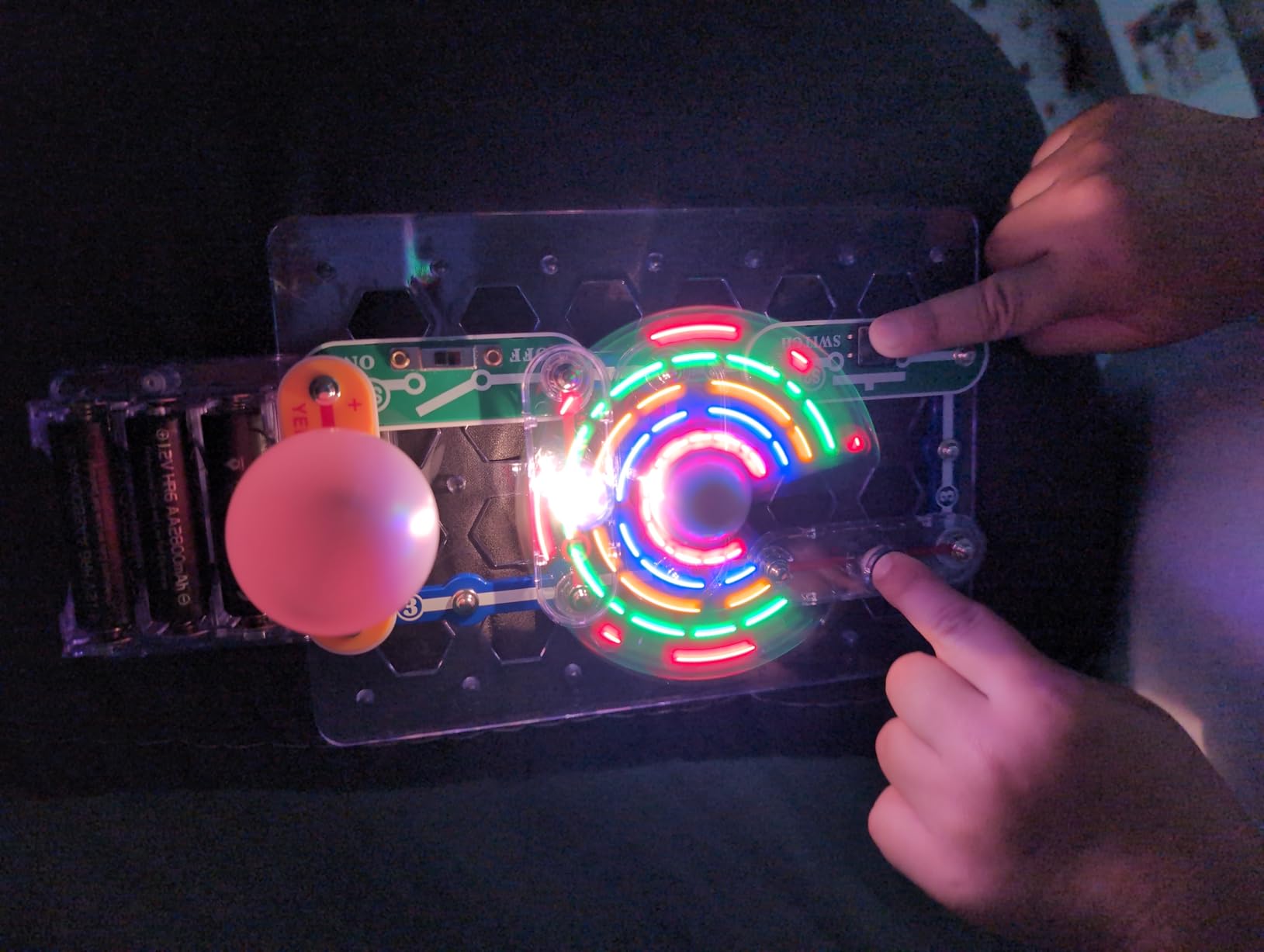
Lighted color-changing fan
Pros
- Real working circuits a child can debug
- 21 progressive projects
- Child-proofed components
- Illustrated manual at a readable level
- STEM.org Stem Approved
Cons
- Manual is dense for the youngest builders alone
- Alkaline batteries not included
- Larger kits look more impressive but start harder
This is the pick I would hand a seven-year-old with no hesitation. Twenty-one projects, each one a genuine circuit with a power source, a load and a switch, and each one produces something visible. The light and the color-changing fan are the two parts that turn an abstract idea into a result a child can point at.
What separates this from a blocks-with-a-sticker kit is troubleshooting. A seven-year-old who builds a circuit backwards gets nothing, and then has to work out why. That moment of debugging is the entire educational payload, and no flashing-light toy can fake it. Parents on electronics and homeschooling forums describe exactly this as the thing that made circuits stick for their own kids.
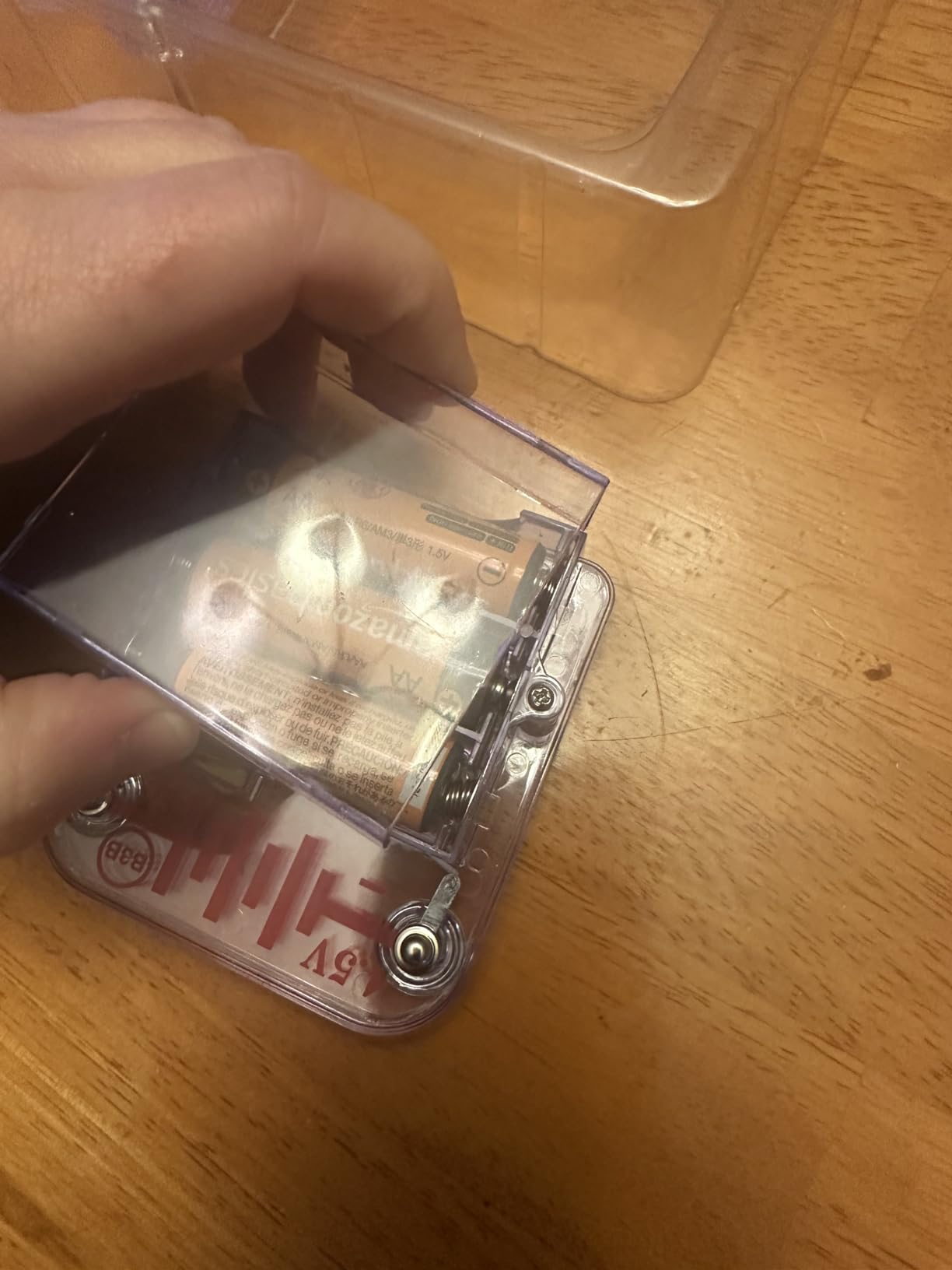
The parts snap onto a base board, so there is no glue, no solder and no loose wire to lose. That matters more than it sounds, because a seven-year-old with a bag of unidentified components in their hand is a choking hazard and an argument. Elenco engineered these for small hands specifically, and the pieces are noticeably chunkier than adult prototyping components.
Honest caveat on the first session. The manual is illustrated and colour-coded, which helps a great deal, but the opening projects assume a child can follow a diagram rather than being told step by step. My advice is to build the first two projects together, then hand it over. After that it runs solo.
What makes it work at exactly seven
The projects are ordered by difficulty, so the first success comes fast and the harder ones still have a visible payoff. Nothing in the kit requires reading above a second-grade level once the adult has demonstrated the first build. The failure modes are also honest: a part snaps on backwards and does not work, which is a better lesson than any instruction sheet.
Replay value is the strongest argument. Once the twenty-one projects are done, the same base board accepts the larger Snap Circuits expansion kits a year or two from now, so this is a first rung on a ladder rather than a sealed box.
Where it will frustrate you
Batteries are not included. The kit takes alkaline cells and they are not in the box, which is the single most common ruined-morning complaint we see about electronics kits in general. Buy a pack before the birthday, not after.
Storage is the other practical issue. There are enough small parts that a seven-year-old needs a tray or a box with sections, not the kitchen table. The parts are child-proofed, but that is not the same as child-proofed against a determined two-year-old sibling.
2. Amazon Echo Pop Kids Review: Best Screen-Free Audio Gift for a 7-Year-Old
Amazon Echo Pop Kids (newest model), Enjoy age-appropriate audiobooks, sleep routines and Alexa+ experiences to create and learn, Disney Princess design
Alexa+ assistant
Sleep Studio routines
Explicit-lyric filtering
Mic off button
Pros
- Genuinely screen-free listening
- Age-appropriate content by default
- Physical mic off button
- Sleep Studio helps at bedtime
- Character design kids accept on the shelf
Cons
- Much of the content needs the Kids+ subscription
- Voice assistant means an always-listening device
If your family’s stated goal is less screen time, this is the pick that most directly serves it. There is no display to swipe. A seven-year-old presses the button, asks for a story, and the room fills with audio. That is genuinely rare in children’s electronics and it is why this speaker appears on so many parent shortlists.
The useful feature for this age is the Sleep Studio. Bedtime routines with calming songs and playlists solve a real problem, and they solve it without handing over a glowing rectangle. Reviews consistently single this out as the feature that keeps the device in daily rotation past the first month.
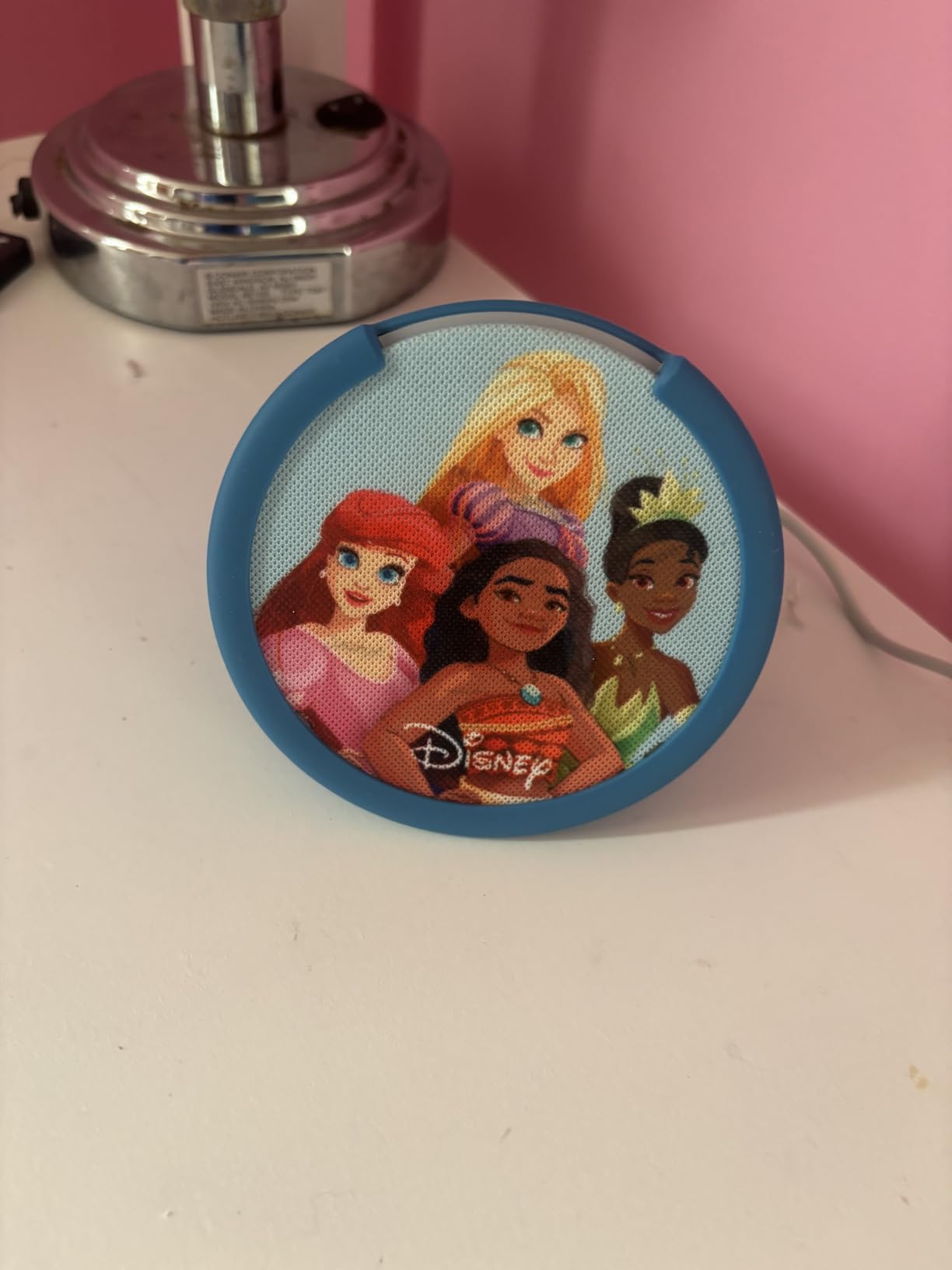
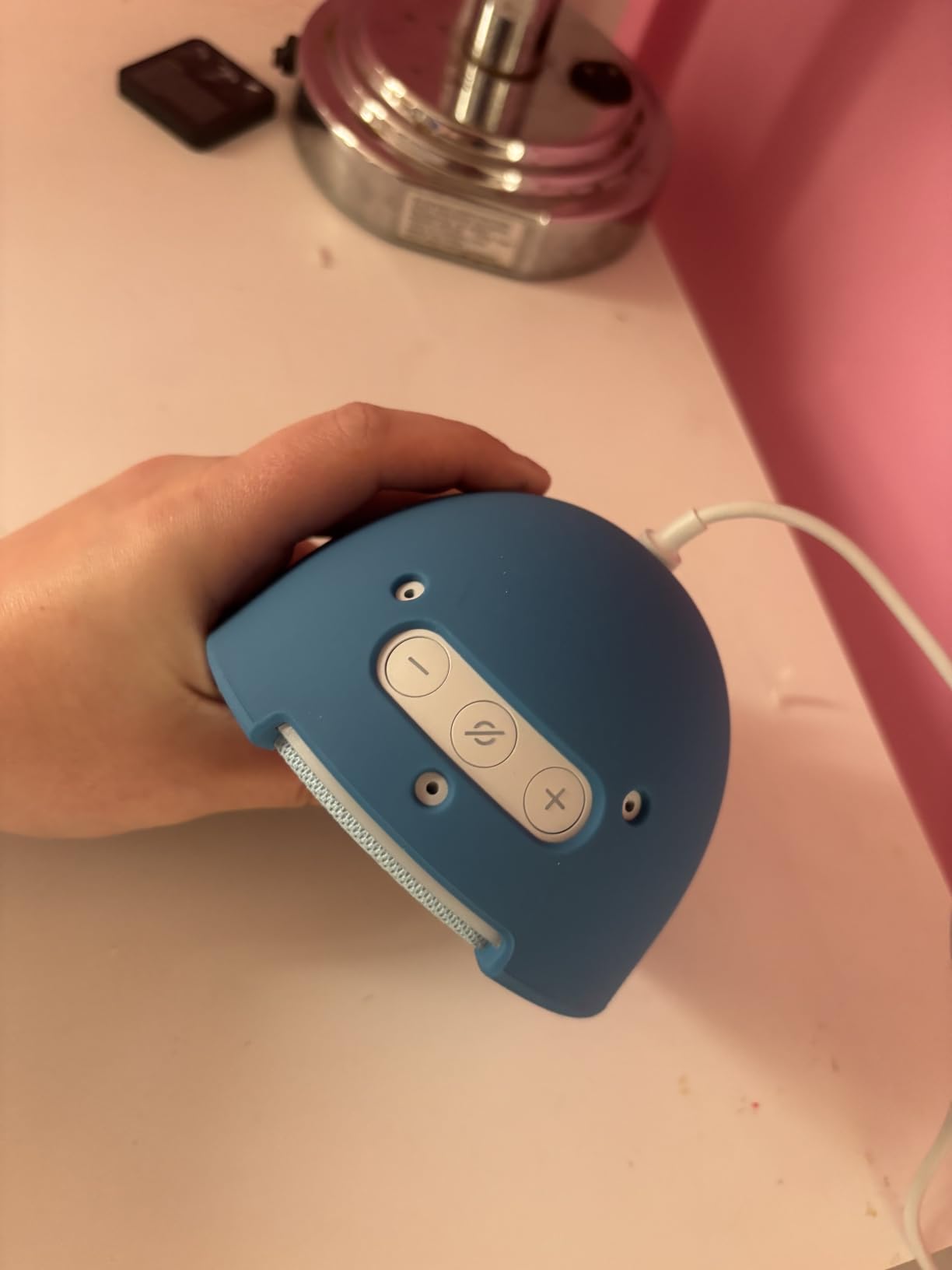
Privacy is handled more seriously than on most children’s devices. There is a physical microphone off button you can see, and a parent monitoring app. Explicit-lyric filtering works across Amazon Music, Apple Music, Spotify and Pandora, which matters because most filtering systems only cover one catalogue and then fail the moment a child switches service.
The honest drawback is cost creep. Age-appropriate audiobooks, Wondery podcasts and iHeartRadio Family all sit behind the Amazon Kids+ subscription, and the core experience thins considerably once a trial lapses. Read the current terms before you commit.
What makes it work at exactly seven
A seven-year-old can operate it fully without reading. Ask for something, press stop, ask for something else. There is nothing to unlock, no menu to navigate and no account to set up, which removes the two most common reasons connected toys frustrate this age group.
It is also a good sibling and guest device. One speaker serves a room, and it does not create the argument over a single shared tablet that a screen-based device inevitably produces.
Where it will frustrate you
This is an always-listening device in a child’s bedroom, and reasonable parents disagree about that. The mic off button helps, and the controls are layered, but you should go in knowing that a voice assistant is a deliberate choice rather than a default.
Second, a subscription-gated library is a recurring cost that follows you for as long as the child uses it. Parents in forum threads are split on whether the audio quality and bedtime routines justify it; most conclude the free tier alone is not enough on its own.
3. Amazon Fire HD 8 Kids Pro Review: Best Kids Tablet for a 7-Year-Old
Amazon Fire HD 8 Kids Pro tablet, ages 6-12. Bright 8″ HD screen, includes ad-free content, parental controls, 13-hr battery, slim case for older kids, 64GB, Hello Teal, (2024 release)
Ages 6-12
8 inch HD display
Up to 13-hour battery
64 GB storage
Pros
- Bright 8 inch HD screen
- Battery holds up over a year of daily use
- Approvals-based parental controls from the app
- Works smoothly with no lag
- Slim case survives throws
Cons
- No YouTube Kids app available to download
- Kids+ subscription renews after the six-month trial
Of the two tablets in this list, this is the one that fits a seven-year-old best rather than at the edge of its range. It is rated six to twelve, so seven sits in the lower-middle of the design window. That is why it gets the tablet slot instead of the cheaper seven-inch model, which is rated three to seven and effectively expires on the birthday.
What improved over the previous generation is mostly quality of life. The 8-inch HD screen is bright and crisp enough for reading, the hexa-core processor with up to 4 GB of RAM runs smoothly, and the battery is quoted at up to thirteen hours. For a child who uses it on a long car journey, that is a full day of margin.
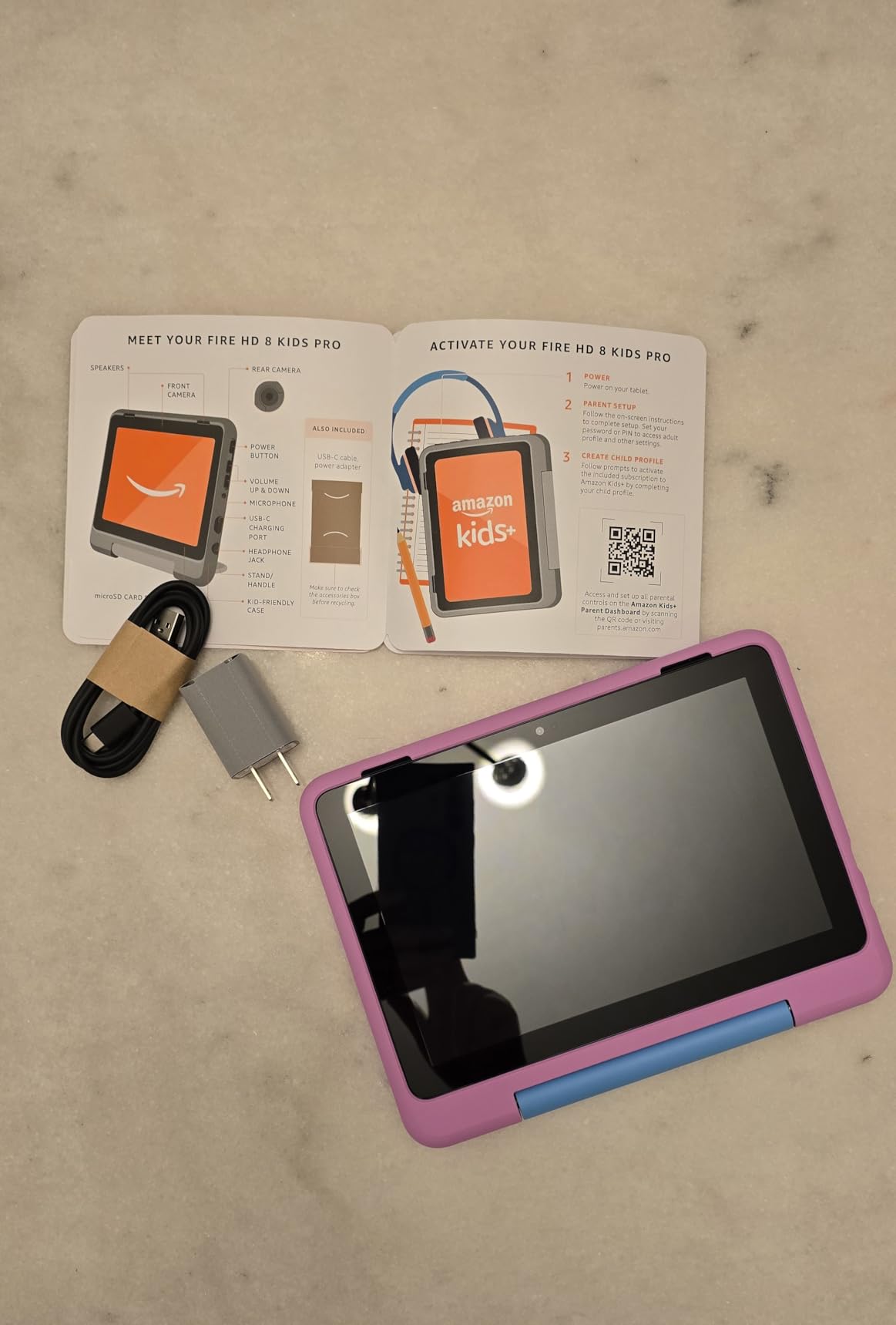
The parental system is the part that actually matters and the part most families underuse. The Parent Dashboard lets an adult approve or deny requests remotely, review activity, and filter web browsing by site. A seven-year-old who can ask for something and has to wait for your yes is a genuinely different experience from a child with unrestricted access.
Guarded browsing and calls to approved contacts are also built in, so you are not hunting through settings to lock down a device before handing it over. Voice and video calls work, which matters for grandparents living far away.

What makes it work at exactly seven
The larger screen and the stronger internals mean it is not underpowered in four years, which is the usual failure mode for a cheap child tablet. The approvals model also matches how a seven-year-old actually behaves: they ask, they wait, and you decide later rather than in the moment.
Storage of 64 GB with expansion up to 1 TB means you will not be managing the device over a network cable in a year, which is the top complaint about small-storage kids tablets.
Where it will frustrate you
There is no YouTube Kids app available to download on this model. That surprises a lot of parents, because YouTube is where a great deal of children’s video actually lives, and you have to work around it with filtered browsing instead.
Amazon Kids+ is included for six months and then renews at a monthly fee. Treat that as the real cost of the device in year one and decide your answer before the trial ends, not after.
And be honest with yourself about whether a tablet is adding something. If school already issues a device, or a family tablet is available, this may be a duplicate purchase. The case for buying it is the parental control layer, not the screen.
4. Learning Resources Botley Review: Best Screen-Free Coding Robot for a 7-Year-Old
Learning Resources Botley The Coding Robot Activity Set – 77 Pieces, Ages 5+, Screen-Free Coding Robots for Kids, STEM Toys for Kids, Programming for Kids, for Kids
Ages 5 and up
77 pieces
Screen-free remote programmer
Object detection
Pros
- No screen or app needed at all
- 77 pieces support many obstacle courses
- Object detection and collision avoidance
- Detachable robot arms
- Works straight out of the box
Cons
- Requires 5 AAA batteries and a screwdriver
- Big set means a lot to tidy away
Botley has the widest age range of anything in this list. Rated five to sixteen, it is one of the few children’s electronics toys here that a child can still be getting new value from at eleven, and the reason is the programming model: you hand it a sequence of movements on a physical remote and it executes them.
That is a real concept. Sequencing, looping commands and debugging a path are exactly the computational thinking skills that get taught later in block coding environments, taught here without a single screen. Parents on homeschooling forums frequently describe it as the thing that made coding click for a child who refused to sit at a computer.
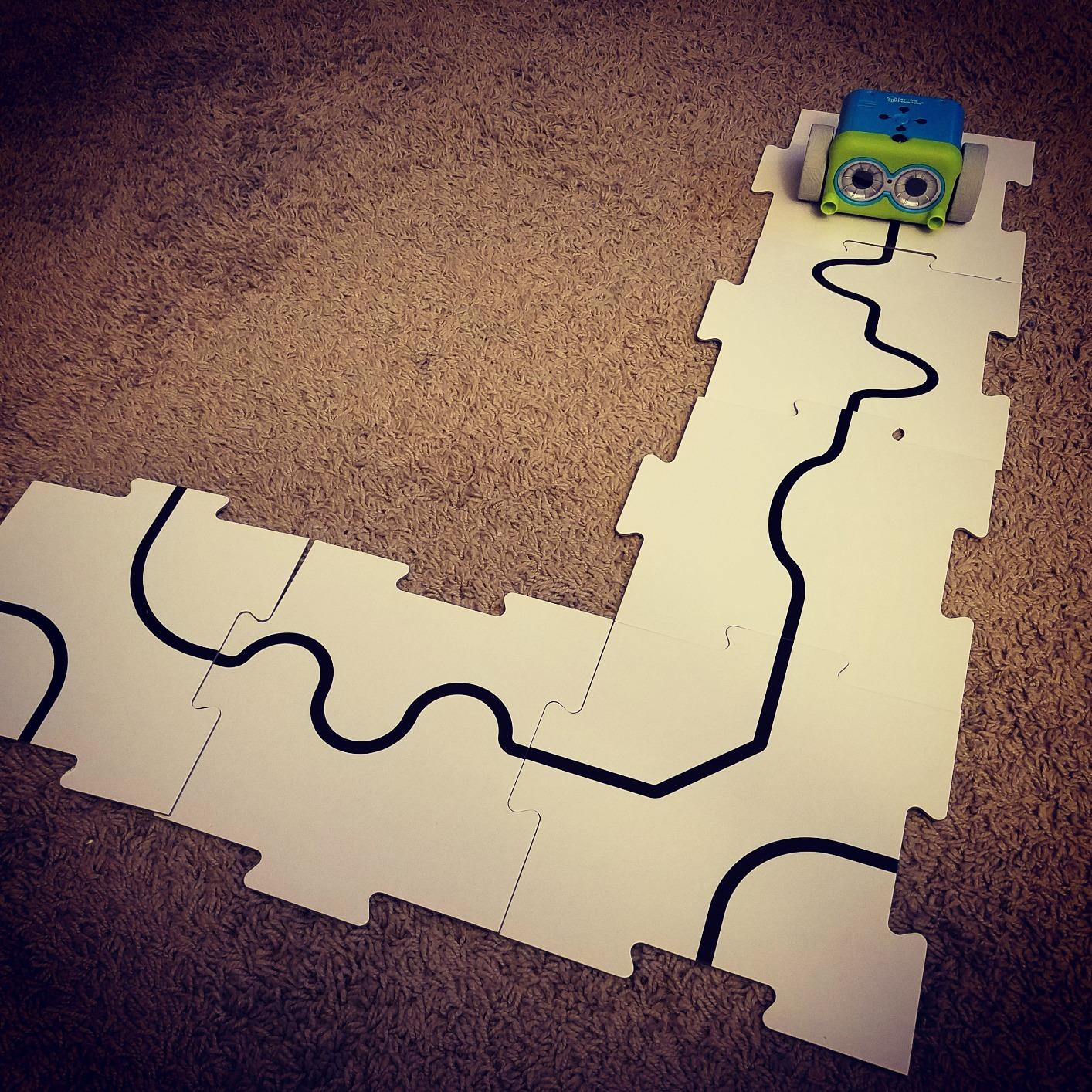
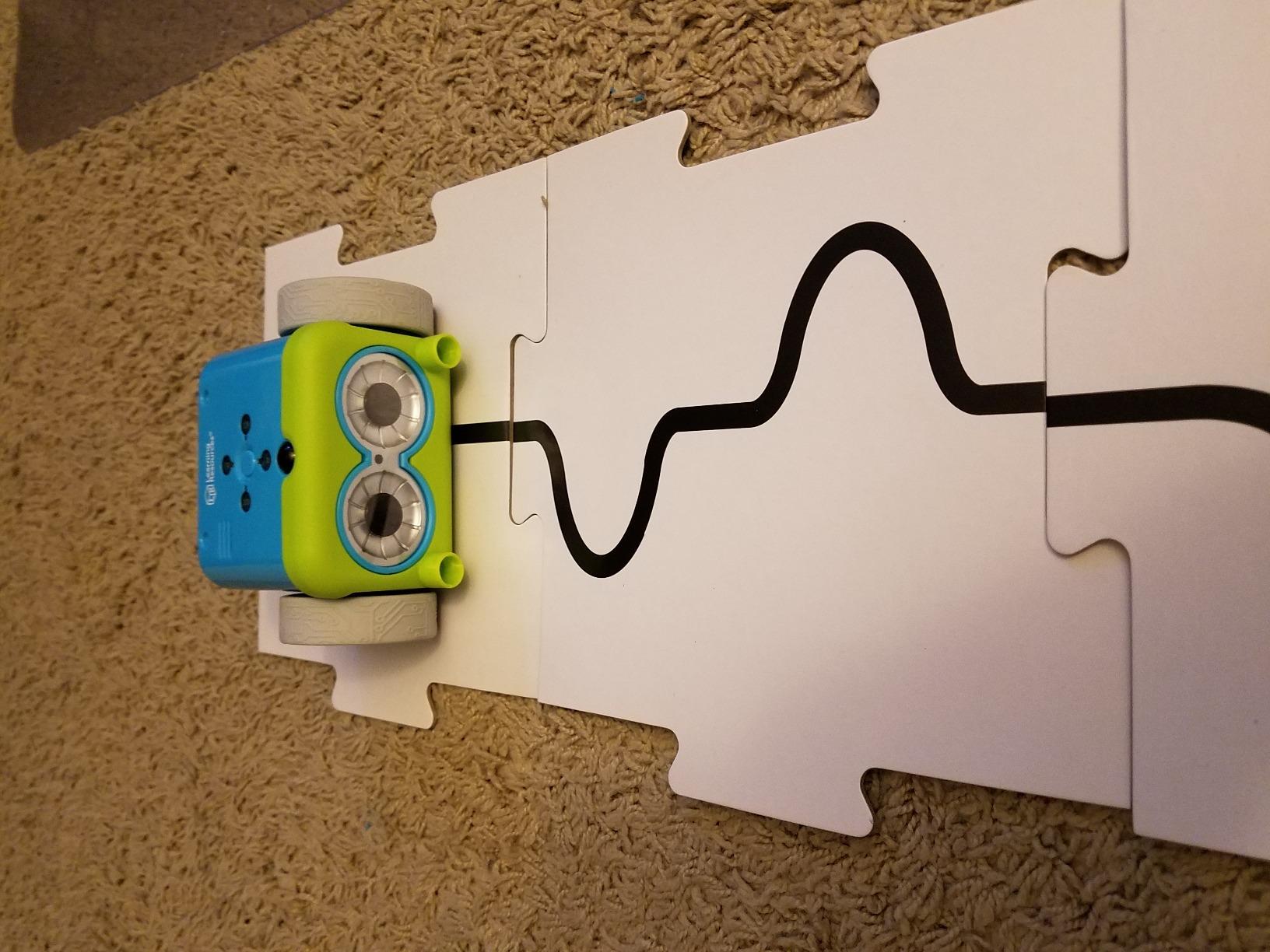
The hardware is good. Object detection and obstacle avoidance mean the robot behaves in a way that feels responsive rather than random, and black-line path following gives a second, different skill to practise. Forty coding cards provide structured challenges, and the detachable robot arms add a small mechanical element that stops the whole set feeling like a one-trick toy.
There are hidden features to unlock, which sounds like filler but is genuinely effective at this age. A seven-year-old who discovers something the instructions did not mention will spend an hour on it alone.
What makes it work at exactly seven
Pressing buttons in order is within reach of a seven-year-old’s motor control and reading. The programming happens on a handheld remote, so the child looks at the robot while programming it, which keeps the feedback loop physically obvious rather than hidden behind a screen.
It runs on the floor, which means it is active play. On days when a child is bouncing off the walls, this is an electronic toy that burns energy instead of demanding stillness.
Where it will frustrate you
It takes five AAA batteries and a Phillips screwdriver, and neither is in the box. This is the second most common holiday-morning battery complaint in this category and it is entirely avoidable if you know it in advance.
The 77 pieces are a storage problem. It is a genuinely large set, and a seven-year-old will lose the detachable parts inside a toy box within a week unless there is a labelled box for them.
5. Learning Resources Code and Go Robot Mouse Review: Best First Coding Toy for a 7-Year-Old
Learning Resources Code & Go Robot Mouse Activity Set
Ages 4 and up
Screen-free sequencing
30 coding cards
Build-your-own maze grid
Pros
- Teaches sequencing and logic without a screen
- Progressive difficulty cards
- Sturdy pieces that survive rough play
- Open-ended enough to build your own mazes
Cons
- Mouse drifts off course on tight turns
- Stops the moment it reaches the cheese
- 3 AAA batteries not included
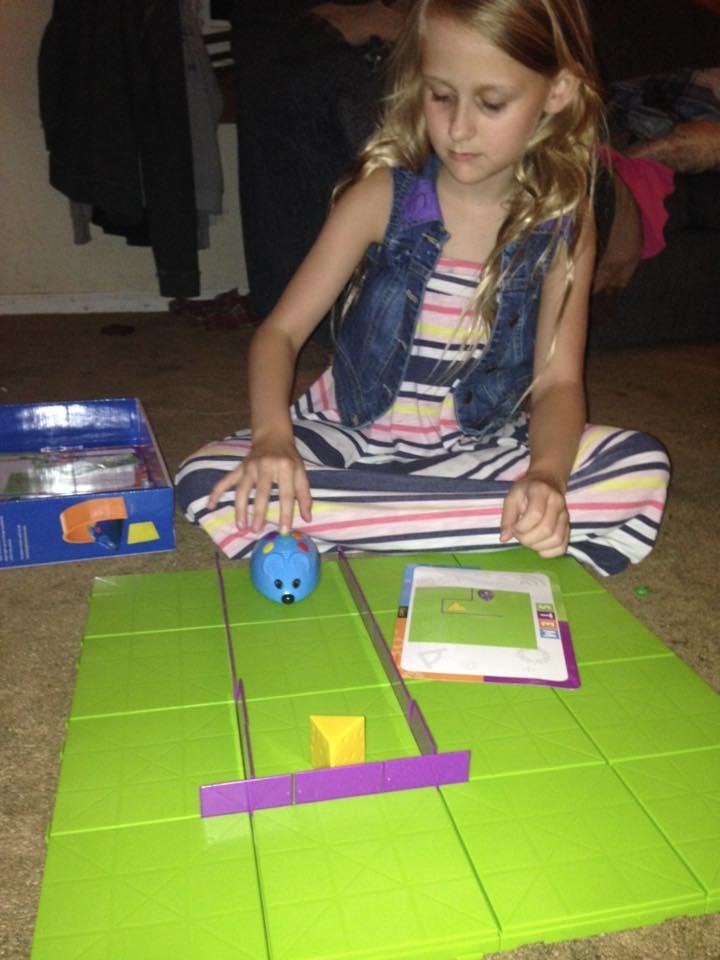
This is the gentlest entry into programming here, and for a seven-year-old who has never sequenced anything it may be the better starting point than Botley. The child lays out sixteen modular maze grid tiles on the floor, builds a route, and programs the mouse to travel it by pressing forward and turn buttons in order.
Thirty double-sided coding cards provide structured progression from a straight line to turns, tunnels and complex routes, and ten activity cards handle the early session when a child does not yet know what to invent. That combination of guided start and open-ended follow-on is what keeps it from becoming a toy used once.
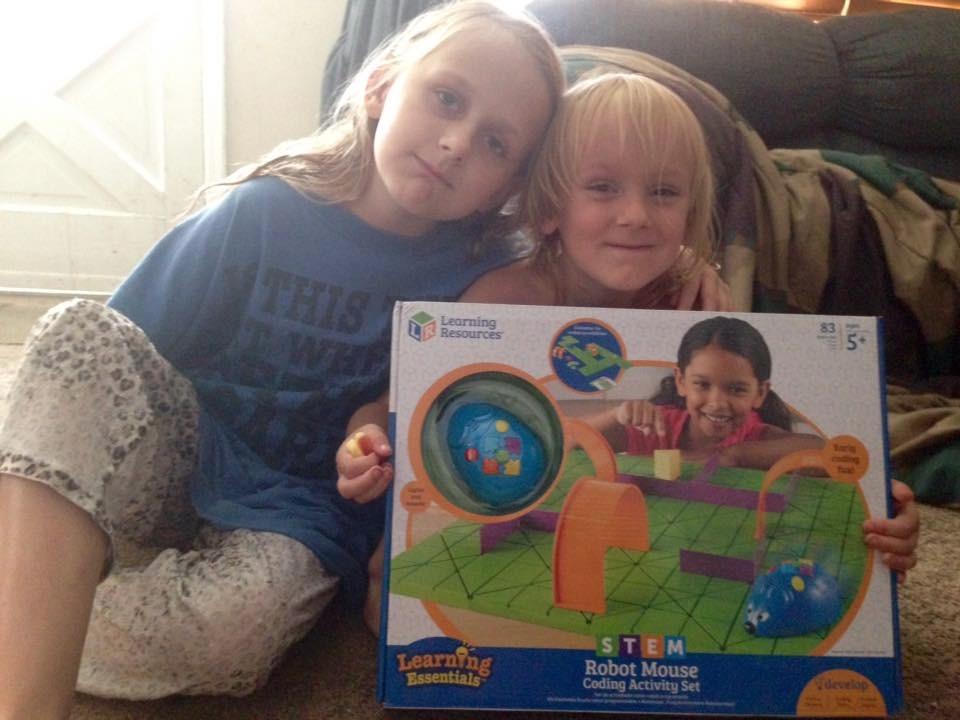
Spatial reasoning is the quiet benefit here. Laying out a twenty-by-twenty inch board and working out a path through twenty-two walls and three tunnels forces a child to hold a map in their head, which is a genuinely transferable skill and a much better use of an hour than another video.
Reviews from teachers and parents describe it warmly and consistently as a screen-free introduction to programming and logic, and the pieces hold up well to being stepped on, which matters for floor play.
What makes it work at exactly seven
A seven-year-old has the reading level for the cards and the fine motor control for the remote. The board does the visual work, so there is no mental mapping of an abstract grid, which is where most seven-year-olds stall with on-screen coding.
It also works well as a two-child activity, because one child can be the programmer and the other the navigator. That makes it a useful birthday option when siblings or cousins are around.
Where it will frustrate you
The mouse drifts. On tight turns and sharp corners it has a habit of missing, and a child who is not already invested in the project will read that as the toy being broken rather than as a debugging exercise. Worth knowing before you promise a perfectly reliable run.
It also stops executing instructions the moment it reaches the cheese, so a child who wants to see the whole programme finish will be disappointed. And again, three AAA batteries are not included.
6. Seckton Kids Selfie Camera Review: Best Digital Camera for a 7-Year-Old
Seckton Upgraded Kids Selfie Camera, HD Digital Video Camera-Navy Blue
Ages 3-10
8 megapixel stills
1080p video
32 GB microSD included
Pros
- Dual cameras make selfies easy for small hands
- SD card included so photos actually get saved
- Shockproof soft plastic shell
- Lanyard included
- Long-running kids camera favourite
Cons
- Basic digital zoom and a small screen
- Short battery life of roughly 1-2 hours
A camera is not usually thought of as educational electronics, and for a seven-year-old it does something no kit in this list does: it gets used every single day, without being asked to. A child with a camera notices light, framing, what is close and what is far, and how to get a picture of something that is moving. That is observation training disguised as a birthday present.
This one has the largest review count of any product here, which tells you something useful about failure rates in this price bracket. It survives. It is the pick I would suggest for a child who is already constantly asking to use a grown-up’s phone.

The dual-camera configuration is the feature that matters most at seven. A child can hold it at arm’s length and still be in the frame, which removes the single biggest reason young children abandon a camera. An eight megapixel sensor with contrast-detection autofocus is more than adequate, and 1080p MP4 video capture covers the moving-pet case.
Two practical details that reviewers highlight. The 32 GB microSD card is included, so there is nothing extra to buy and photos actually get saved rather than filling an internal store. And the shockproof soft plastic shell plus the included lanyard make it something a seven-year-old can carry around a wrist without it being a liability.
What makes it work at exactly seven
There is no menu to navigate, no account, no password and no connectivity requirement. Press, see the picture, look at it. That is a complete interaction a seven-year-old can complete unaided, and it is the reason these cameras keep working when app-driven gadgets get abandoned.
Because it saves to a card, a parent can review or print the results together at the end of the month, which turns it into a conversation rather than a private consumption device.
Where it will frustrate you
The digital zoom is basic and the screen is small, so close-up shots of something small will disappoint. A seven-year-old who wants to photograph a coin or a bug will need to get physically close instead.
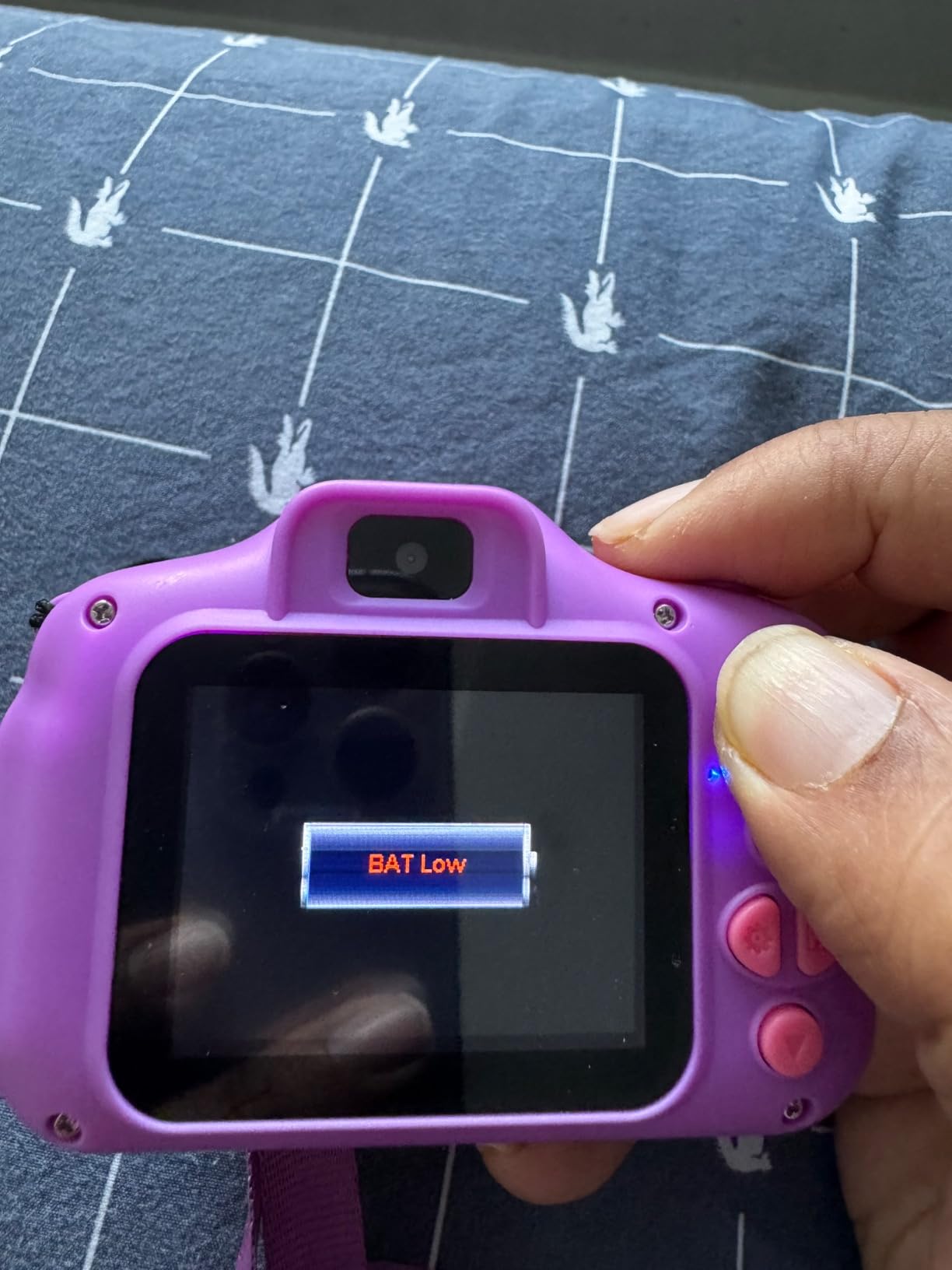
Battery life is the real limitation. Roughly one to two hours of continuous shooting means it will not survive a full outing without a spare set of cells, and they are not included. This is the pick where the battery note matters most.
7. ESOXOFFORE Instant Print Camera Review: Best Camera for a 7-Year-Old Who Wants Photos to Hold
ESOXOFFORE Kids Camera Instant Print, Christmas Birthday Gifts for Kids Age 3-12, Selfie Digital Camera with 1080P Videos,Toddler Portable Travel Toy for 4 5 6 7 8 9 Year Old Boys Girls-Blue
Ages 3-12
1-second thermal prints
1080p video
3 paper rolls included
Pros
- Child gets a physical photo in about a second
- Cheap ink-free refills
- Colour photos and HD video also save to the SD card
- Built-in games and MP3 playback
- USB-C charging
Cons
- Prints are thermal black and white
- Printed photos fade over time
- Blurry if the subject moves
The appeal here is immediate and slightly addictive: press the button and a photograph appears in the child’s hand in about a second. Reviewers describe it as a novelty that both children and parents genuinely like, and for a seven-year-old, holding a picture of the thing they just photographed changes the whole relationship with the device.
It is also the best of the two cameras in this list for a child who wants to do something with the result. The paper prints can be coloured, stuck in a book and written on, which extends the toy well past the taking-of-photos stage.

It is not only a printer. You also get 1080p video with sixteen times digital zoom, flash and time-lapse, and colour photos that save to the included 32 GB SD card. Fifteen scene filters and sixteen stickers give a young child creative control without any setup, and built-in games with MP3 playback cover the dead time in a car or a queue.
The economics are friendlier than an inkjet. Refill rolls are cheap, there is no cartridge to replace, and three rolls of paper are included, which works out to roughly 372 prints before you need more.

What makes it work at exactly seven
It is entirely independent. No app, no account, no phone and no network. Charging is USB-C and the quoted runtime is four to five hours per charge, so it is ready to go on a long trip with a full battery the night before.
The 2.4-inch screen and the simple button layout are appropriate, and a six-month warranty is a modest but real reassurance on a device with moving print parts.
Where it will frustrate you
Set your expectations on the prints. They are thermal, black and white, on receipt-style paper, not colour photographs, and they can fade over time. A parent expecting a mini Instax will be disappointed; a child who wants something to scribble on will not care at all.
Motion blur is a genuine issue with an active seven-year-old as the subject. The camera rewards slow, still subjects, so the first few sessions may involve some frustration before the technique clicks.
8. RIVGOT Drawing Robot Review: Best Screen-Free Creative Electronics for a 7-Year-Old
RIVGOT Drawing Robot for Kids with 150 Cards, Voice Interactive Educational Drawing Machine, Montessori Painting Learning Toys for 3 4 5 6 7 8 Year Old Boys Girls Birthday Party
Ages 3-8
150 drawing cards
Reusable drawing board
Built-in music
Pros
- Screen-free creative output
- 150 cards give a long library
- Easy to set up and use immediately
- Music during drawing
- Good Montessori-style fine motor practice
Cons
- Small drawing area limits detail
- Some copies stop working
- Pen arm can fail to lift cleanly
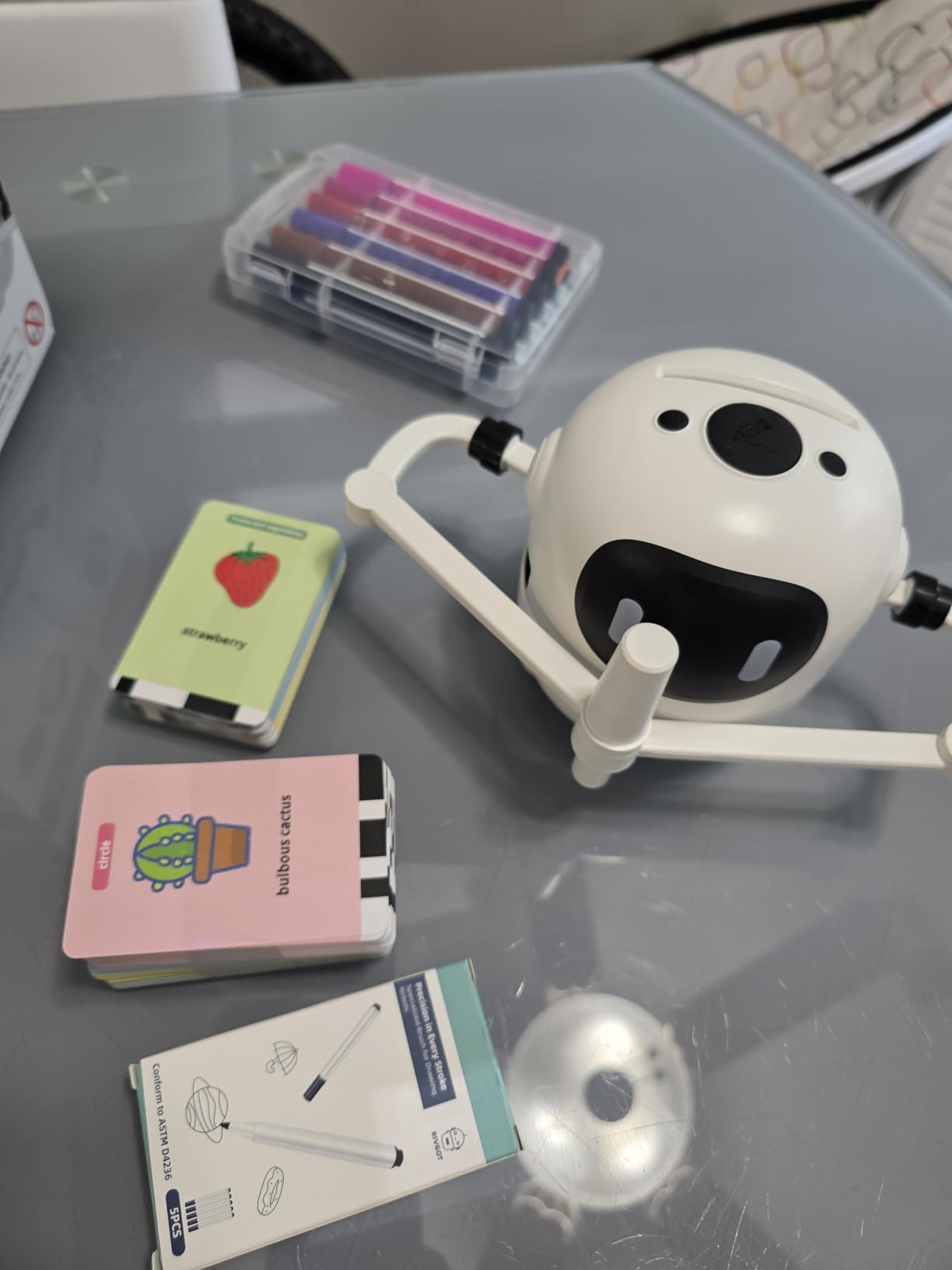
A drawing robot is an unusual category in kids electronics and it sits in the gap between a gadget and an art supply. The child picks a card, slots it in, and the machine draws the picture for them with a pen arm. The output is real, physical artwork that a seven-year-old can then colour in, keep or give away.
Because the child is not the one moving the pen, this is fine motor practice with a different texture than building or coding. Families report it holding a child’s attention well, and the screen-free nature of it makes it a good counterweight to a tablet-heavy week.
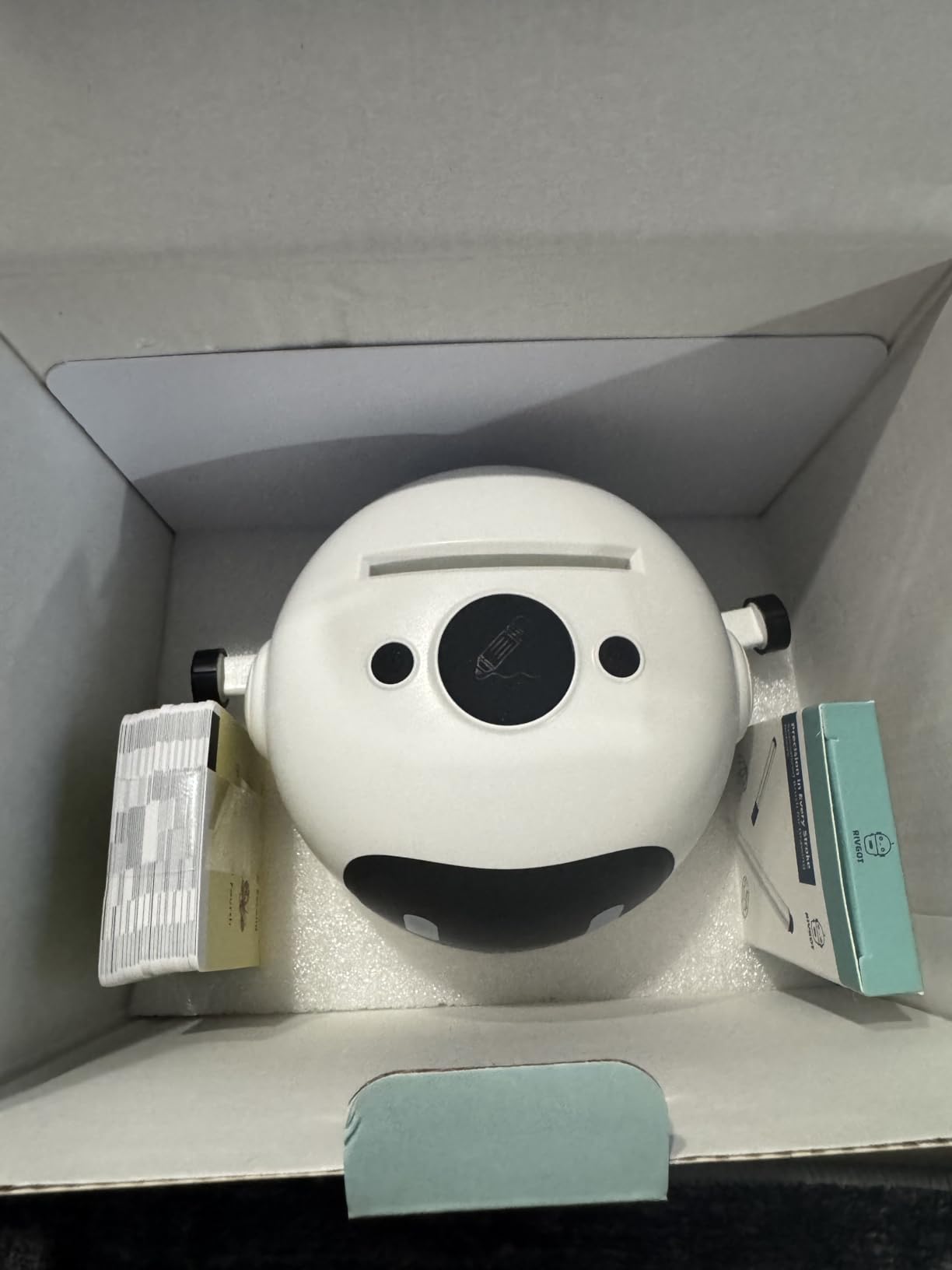
The 150-card library is the number that matters. At roughly one card per session, that is months of content, which is where most electronic toys in this bracket fail: they have twelve variations and a month of interest. Twelve markers and five drawing pens are included, and the drawing board is reusable rather than single-use paper.
Built-in music while drawing is a small touch that does real work at this age. It removes the silence that makes a child abandon an activity, and it makes the machine feel like a companion rather than a tool.
What makes it work at exactly seven
Rated three to eight, so seven sits comfortably inside the range. Setup is minimal, and a seven-year-old can run a card through unaided after watching once. The Montessori-style art framing is not decoration, because the pincer grip and hand-eye tracking involved are genuine developmental work.
It is also a strong choice for a child who loves drawing but whose fine motor control is not yet good enough for accurate colouring, because the machine does the hard part.
Where it will frustrate you
The drawing area is small, so the output is limited in size and detail. A child expecting a full-page picture will be disappointed, and the review consensus is to set the scale correctly before the first session.
Reliability is the bigger concern. Some copies stop working or need constant supervision, and the pen arm can fail to lift cleanly and produce scribbled results. This is also the one pick here with a much smaller review count than the rest, so treat it as a novelty purchase rather than a long-term investment.
It is also the one pick here whose manual matters most, because the machine is doing the drawing and a child needs the card oriented correctly to get a clean result. Expect a few sessions of trial and error before the pictures come out clean.
9. Force1 Tornado RC Car Review: Best Remote Control Car for a 7-Year-Old
Force1 Tornado Blue LED Remote Control Car for Kids- Double Sided Driving Fast RC Cars 360 Flips, Outdoor 4WD Off Road Stunt RC Car, All Terrain Tires, RC Crawler Rechargeable Battery, 2.4GHz Remote
Ages 6 and up
360-degree flips
Rechargeable battery
2.4GHz remote
Pros
- Simple remote a young child can master
- Keeps driving when flipped over
- Bright LEDs make it visible in low light
- Survives waist-height falls
- Responsive replacement service
Cons
- Struggles to drive straight for more than a few feet
- Best on flat hard surfaces only
- Some copies report charging cable or battery failures
Not every piece of electronics for a seven-year-old needs to teach something. A remote control car teaches hand-eye coordination, cause and effect and spatial judgement, and it does it in a way that gets a child outside and moving rather than sitting still. Rated six and up, this is comfortably in range.
The specific reason it made this list is the two-sided driving design. A conventional RC car that lands upside down is finished, and a seven-year-old’s first reaction is to hand it to a grown-up. This one keeps going after a 360-degree spin or a flip, which removes the most common frustration point in the whole category.
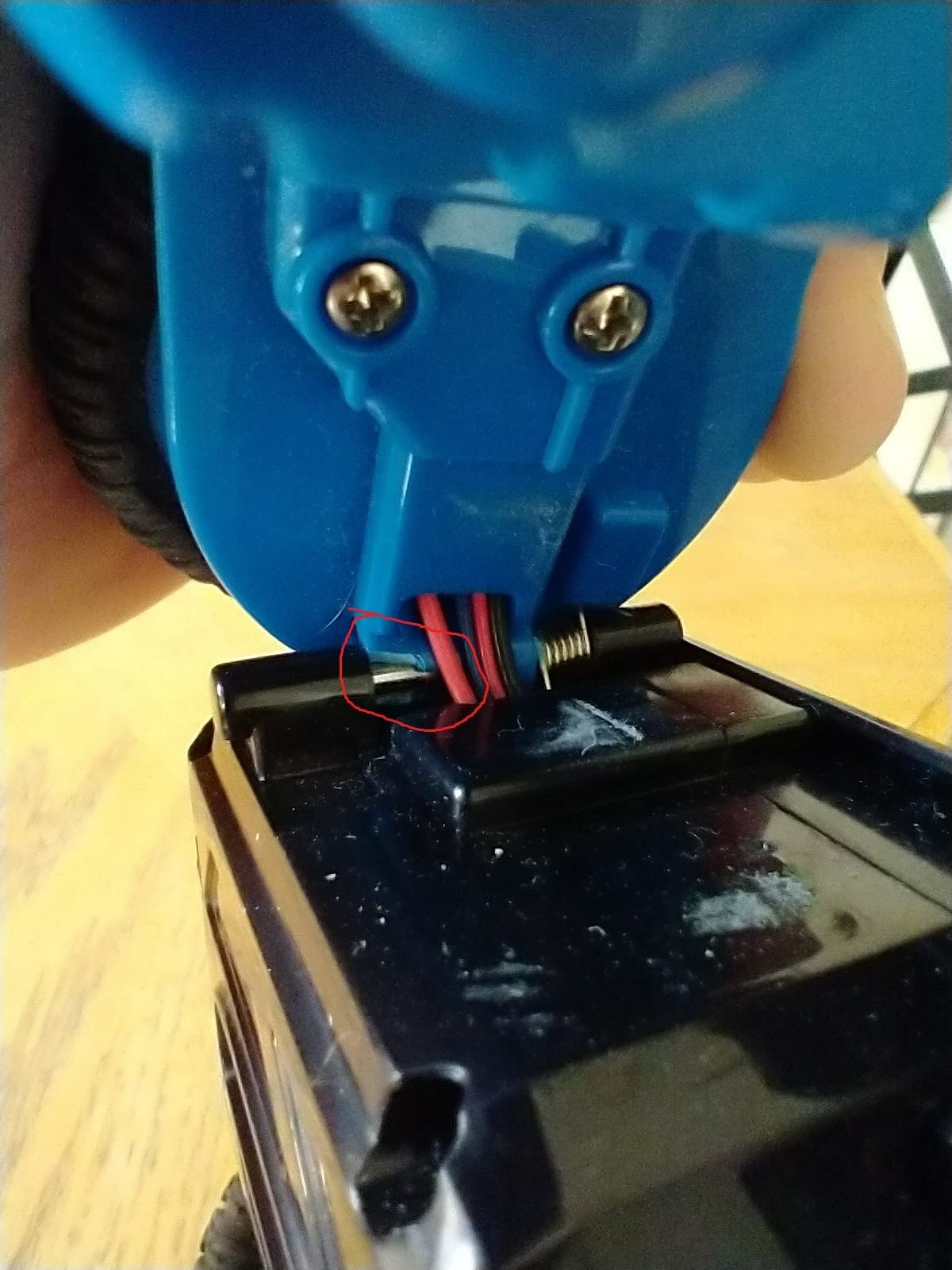
The 2.4GHz control gives reliable operation without interference from neighbouring cars, which matters on a street where more than one child is driving. Vibrant LED lights make it easy to find if it disappears under a shrub, and the all-terrain rubber tires are rated for grass and gravel rather than only carpet.
Power is handled well. It is a lithium-ion rechargeable with a USB cable, and the quoted figure is about 25 minutes of play per 180 minutes of charge. That ratio sounds poor until you realise it eliminates the battery aisle entirely, which is the single best practical feature here.

What makes it work at exactly seven
The remote is deliberately simple. A seven-year-old can pick it up and be driving within a minute, which is unusual for anything with more than two controls. There is no app, no pairing and no account.
It is a two-child activity, which is a real advantage. Two cars, one child driving, one filming on a camera from this list, and an afternoon sorted. Durability is good for the price band too, with reports of it surviving waist-height falls intact.
Where it will frustrate you
It does not drive straight. Reviewers are consistent about the car pulling or wandering after a few feet, and a child with a high expectation of precision may decide the toy is faulty when it is not. It performs best on flat, hard surfaces and less well in deep grass or thick carpet.
A minority of copies report charging cable or battery failures, though the manufacturer resolves replacements quickly. And twenty-five minutes of play per charge means a long afternoon needs a plan for a second session.
10. Wiszodet Kids Smart Game Watch Review: Best No-Subscription Watch for a 7-Year-Old
Wiszodet Kids Smart Game Watch with 39 Games HD Touch Screen Video Camera Music Player Pedometer Flashlight Alarm Clock 12/24 hr, Gifts for 5-12 Year Olds Boys
Ages 5-12
39 puzzle games
HD camera and video
Up to 7-day battery
Pros
- No SIM card or app download required
- Children pick up the touchscreen unaided
- Bright display with adjustable silicone band
Cons
- Must be charged with a 5V 1A adapter
- Some copies report low-resolution screens
- Not water resistant
The defining feature of this watch is what it does not have. No SIM card, no app to download, no account to create, no subscription, and no way for a stranger to call your seven-year-old. Parents worried about a child’s first smartwatch being a communications device should understand that this is explicitly not one.
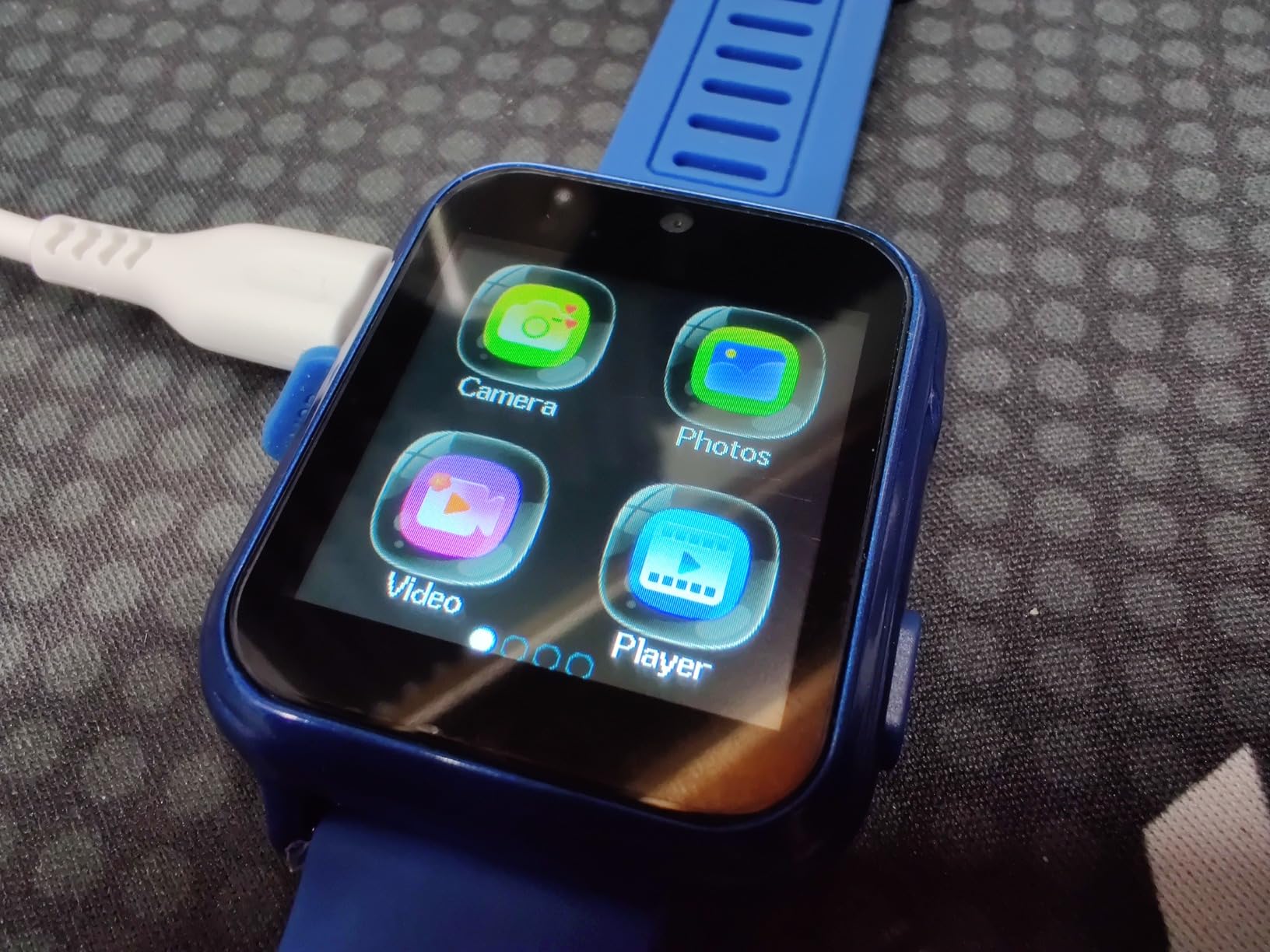
It is a toy watch, and the honesty of that is the selling point. Thirty-nine puzzle games plus a time-teaching mode, an HD camera and video, a music player, a voice recorder and a flashlight. The time-teaching mode is quietly the best part for a seven-year-old who is still learning to read a clock reliably.

Battery life is the standout specification. Up to seven days on a two-hour charge, which is a genuine contrast with the tablets and speakers in this list. A child can wear it through a full week without an adult thinking about a cable.
The pedometer, stopwatch, alarm and calculator round out a feature set that gives a seven-year-old something to do with it on a walk, in a queue or during a long car trip. The adjustable silicone band handles a small wrist, which is where most children’s watches go wrong.
What makes it work at exactly seven
Rated five to twelve, so a seven-year-old is comfortably inside the range rather than at an edge. It works straight out of the box, which for a birthday present means it does not spend a week in a setup process with an adult.
No connectivity also removes the entire category of parent anxiety that surrounds smartwatches for young children. There is no location tracking to debate and no data leaving the device.
Where it will frustrate you
The charger specification is a real trap. It must be charged with a 5V 1A adapter, and some copies have been reported to stop powering on when a different charger is used. That is a genuine support headache, so use the supplied cable and a known-good adapter.
It is not water resistant, which is worth knowing before a summer holiday. And a minority of copies report lower-resolution screens and camera quality than advertised, so manage expectations on the photography side.
11. Amazon Fire 7 Kids Tablet Review: Best Tablet for a Child at the End of the Age Range
Amazon Fire 7 Kids tablet, ages 3-7. Top-selling 7″ kids tablet on Amazon. Includes ad-free and exclusive content, easy parental controls, 10-hr battery, 16 GB, Blue
Ages 3-7
7 inch display
10-hour battery
16 GB with microSD
Pros
- Durable kid-proof case survives drops
- Parent Dashboard with filters and time limits
- 10-hour battery for travel
- Comfortable size for small hands
- Bright colourful display
Cons
- Very little usable storage once the OS is installed
- Parent dashboard settings are fiddly
- Some navigation lag
I want to be straight about this one rather than padding the list. The Fire 7 Kids Tablet is rated ages three to seven, which means a seven-year-old is at the very top of its window and will age out of it on the birthday. Buy it for a child who is six or turning seven, not for one who is already seven.
With that caveat, it does the basics well. The kid-proof case is robust and survives drops and bumps, the 10-hour battery is enough for a long travel day, and the 7-inch size is comfortable for small hands in a way an adult tablet is not. It also has one of the two largest review counts in this list, which is useful reassurance for a device a child will be dropping.
The Parent Dashboard handles age filters, content goals and time limits from a parent account, and Amazon Kids+ content is ad-free. A two-year worry-free guarantee is included, and there is a full year of Kids+ rather than the six months on the 8-inch model.
For a family who already has a newer tablet, this is the low-risk version. The child gets a locked-down device that cannot be confused with the family one, and the older hardware is not a loss.

What makes it work at exactly seven
It still works, and the software layer is the same well-tested parental system as the newer model. The 7-inch screen is the right size for a seven-year-old, and the case survives the drop-and-bump cycle that ends most devices in this bracket.
Storage expands with a microSD card, which is the fix for the limitation below, and the 10-hour battery means it works for a whole day out.
Where it will frustrate you
Storage is the biggest complaint and it is not a small one. Once the operating system and Amazon Kids+ content are installed, 16 GB leaves very little room, and parents consistently report having to manage it constantly. Buy a card with the tablet.
Some users report slight lag during navigation, and reviewers are split on how fiddly the parent dashboard time-limit and content settings are to configure. Set the limits before you hand it over, not the evening after.
12. ANNISOKA STEM Walkie Talkie Kit Review: Best Budget Build Kit for a 7-Year-Old
STEM Projects Science Toys for Ages 6-8-13 Walkie Talkies Kids Birthday Gifts for 7 9 10 11 12 14+ Years Old Boys Girls Teens Engineering DIY Electronic Kits Cool Gadgets Stuff Robotics 3D Puzzles
Ages 6 and up
Working walkie talkie build
No soldering or glue
Blank wooden boards
Pros
- Finished walkie talkies actually work with clear audio
- Teaches real circuit assembly alongside a 3D build
- No soldering or glue needed
- Affordable way to start a STEM build
- Online tutorial alongside printed instructions
Cons
- Tiny screws need nimble fingers
- Written instructions read poorly
- No volume or channel controls
- Occasional build failures
The cheapest way into real electronics in this list, and the most useful thing about it is that the finished product works. Two children can actually talk to each other across a house or a garden, which turns a build project into a play object rather than a box that gets assembled once and shelved.
It combines a 3D puzzle assembly with circuit assembly, so a seven-year-old is doing two things at once: fitting interlocking wooden pieces and wiring a functional radio board. Rated six and up, no soldering and no glue is required, which makes it genuinely safe for a seven-year-old to work on.
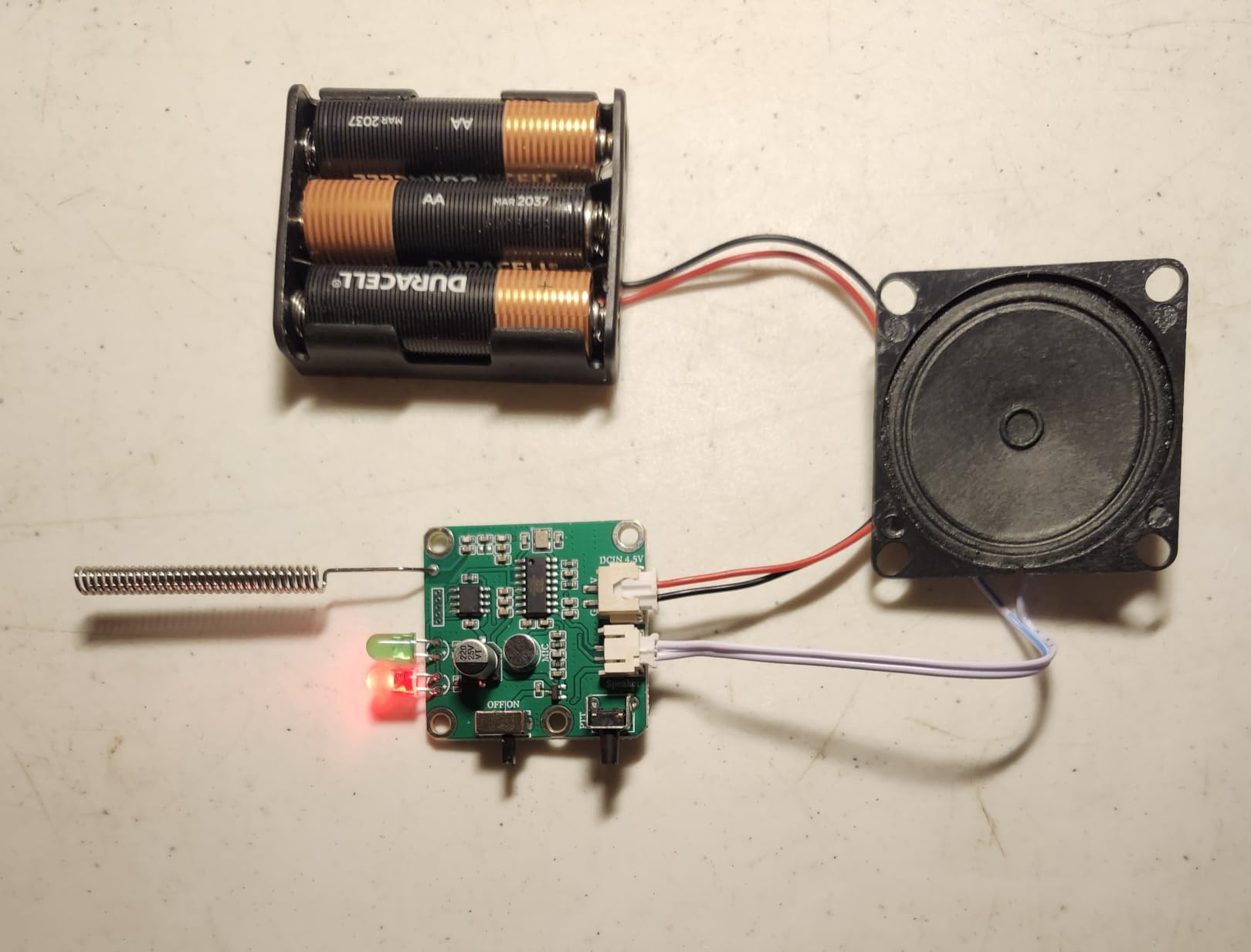
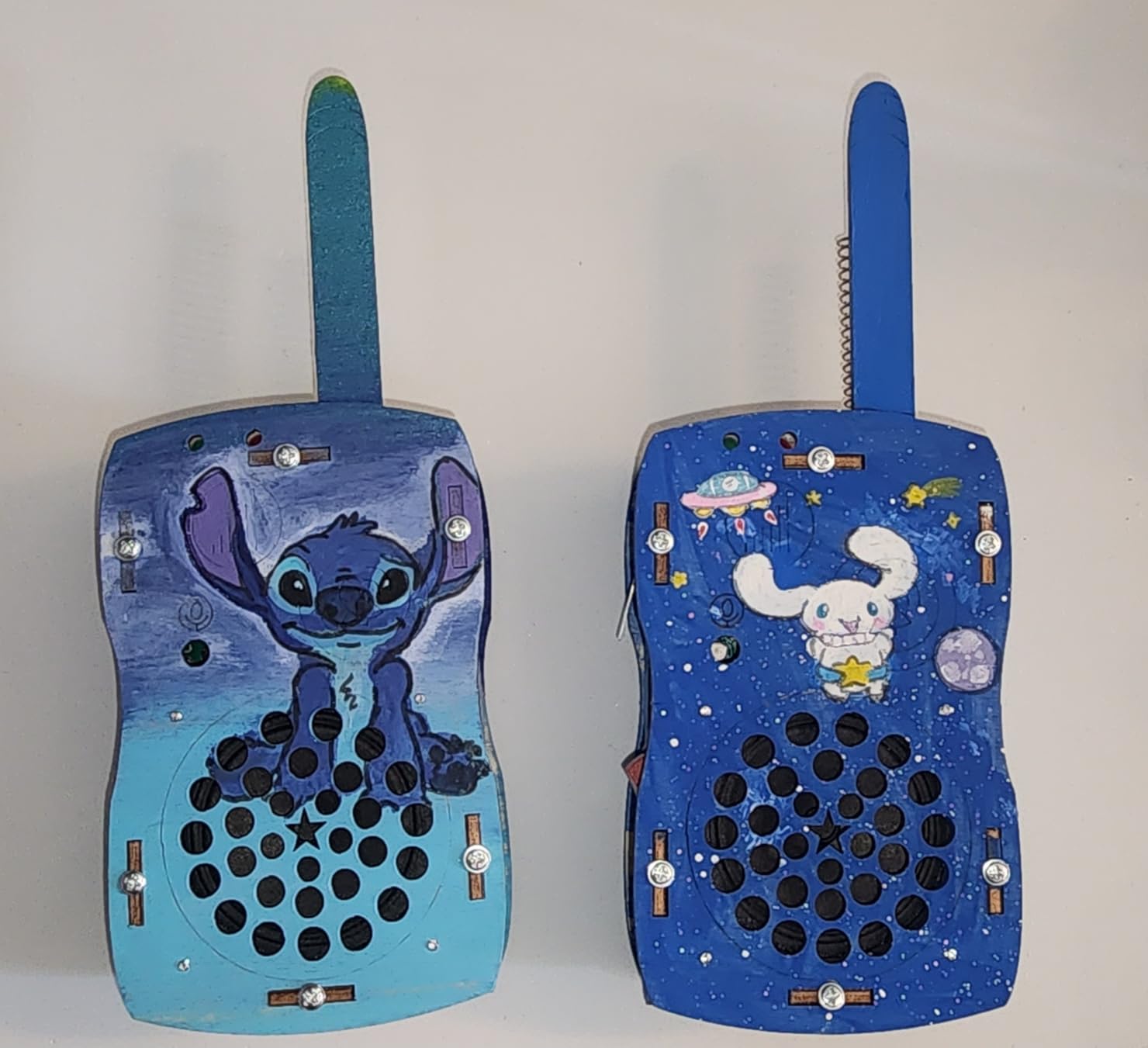
The boards come pre-paired, so once the screws are in the two sets communicate without any configuration step. They also arrive blank, ready to be painted and decorated, which turns the build into a craft project and gives a seven-year-old something personal at the end of it.
There is an online tutorial as well as printed instructions, which matters given the written guide’s weak point. For a child who can follow a video, the build becomes considerably easier than the paper instructions suggest.
What makes it work at exactly seven
This is a working two-way radio, and that changes the motivation profile completely. A seven-year-old is not building a circuit to understand a circuit; they are building a thing to use with a friend, and that is the difference between a one-session kit and one that gets reopened.
There is a small amount of fine motor work in the screws, which at this age is a benefit rather than a barrier, and a definite finish line that is visible and holdable.
Where it will frustrate you
The screws are tiny, and installing them is the fiddliest part of the build for a child with larger hands. Sitting down to it rather than trying it standing will help.
The written instructions are the weakest link, and reviewers describe the wording as reading like a translation. Use the online tutorial. There are also no volume, squelch or channel controls, so the audio is basic, and a small number of copies have failed immediately after batteries went in.
How to Choose Kids Electronics for a 7-Year-Old
Every product here passed the same seven tests, and they are the tests worth applying to anything you are considering that is not on this list.
1. Can they work independently, or do they need you sitting there? This is the question that matters most and the one that age ratings answer badly. A rating of eight and up on the box tells you the manufacturer expects reading and dexterity you should assume a seven-year-old partly has. The honest version: the Snap Circuits SCB-20 and both coding robots need an adult for the first session and then run solo.
2. Is the feedback immediate and physical? A light that does not turn on, a robot that misses a turn, a car that flips and keeps going. Immediate physical feedback is what makes cause and effect stick at this age, and it is why every good pick in this list produces something a child can see or hear within seconds of a mistake.
3. Can a second grader read the instructions? Look at the manual before you buy. Illustrated and colour-coded beats dense text, and a kit that assumes adult assembly is a kit you will be building, not one your child is using. Our beginner electronics repair tool kit guide covers the adult-side tools if you want to build alongside them.
4. Is it expandable or a dead end? A kit with twenty-one projects and an expansion path keeps giving. A gadget with one mode and twelve variations does not. Ask what the next purchase is before you buy the first one, because at this age children graduate quickly.
5. Will it survive normal seven-year-old handling? Drops from waist height, being thrown in a car seat, being stepped on. A soft shockproof shell, a kid-proof case and a two-sided driving design are not details, they are the difference between a toy still in use in three months and one in a drawer.
6. What batteries does it need, and are they in the box? The most repeated complaint in parent forums about this entire category is a device that does nothing on the first morning because the cells are not included. The Snap Circuits, both coding robots, the Seckton camera and the walkie talkies all need cells you must buy separately. The Fire tablets, the RC car, the instant print camera and the game watch all charge over USB.
7. What are the small parts and who else is in the house? Circuit kits and building kits contain parts small enough to be a choking risk for a younger sibling. Every kit here that has small parts is rated for ages five and up or six and up, which is a floor for the whole room, not just the child you are buying for. If there is a four-year-old or a toddler in the house, the storage question is not optional.
One more consideration that the guides almost never mention: what your child already has. If school issues a device, a second tablet is a duplicate purchase unless the reason is the parental control layer. If a family tablet already exists, the same logic applies. In that situation, a screen-free kit is almost always the better use of the same money.
Before You Buy: Batteries, Parental Controls and Privacy
The three questions parents ask most in the weeks after a connected toy arrives are all practical, and none of them appear in the marketing.
Batteries and charging, item by item. The Snap Circuits SCB-20 takes alkaline cells. The Code and Go Robot Mouse takes three AAA. Botley takes five AAA and a Phillips screwdriver. The Seckton camera needs cells for one to two hours of shooting. The walkie talkie kit needs cells and small screws. The RIVGOT drawing robot ships with one AA but charges over Type-C. The Force1 RC car, both cameras, the Fire tablets and the Wiszodet watch are USB or Type-C rechargeable, and the watch is the standout at up to seven days per charge.
Voice assistants and always-listening devices. The Echo Pop Kids is the one connected speaker in this list and it is worth being deliberate about. It has a physical microphone off button, multi-layer privacy controls and a parent monitoring app, and explicit-lyric filtering that works across several music services. That is better practice than most, but it is still a microphone in a child’s room. Decide that as a family, not as an impulse.
Screen limits on a device the child holds. A kids tablet is not screen time management unless the limits are actually set. Configure the Parent Dashboard filters, goals and time limits before the device is handed over, review activity rather than just trusting the settings, and use the approvals feature so a seven-year-old has to ask you for anything outside the filter. The two-year worry-free guarantee on the Fire tablets is also worth knowing about, since the most common breakage is a dropped device in the first weeks.
Smartwatches. The watch in this list has no SIM, no app and no connectivity, which sidesteps location tracking, unknown callers and data collection entirely. If you are considering a calling smartwatch instead, treat that as a phone purchase and apply the rules you would apply to a phone.
What Comes Next: The Ladder From 7 to 10
Children who build with one of these at seven tend to move in a predictable direction, and knowing the path helps you avoid buying something they will outgrow in four months.
Ages 7 to 8: solderless circuit kits, screen-free coding robots and cameras. The pattern is cause and effect, sequencing and troubleshooting. The Snap Circuits SCB-20 covers this stage fully.
Ages 8 to 9: larger circuit kits with more components, expansion modules for an existing base board, and programmable toys with a companion app that introduces block coding. This is where a kit that accepts expansions pays off and a sealed one does not.
Ages 9 to 10: microcontrollers, block-based coding environments, soldering and real tool work. Parents on electronics and soldering forums consistently put first soldering around nine to fifteen, and the jump is much smaller when the child has spent two years snapping circuits together. Our guide to soldering irons for electronics repair is the right place to look when that point arrives, and a proper antistatic mat plus a reliable bench power supply matter the moment a real bench is set up.
The practical takeaway is that the best first electronics purchase is the one that a nine-year-old will still open. That is why the two coding robots outrank most flashier gadgets here despite looking far less exciting in a shop.
Frequently Asked Questions
What are some good electronics for a 7-year-old?
The strongest options at this age are solderless circuit kits such as the Snap Circuits SCB-20, screen-free coding robots like Botley and the Code and Go Robot Mouse, kids cameras, an instant print camera, a drawing robot, an RC car, a kids smart speaker and a no-subscription game watch. The best choice depends on whether your child prefers building, active play or creative projects, and whether your family wants a screen-free option.
What is the best electronics set for kids?
For a beginner, the best electronics set is a solderless circuit kit with snap-together components and around twenty progressive projects. The Snap Circuits Beginner SCB-20 fits that description and is rated ages five to nine, which puts a seven-year-old in the middle of its range. The progressive difficulty matters most, because a kit with one hard project teaches nothing.
What is a good basic electronics kit for kids?
A good basic kit needs no soldering, no glue and no loose wire, and it should produce a visible result immediately. Look for a base board, child-proofed components and an illustrated manual at a second-grade reading level. Check whether the batteries are included, because most kits at this level require alkaline or AAA cells that you must buy separately.
What is the best STEM gift for a 7-year-old?
The best STEM gift at this age is one that teaches cause and effect through something the child can see or hear. A solderless circuit kit, a screen-free coding robot or a working walkie talkie build all qualify, because each produces a real result the child has to reason about. Avoid gadgets whose main feature is that they light up, since nothing is being learned or debugged.
Are Snap Circuits safe for a 7-year-old?
The Snap Circuits Beginner SCB-20 is rated ages five to nine and is specifically engineered with child-proofed components, so it sits comfortably in range for a seven-year-old. The parts snap onto a base board with no solder, no glue and no exposed wiring. The main precautions are adult supervision during the first session and secure storage, since the small parts are a choking risk for younger siblings.
Do electronic toys actually teach kids anything?
They do, but only when the toy involves a prediction and a result. A child who builds a circuit and it fails has to work out why, and that debugging step is the learning. A toy that plays music or flashes lights on command teaches nothing regardless of how educational the packaging claims to be. Judge a toy by whether your child has to think between pressing a button and seeing what happens.
What electronics are appropriate for a 7-year-old?
Appropriate choices are products rated from about five or six years upward with simple controls, physical feedback and no reading demands above a second-grade level. Be cautious with anything rated eight and up, since the instruction difficulty is usually what the rating refers to. Also consider whether a connected device is appropriate, because a voice assistant or a kids tablet involves a privacy decision you should make deliberately.
The Bottom Line for 7-Year-Olds in 2026
Buy the Snap Circuits SCB-20 if you want one purchase that genuinely teaches something and stays in use for years. It is rated five to nine, so seven sits in the middle of the range rather than below it, and it is the pick where the child has to reason about a failure rather than just press a button.
Buy the Amazon Echo Pop Kids if your priority is less screen time rather than more learning hours. It is the strongest screen-free option here, and its bedtime routines earn their keep long after the novelty fades.
For a coding robot, Botley has the longest life, and the Code and Go Robot Mouse is the gentler entry point. For a camera, the Seckton is the workhorse, and the instant print camera wins if your child wants something physical to hold.
Whatever you choose, check the batteries, set the parental controls before the first handover, and expect the first session to be a joint one. That is the whole method. Choose the thing that makes a child ask why it stopped working, because that question is the entire point.