
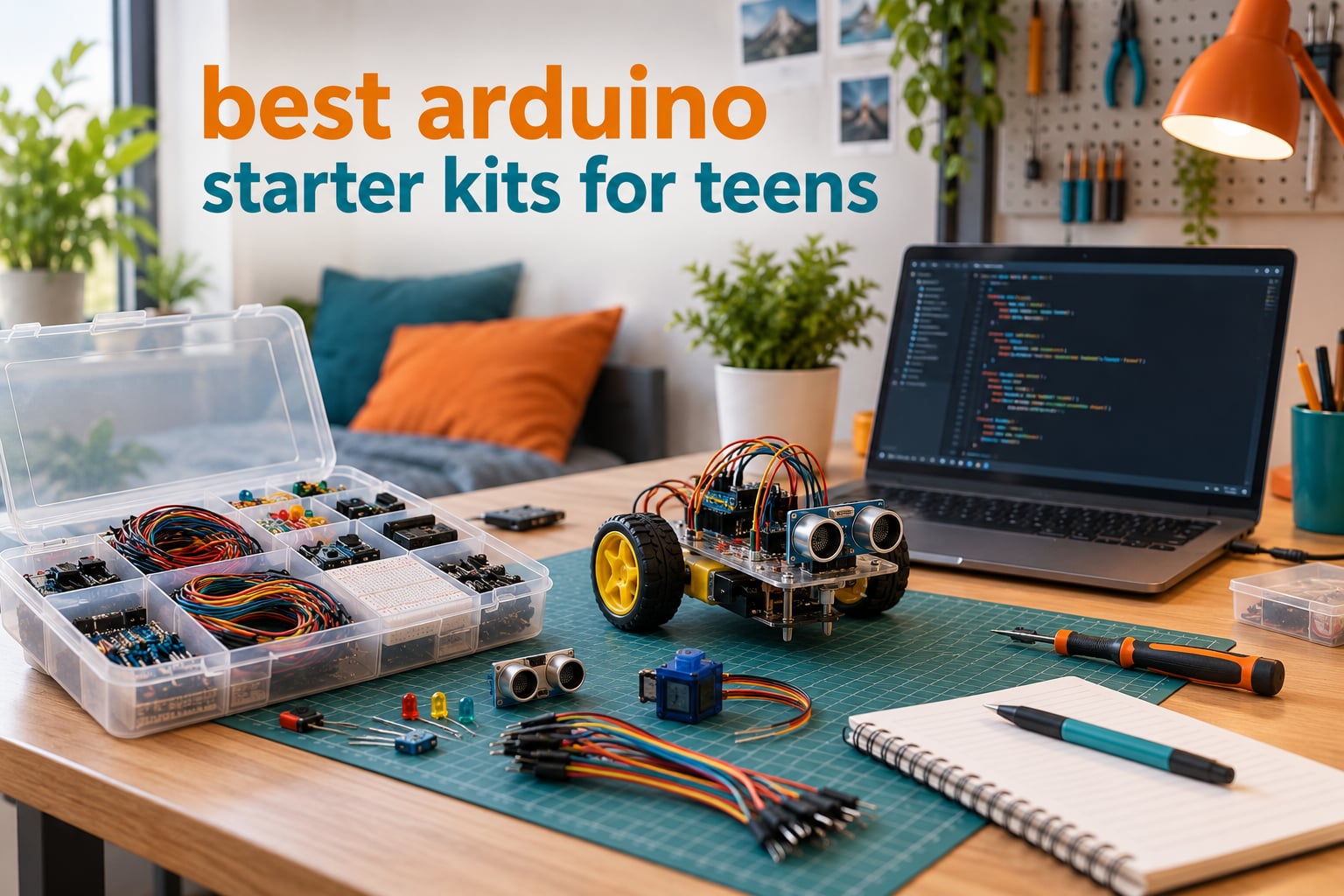
There is a specific way an Arduino kit dies. It does not happen in week one, when the unboxing is still exciting and the blinking LED makes everyone in the room cheer. It happens around week six, when the last tutorial has been finished, the kit goes back in the box, and the box goes on a high shelf next to the spare phone chargers.
That is the failure mode this roundup is built to prevent. I compared ten Arduino starter kits on the only criteria that matter for a teenager: how many documented projects sit in the box, whether the board matches the tutorials, how long the parts list stays interesting, and whether a 13 or 16 year old can work through it without an adult sitting beside them the whole time. Every kit below ships in a form that can be programmed from a laptop, and every one of them includes a breadboard, so nothing here needs a soldering iron to get started.
If you are also shopping for broader STEM gear, our picks for the best science kits for teens cover lab-style sets, and the best circuit building kits for teens roundup goes deeper on solderless breadboard work if your teen prefers circuits to robots. This guide is specifically for microcontroller builds, coded in the Arduino IDE.
Table of Contents
What Is the Best Arduino Starter Kit for Teens?
The best Arduino starter kit for teens is the ELEGOO UNO R3 Project Super Starter Kit. It ships with 22+ guided projects, a solderless breadboard, 65 jumper wires and both stepper and servo motors, so a teenager has real work to do for months rather than weeks. Every kit here works with the free Arduino IDE and none require soldering.
That is the short answer. The longer answer depends on the teen. A 12 year old who wants a car to drive across a floor has a different ideal kit than a 16 year old who wants a temperature logger talking to a phone, and we label every entry below with an age fit and a skill ceiling so you can match the kit to the person rather than to the spec sheet.
Top 3 Arduino Starter Kits for Teens

ELEGOO UNO R3 Project Super Starter Kit
- 22+ guided projects
- UNO R3 board plus breadboard
- Solderless modules and LCD
- Serve and stepper motors included

ELEGOO Mega 2560 Most Complete Starter Kit
- 200+ components
- Mega 2560 with 54 digital pins
- 35+ lessons with example code
- RFID RTC and accelerometer

ELEGOO UNO R3 Smart Robot Car Kit V4
- Pre-programmed board drives out of the box
- Live FPV camera with Wi-Fi
- Line tracking and obstacle avoidance
- 2000 mAh rechargeable battery
Best Arduino Starter Kits for Teens at a Glance in 2026
All ten kits below open a laptop-friendly path into C++ programming and hands-on electronics. The differences are board generation, component depth, sensor variety and how much teaching material actually ships in the box.
| Product | Specifications | Action |
|---|---|---|
| ELEGOO UNO R3 Project Super Starter Kit |
|
Check Latest Price |
| ELEGOO Mega 2560 Most Complete Starter Kit |
|
Check Latest Price |
| ELEGOO UNO R3 Smart Robot Car Kit V4 |
|
Check Latest Price |
 Official Arduino Starter Kit K000007 Official Arduino Starter Kit K000007 |
|
Check Latest Price |
 REXQualis Super Starter Kit UNO R3 REXQualis Super Starter Kit UNO R3 |
|
Check Latest Price |
 SunFounder Elite Explorer Kit Uno R4 WiFi SunFounder Elite Explorer Kit Uno R4 WiFi |
|
Check Latest Price |
 SunFounder Ultimate Starter Kit 3 in 1 SunFounder Ultimate Starter Kit 3 in 1 |
|
Check Latest Price |
 LAFVIN Project Super Starter Kit LAFVIN Project Super Starter Kit |
|
Check Latest Price |
 SunFounder 3-in-1 Kit Uno R4 Minima SunFounder 3-in-1 Kit Uno R4 Minima |
|
Check Latest Price |
 Arduino Official Starter Kit Deluxe Bundle Arduino Official Starter Kit Deluxe Bundle |
|
Check Latest Price |
1. ELEGOO UNO R3 Project Super Starter Kit – The Best All-Rounder for Ages 13 and Up
ELEGOO UNO R3 Project Super Starter Kit with PDF Tutorial for Beginners
UNO R3 board
22+ guided projects
65 jumper wires
Solderless breadboard
1.2 pounds
Pros
- Very wide component variety in one organized kit
- Step-by-step lessons usable well past the first month
- Pre-soldered LCD and plug-in modules remove soldering
- Neatly packed and labelled box
Cons
- UNO R3 pin count gets tight once projects grow
- Mac IDE setup is less well covered than Windows
- Occasional quality control complaints on individual units
This is the kit I hand to a family with a curious teenager and no electronics background. The board is a standard UNO R3 layout, which means every Arduino tutorial written in the last decade applies to it, and the parts list is long enough that the same three components do not carry all 22 lessons. The servo motor, stepper motor with ULN2003 driver, ultrasonic distance sensor and DHT11 temperature/humidity sensor are the parts that turn a blinking LED into something that looks like engineering.
Everything is plug-in. The LCD1602 module arrives with its pin header already soldered, so the first circuit goes together on a breadboard in about ten minutes with nothing more dangerous than a USB cable. I like that the kit also includes 120 resistors, a 74HC595 shift register and a photoresistor, because those are the components that teach a teen why a circuit sometimes works and sometimes does not.
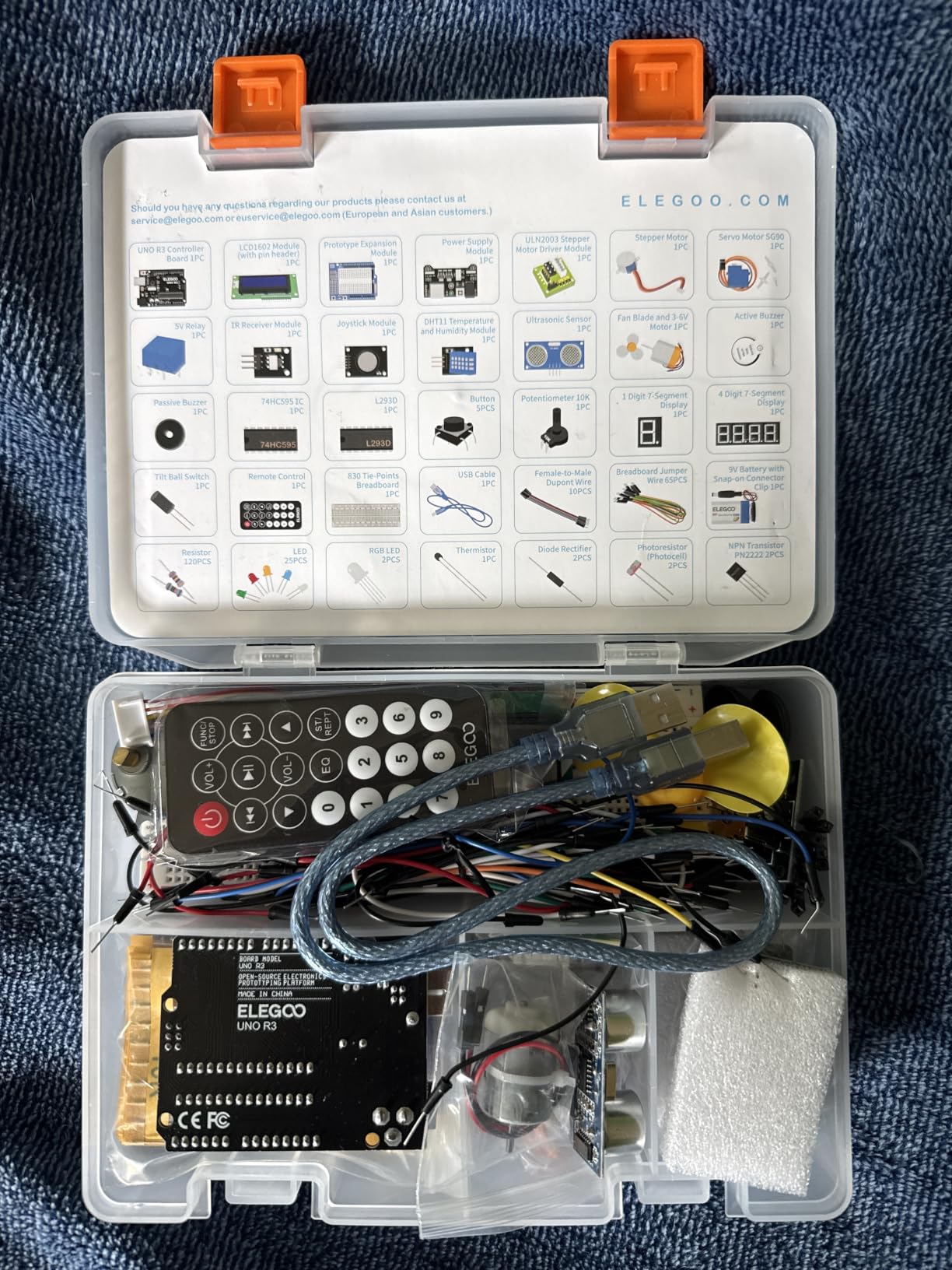
The honest limitation is pin count. The UNO R3 gives you a fixed number of digital and analog inputs, and once a project needs a servo, an LCD, an ultrasonic sensor and a buzzer at the same time, a teen will run out of pins. That is a good problem, because the fix is a shift register, which is exactly the kind of lesson a Mega board would otherwise hide. Reviewers also point out that the tutorial material covers Windows setup far more thoroughly than Mac.
At 1.2 pounds and 8.3 by 5.5 inches, this is also the easiest kit here to hand to a 12 or 13 year old physically. It is not the biggest, and it is not the cheapest, but it is the one most likely to still be on a desk in month four.
What a teen can build in the first month
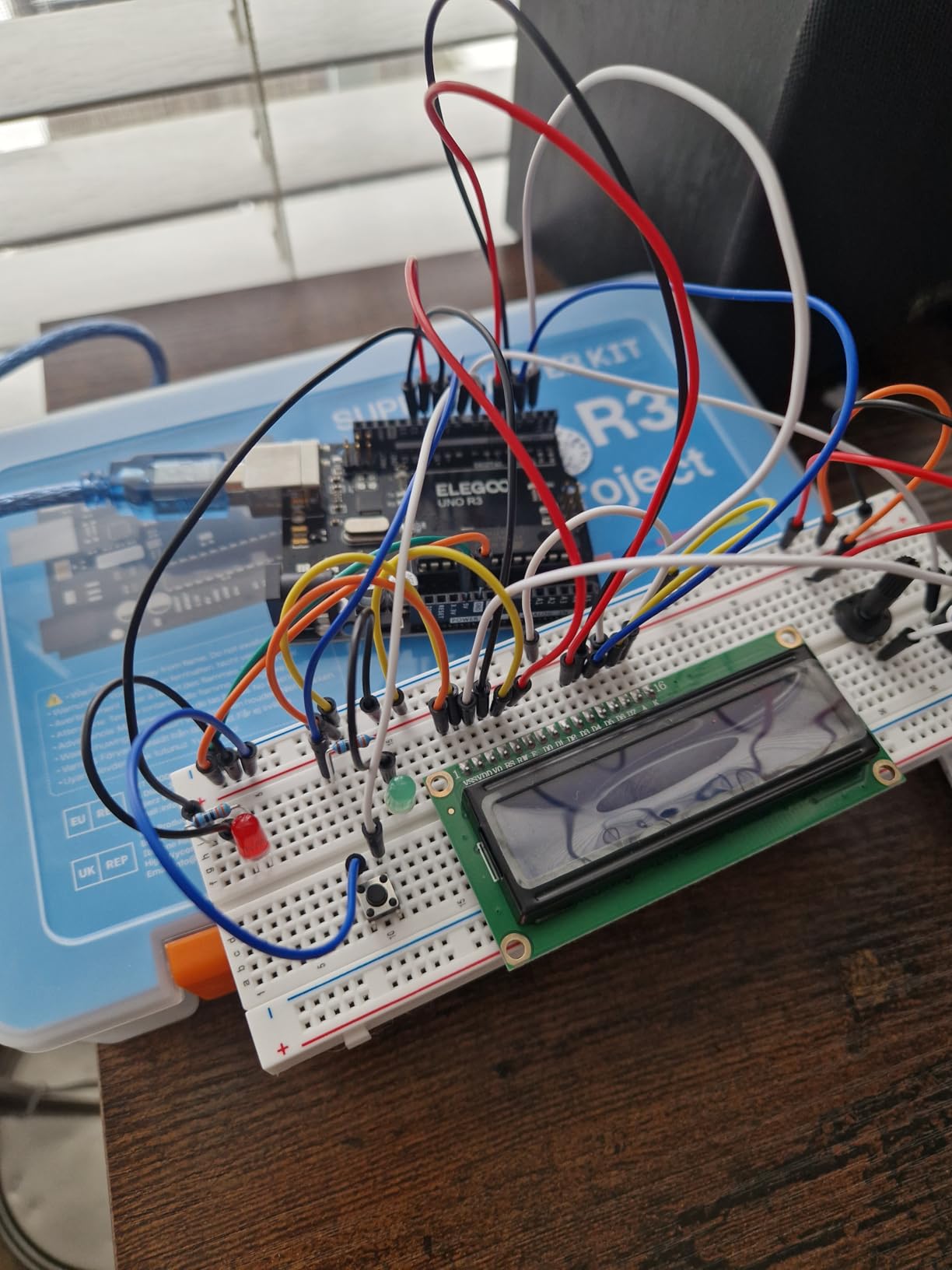
The guided path runs from an LED blink to a traffic light simulator, a temperature reading on the LCD, a servo sweeping back and forth, and a stepper motor turning a fixed number of steps. That is four or five weekends of work for a beginner, and every one of them introduces a new concept: digital output, delay timing, analog input, pulse width modulation.
When to buy a different kit instead
If the teen has already written C, C++ or Python and wants Wi-Fi, cloud logging or a robot on wheels, this kit will feel small. Move up to the Mega 2560 bundle for more pins, or to a SunFounder kit that ships an ESP8266 or a Wi-Fi-enabled board.
2. ELEGOO Mega 2560 Most Complete Starter Kit – Best When a Teen Outgrows Breadboards Fast
ELEGOO Mega 2560 R3 Project The Most Complete Starter Kit with Tutorial
Mega 2560 R3 board
200+ components
54 digital I/O pins
256 KB flash
2.2 pounds
Pros
- 200+ components covering sensors displays and RFID
- Far more I/O and memory than a UNO board
- 35+ lessons with modifiable example code
- Storage case and small-parts box
Cons
- Bulky and heavy for one younger builder
- Large component count can overwhelm absolute beginners
- Modules beyond the core lessons may go unused at first
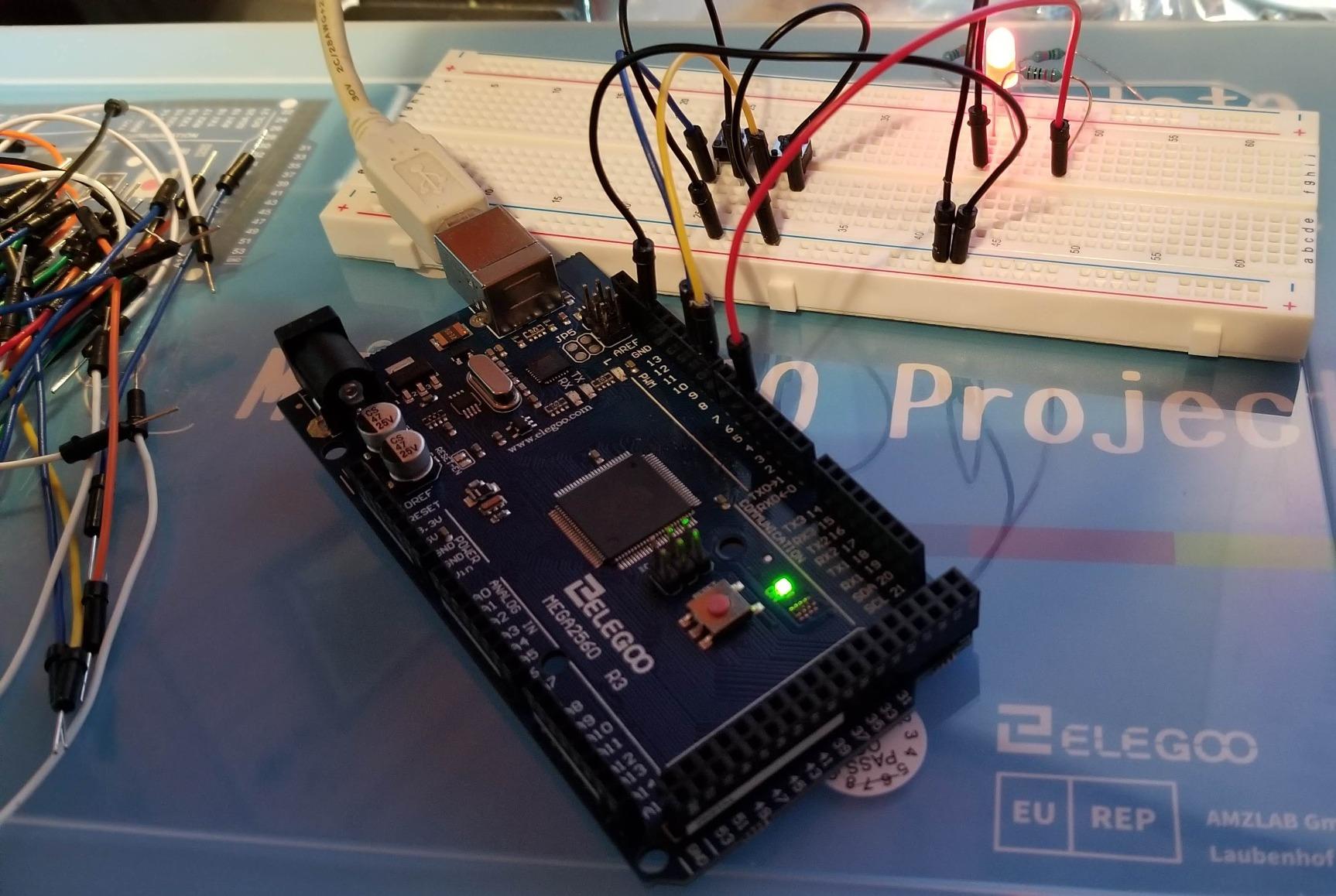
The board is the headline here. A Mega 2560 gives 54 digital I/O pins, 15 PWM outputs, 16 analog inputs, 4 hardware serial ports and 256 KB of flash, which is roughly eight times the memory of an UNO R3 and more than enough pin budget to run a robot chassis, a display and a sensor array at the same time. For a 15 or 16 year old who is already frustrated by running out of pins, that headroom changes the whole trajectory.
The component list is where this kit separates itself: an RC522 RFID reader, a real-time clock module, a GY-521 accelerometer and gyroscope, an HC-SR501 PIR motion sensor, a MAX7219 LED driver, a rotary encoder, a keypad and a water-level sensor. Each of those is a project on its own, and 35 guided lessons mean the parts are not just sitting in a box waiting for a purpose.
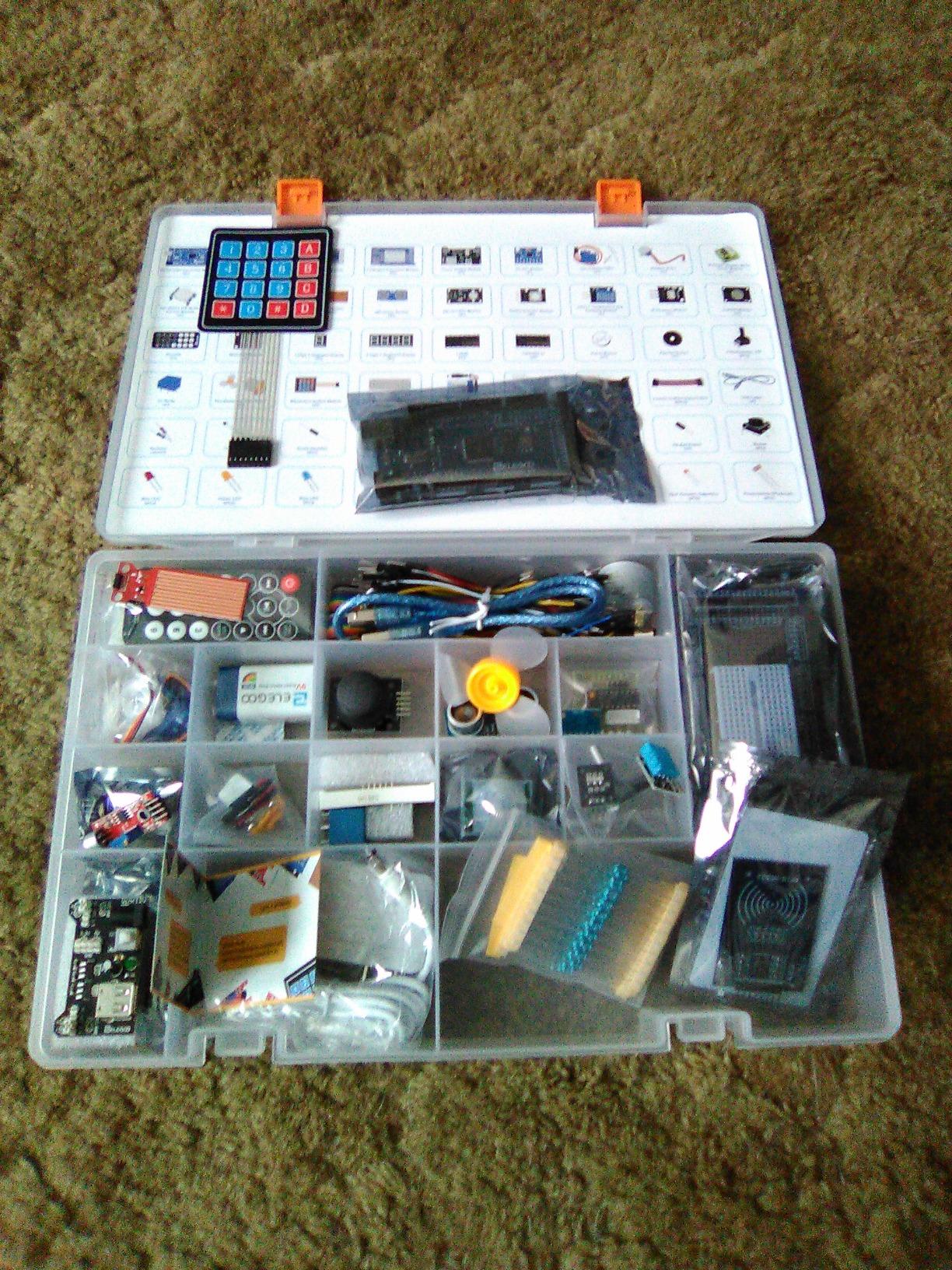
Reviewers consistently describe the progression as real: simple LED exercises first, then RFID access control, motor control and environmental monitoring. Every lesson ships with example code, so a teen can change a threshold value, a timing constant or the text on the LCD and see what breaks. That is the difference between copying a sketch and understanding one.
The trade-off is size and intimidation. At 2.2 pounds and 13.7 by 8.4 inches with a storage case, this is a two-person-on-the-table kit. A nervous 11 year old opening 200 unfamiliar parts can disengage before the first build, which is the opposite of the goal.
Why the pin count matters more than it sounds
Every sensor, display and motor wants its own pins. Once a project passes three simultaneous peripherals, an UNO board runs out of room and the teen has to learn multiplexers to keep going. A Mega delays that lesson by months, which is a gentler way to learn it.
Who should skip this one
Younger teens and anyone who wants a car that works on day one. There is no chassis, no wheels and no preloaded code in this box. It is a components library, not a robot, and it rewards patience over immediate results.
3. ELEGOO UNO R3 Smart Robot Car Kit V4 – Best for Teens Who Want Something to Drive
ELEGOO UNO R3 Smart Robot Car Kit V4 with Camera, Compatible with Arduino
Pre-programmed UNO R3
1.23 kg
8 x 7 x 6 inches
ESP32 FPV camera
2000 mAh battery
Pros
- Well illustrated instructions and roughly an hour of assembly
- Works immediately because the board ships programmed
- Camera line tracking and obstacle avoidance give visible results
- Parts in labelled bags with small tools included
Cons
- Several steps require holding parts while fitting small nuts
- Power switch on some units does not cut power
- Preloaded firmware has no motor speed ramping
- Only one expansion connector and no USB-C cable supplied
Robotics is the single highest-engagement Arduino project type for teenagers, and this is the most complete robot car in the group. The board is preloaded, so a teen can assemble the chassis, switch it on and drive it across a room before writing a line of code. That first five minutes matters more than it sounds, because it proves the hardware works before the software becomes a problem.
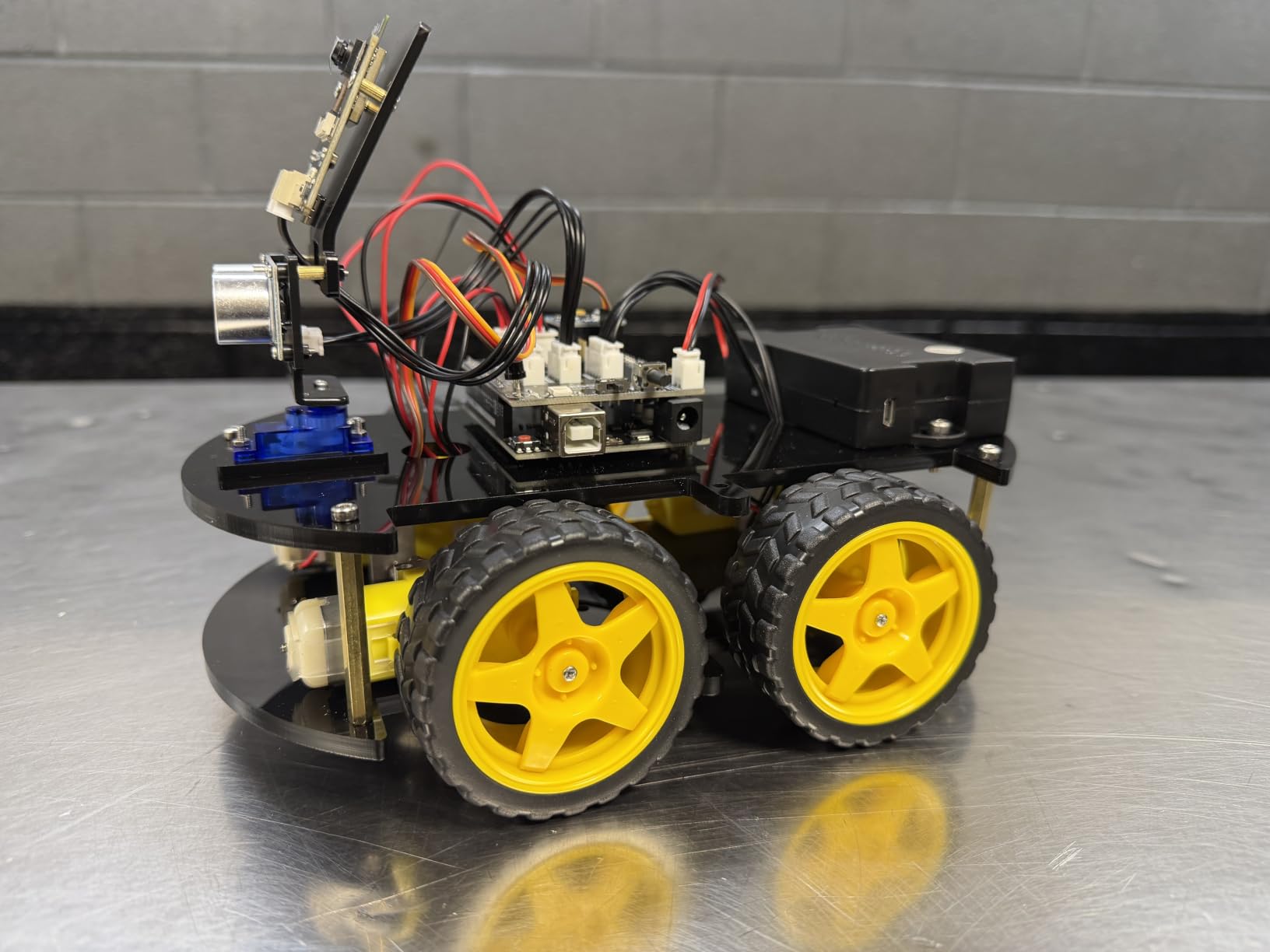
Under the hood it is genuinely interesting hardware: an ESP32-WROVER camera and Wi-Fi module for live first-person-view video, a line-tracking sensor, an ultrasonic obstacle-avoidance sensor, four separately controlled drive motors, and a servo on the sensor head. Control comes from an IR remote or a mobile app, and everything can be reprogrammed in the Arduino IDE once the teen wants custom routes and reactions.
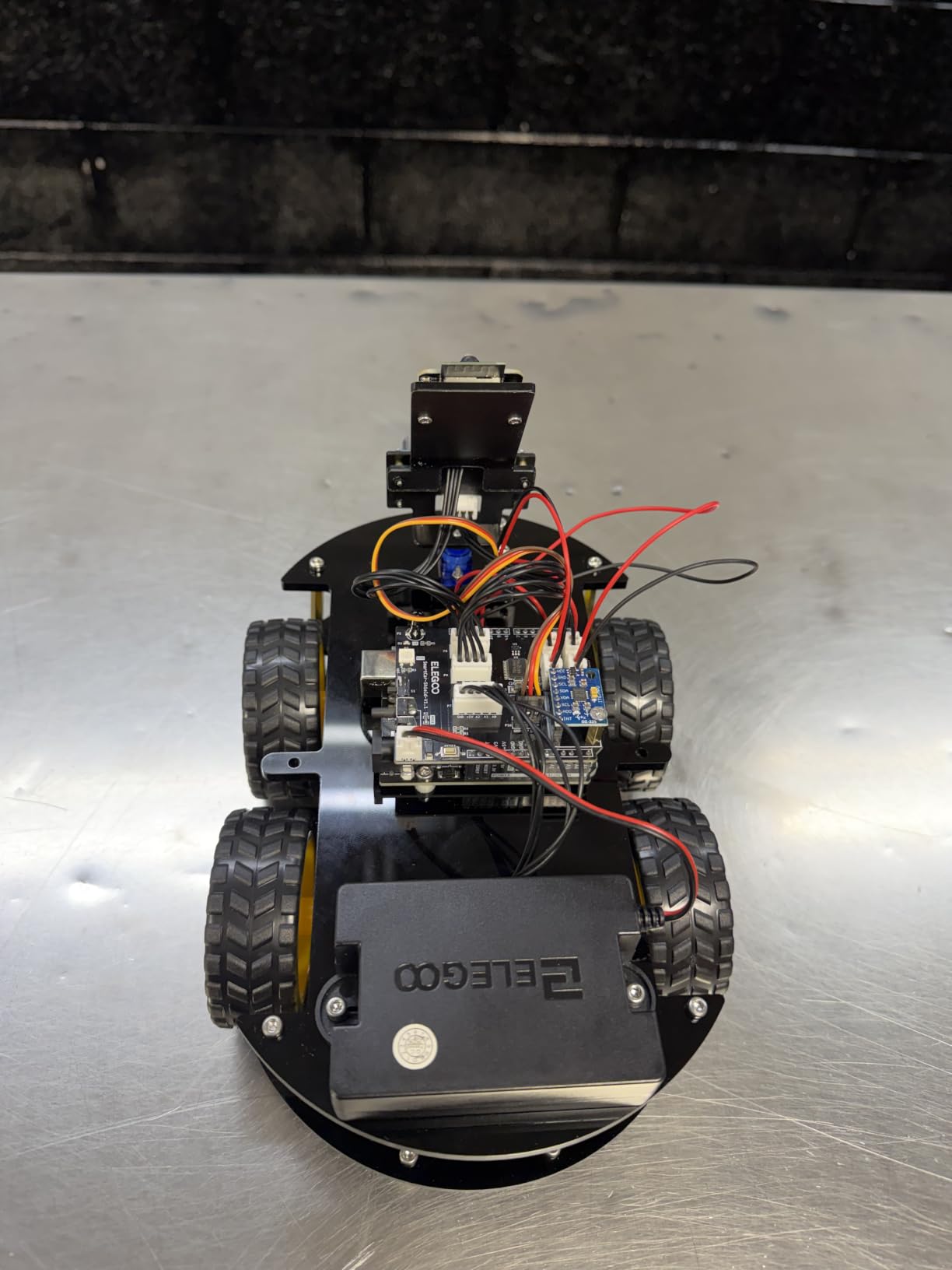
Reviewers report finishing assembly in about an hour with the illustrated guide, and the keyed XH2.54 connectors mean wires stay in place when a car bumps a table leg. The 2000 mAh rechargeable lithium-ion battery with charging management means no disposable batteries to argue about. This is a kit that produces results fastest of anything on this list.
The weaknesses are mechanical and honest. Several assembly steps need both hands to hold a plate while fitting very small nuts, the power switch on some units does not actually cut power, and the preloaded firmware has no motor speed ramping, so the car starts and stops abruptly. There is also only one expansion connector, and reprogramming the ESP32 needs a USB-C cable that does not come in the box.
What a teen can build in the first month
Drive it on a phone, drive it with the remote, run line-following mode on a black tape track, and put a box in a hallway to trigger obstacle avoidance. Then open the IDE and change the stopping distance, the follow sensitivity or the speed constants. That sequence teaches sensor reading, motor control and conditional logic in one afternoon.
When the car is not enough
This box is a project, not a parts library. A teen who wants to build a second, different circuit has no breadboard, no resistor assortment and no sensor variety here, so budget for a separate UNO kit within a few months. The fixed-tilt camera mount also limits forward visibility, which matters if the teen wants to write avoidance code that looks ahead.
4. Official Arduino Starter Kit K000007 – Best for Teens Who Want a Real Arduino Board
Official Arduino Starter Kit [K000007] – 12 DIY Projects with Electronic Components & English Projects Book – Original Kit from Italy
Genuine Arduino parts
12 DIY projects
400-point breadboard
836 g
Projects book included
Pros
- Excellent clearly written project book
- Reliable genuine components with few defects
- Well organised gift-worthy packaging
- Projects build on each other
Cons
- 9V battery for a few projects is not included
- Small grey-toned print is hard to read
- Resistor colour bands hard to tell apart
- Cheap jumper wires can break when unplugged
This is the genuine article, with components sourced from Italy and a 400-point solderless breadboard, a DC motor, a servo motor, a tilt sensor and an English-language projects book that walks through 12 to 15 builds in order. Long-term owners describe it as a well-made introduction to electronics and microcontrollers, and the packaging is tidy enough to survive being given away.
For a teenager there is a specific argument for the genuine board that has nothing to do with performance. An official Arduino is the reference platform that every library, tutorial and forum answer assumes. When a project stops working, the troubleshooting advice found online applies exactly to this hardware, which is a real advantage over a clone board with an unusual bootloader or a mismatched USB chip.
![Official Arduino Starter Kit [K000007] - 12 DIY Projects with Electronic Components & English Projects Book - Original Kit from Italy customer photo 1](https://prohibitiondenver.com/wp-content/uploads/2026/10/B009UKZV0A_customer_1.jpg)
The projects are the strength. Each one builds on the last, so a teen moves from lighting an LED to reading a sensor to driving a motor to putting the whole thing on a balsa wood base, and the sketches all ship inside the Arduino IDE examples, so the code is already on the computer when the book says to open it.
Reviewers do flag real limitations. A 9V battery is needed for a few projects and is not included, the print in the book is small and grey-toned which can strain younger eyes, resistor colour bands are difficult to distinguish without a multimeter, and the jumper wires are inexpensive enough to break after repeated unplugging.
![Official Arduino Starter Kit [K000007] - 12 DIY Projects with Electronic Components & English Projects Book - Original Kit from Italy customer photo 2](https://prohibitiondenver.com/wp-content/uploads/2026/10/B009UKZV0A_customer_2.jpg)
Documentation is the real product here
Forums consistently treat documentation quality, not component count, as the thing that decides whether a kit gets used past week three. This kit wins on that measure more than any budget bundle, because the book is a teaching sequence rather than a parts catalogue.
Where it falls short for teens
Twelve to 15 projects is a shorter runway than the ELEGOO and SunFounder kits offer, and there is no sensor variety to speak of. A teenager who works through the book quickly will be looking for the next kit by week two of real use. One more thing to note: the listed manufacturer age range on this product is 0 to 12 years, which is a packaging classification rather than a capability limit.
5. REXQualis Super Starter Kit – Best Component Count for Classrooms and Shared Benches
REXQualis Super Starter Kit Based on Arduino UNO R3 with Tutorial and Controller Board Compatible with Arduino IDE
120 labelled components
9V 1A adapter included
Storage box with tray
700 g
Pros
- Exceptional component count for the money
- Sturdy storage box with a lift-out tray
- Video-supported examples make diagrams easier to follow
- Components tested across large classroom batches
Cons
- Tutorials are the weakest part and miss programming explanation
- Documentation reads like a translation
- No blocking capacitors or Schottky diodes for advanced work
- Short USB A-to-B cable
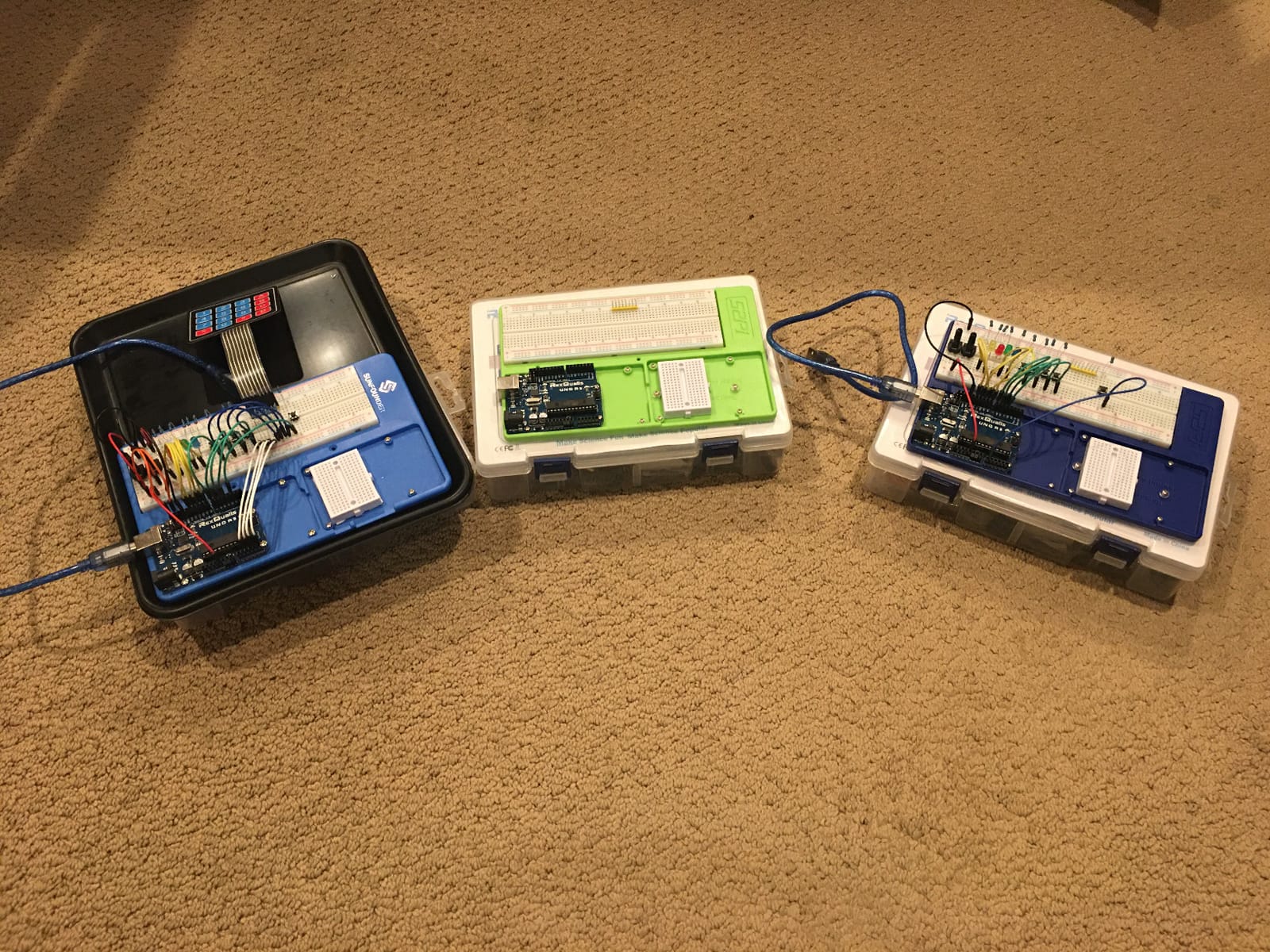
There are 120 individually packaged and labelled components in this box, a storage case with a lift-out tray, an LCD1602 with a pre-soldered pin header, a servo, a DC motor, a ULN2003 stepper driver board, sensors, buzzers, resistors and jumper wires, and a 9V 1A power adapter instead of a battery. The hardware quality comes in ahead of the teaching material, and for a school robotics club or a family with two teens sharing a bench, that ordering is correct.
Reviewers describe the component count as exceptional for the money, noting that the servo and DC motor alone are worth roughly what the kit costs. Because parts are bagged and labelled separately, a session can be packed away and resumed weeks later without a hunt through a loose pile of resistors, which is the single most common reason a kit gets abandoned.
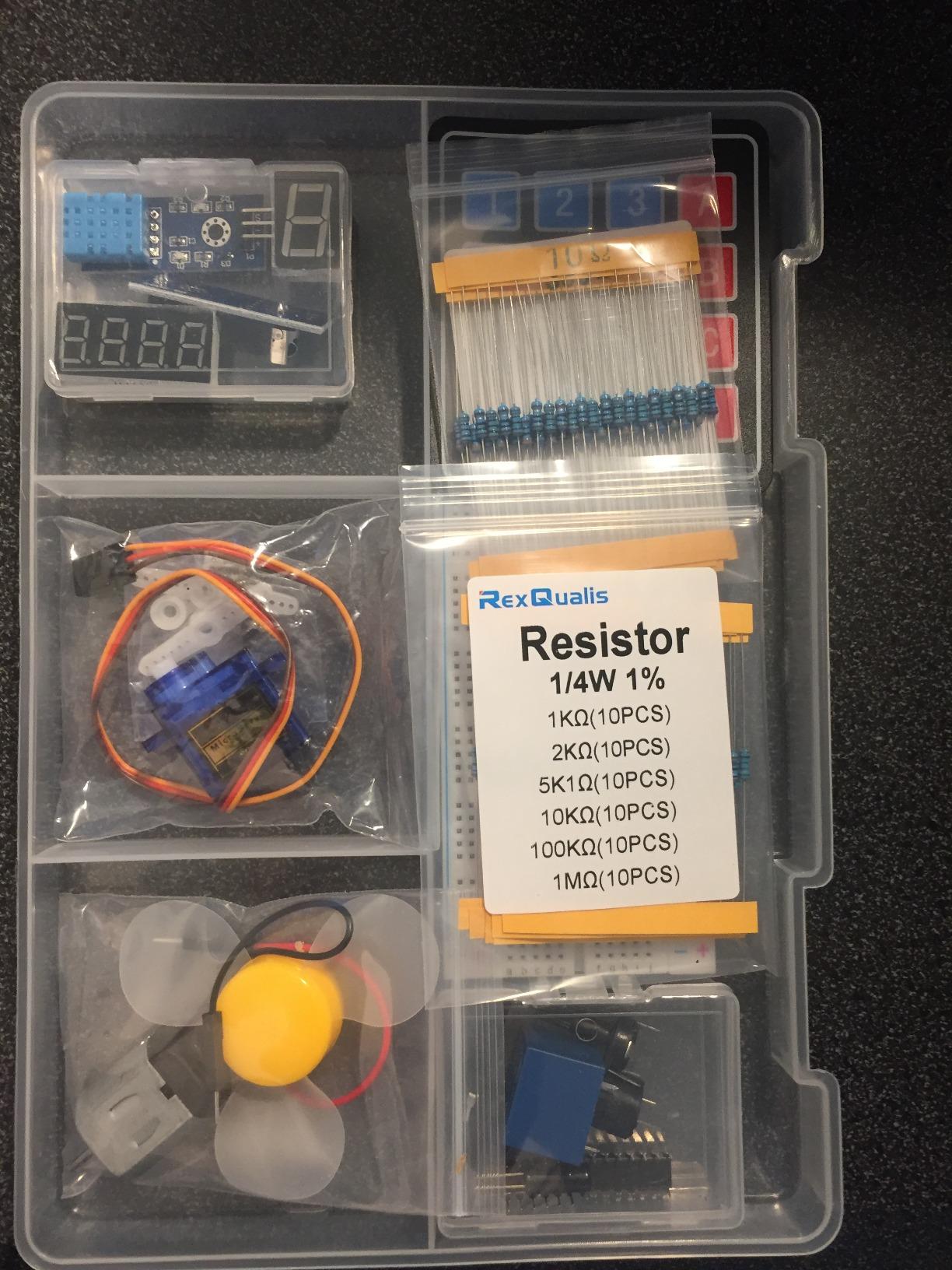
Be clear about the trade-off, though, because it is the most consistent complaint in the reviews. The free PDF tutorial and datasheets confirm that each component works, but the programming explanation is thin and some example code contains errors, and the documentation reads as though translated rather than written by a teacher. A teen who already knows C or C++ will get a lot out of it. A true beginner will validate components and learn less about the code.
It is also the kit with the fewest advanced components: no blocking capacitors and no Schottky diodes, which matters only once the teen moves to switching circuits or motor protection. For a first six months of breadboard work, that absence rarely comes up.
Best value when one kit serves several teens
At 120 labelled parts with a divided storage box, this is the easiest kit on the list to run as a shared resource. A club, a homeschool co-op or a family with two builders can work on separate circuits at the same time without fighting over a single breadboard.
Pair it with a programming resource
If the teenager is starting from zero, treat the tutorial as a wiring reference rather than a curriculum. The gap is easy to fill with free Arduino IDE examples and any beginner C++ course, but it is a real gap and worth naming before purchase rather than discovering in week two.
6. SunFounder Elite Explorer Kit with Uno R4 WiFi – Best for Teens Who Want Wireless Projects
SunFounder Elite Explorer Kit with Original Arduino® UNO™ R4 WiFi, Powered by Arduino, RoHS Compliant, Bluetooth IoT ESP32 LCD1602 OLED, Super Starter Kit, Video Courses for Beginners & Engineers
Original Uno R4 WiFi
300+ components
50 projects
60+ video lessons
Pros
- Genuine Uno R4 WiFi board with 32-bit processor
- 60+ video lessons and 50 structured projects
- 300+ components extend well past the guided work
- Arduino IoT Cloud integration makes projects feel real
Cons
- Higher cost than generic UNO-based kits
- Uno R4 form factor and software confuse learners following R3 tutorials
- Large component count can intimidate a first-time builder
This is the kit for a teen whose interest is a phone app that shows a temperature reading from across the house. The board is an original Arduino Uno R4 WiFi with a 32-bit processor, more memory and built-in Wi-Fi and Bluetooth, and the Arduino IoT Cloud integration turns a sensor sketch into something visible on a phone screen. For a 16 or 17 year old, wireless is the difference between a school project and something worth showing friends.
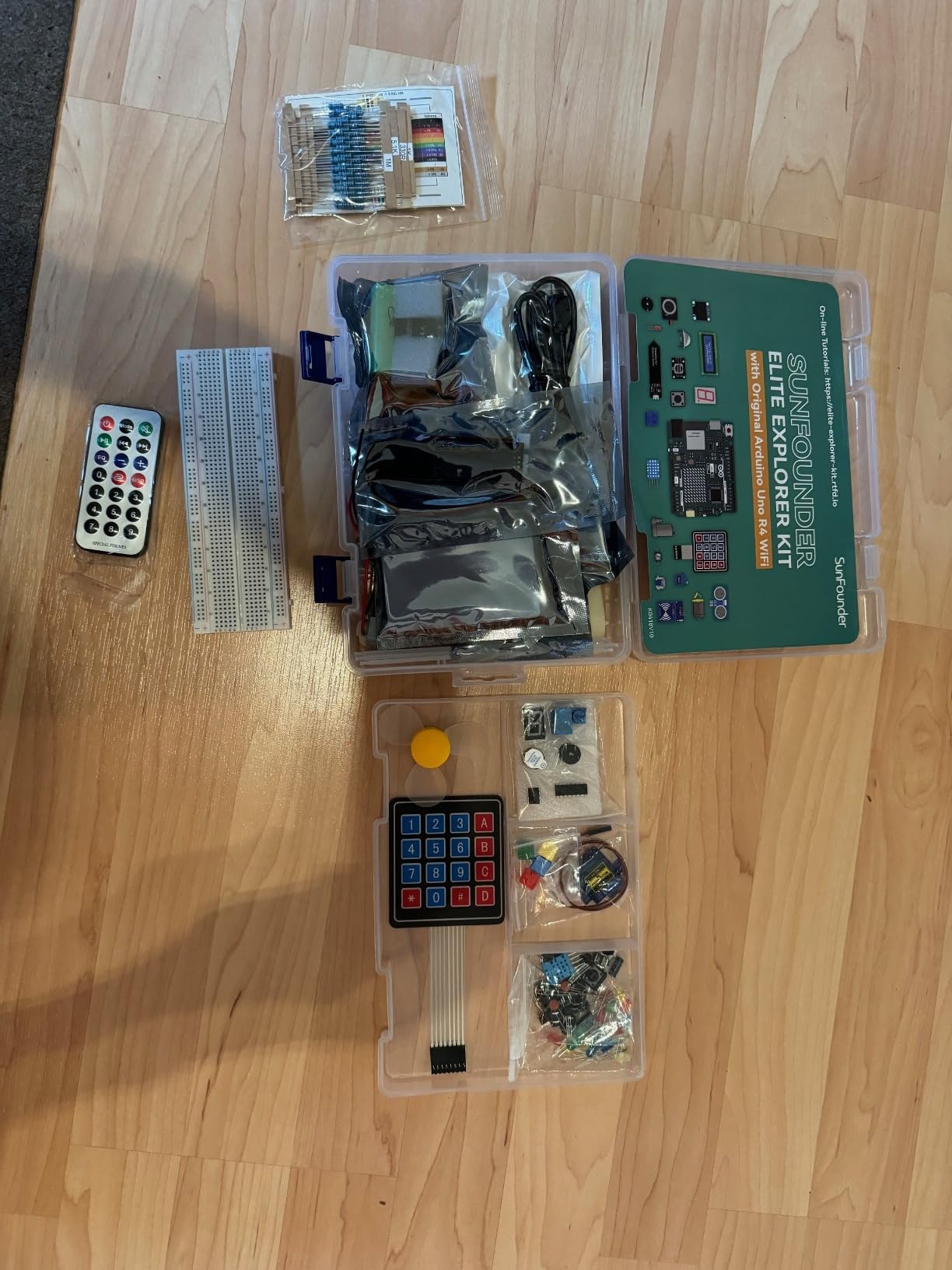
The learning path is unusually well organised: 50 projects split into 30 basic, 13 fun and 8 IoT builds, backed by more than 60 free video lessons co-created with educator Paul McWhorter. Reviewers single out the video courses as the reason the progression feels guided rather than random, and the 300+ components mean the parts do not run out even if the teen abandons the official order.
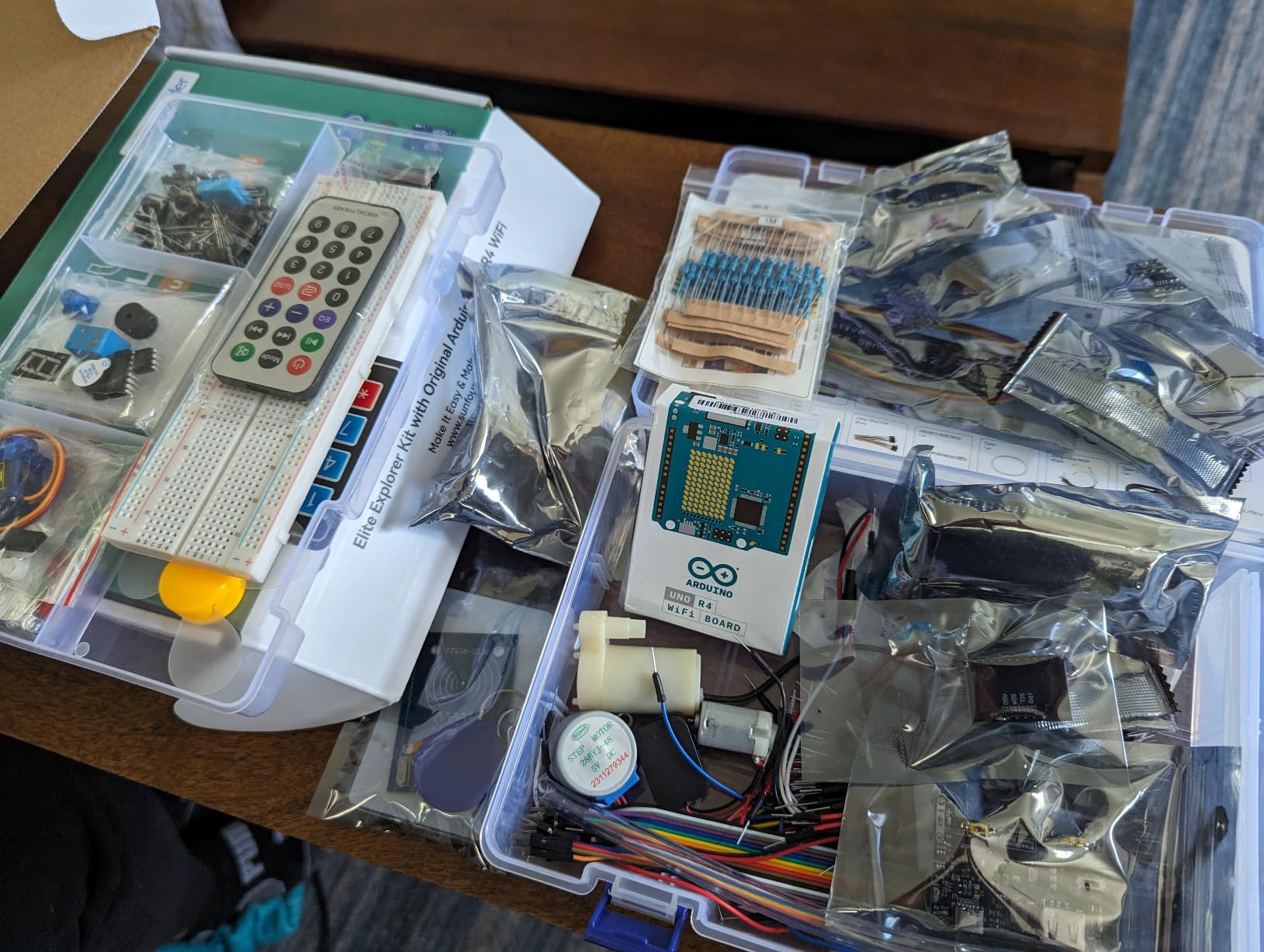
Bluetooth IoT and ESP32 support, plus I2C LCD1602 and OLED displays, cover the two display families a teen will actually want. Open-source code is provided, and the kit also works with UNO R3 and Nano boards, so nothing here locks the teen into one generation of hardware. A support forum is available for the questions that documentation cannot answer.
The two honest catches are cost and generational confusion. This sits at the expensive end of the list, and the Uno R4 form factor and software differences trip up learners who follow older UNO R3 tutorials, which is exactly the mistake a parent wants to avoid. The 300+ component count is also daunting for a first-time builder without guidance, so this works best for a teen who is already motivated.
Best fit for a 16 to 18 year old
The sweet spot here is a teenager already comfortable with variables, loops and functions, who wants data to leave the breadboard. Cloud logging, phone control and Bluetooth projects need a level of program structure that a first-week beginner does not yet have, but a teen six months into Arduino will find this kit genuinely rewarding.
Check the tutorials match the board
Before purchase, confirm the video library is the R4 version. Board-generation confusion is the most common purchase blocker reported in maker communities, and it is the one problem that can make an excellent kit feel broken for a beginner who lands on an older R3 walkthrough.
7. SunFounder Ultimate 3-in-1 Starter Kit – Best Single Box for Basic, IoT and Car Projects
SunFounder Ultimate Starter Kit Compatible with Arduino UNO IDE Scratch, 3 in 1 IoT/Smart Car/Basic Kit with Online Tutorials, Video Courses, 192 Items, 87 Projects, Suitable for Age 8+ Beginners
192 items
ESP8266 WiFi included
3 learning tracks
844.8 g
Pros
- Three learning tracks in one box
- Online tutorials and video courses with a clear progression
- 192 items with motors sensors ESP8266 and a water pump
- Reported as satisfying for teens aged 11 to 16
Cons
- Documentation can be too brief and lags behind part revisions
- Not ideal for absolute beginners without IDE familiarity
- Some reports of a controller that would not connect and missing parts
- IR sensor and small modules are less robust
Three learning tracks share one box here: basic Arduino circuits, IoT with an ESP8266 WiFi module, and a smart robot car build with a TT motor, L9110 motor driver, universal wheel, ultrasonic and IR obstacle sensors and a line-tracking sensor. That structure is the selling point for a family trying to cover three different interests without buying three kits, and buyers in the 11 to 16 range report it working for teens working largely on their own.
There are 192 items, including an I2C LCD1602, a 7-segment display, a soil moisture sensor, a 9G servo, a water pump module, an active and passive buzzer, a 74HC595 shift register, a temperature and humidity sensor and a photoresistor. The online tutorials and video courses were developed with Circuit Basics and progress from LED blinking to robot and IoT work.
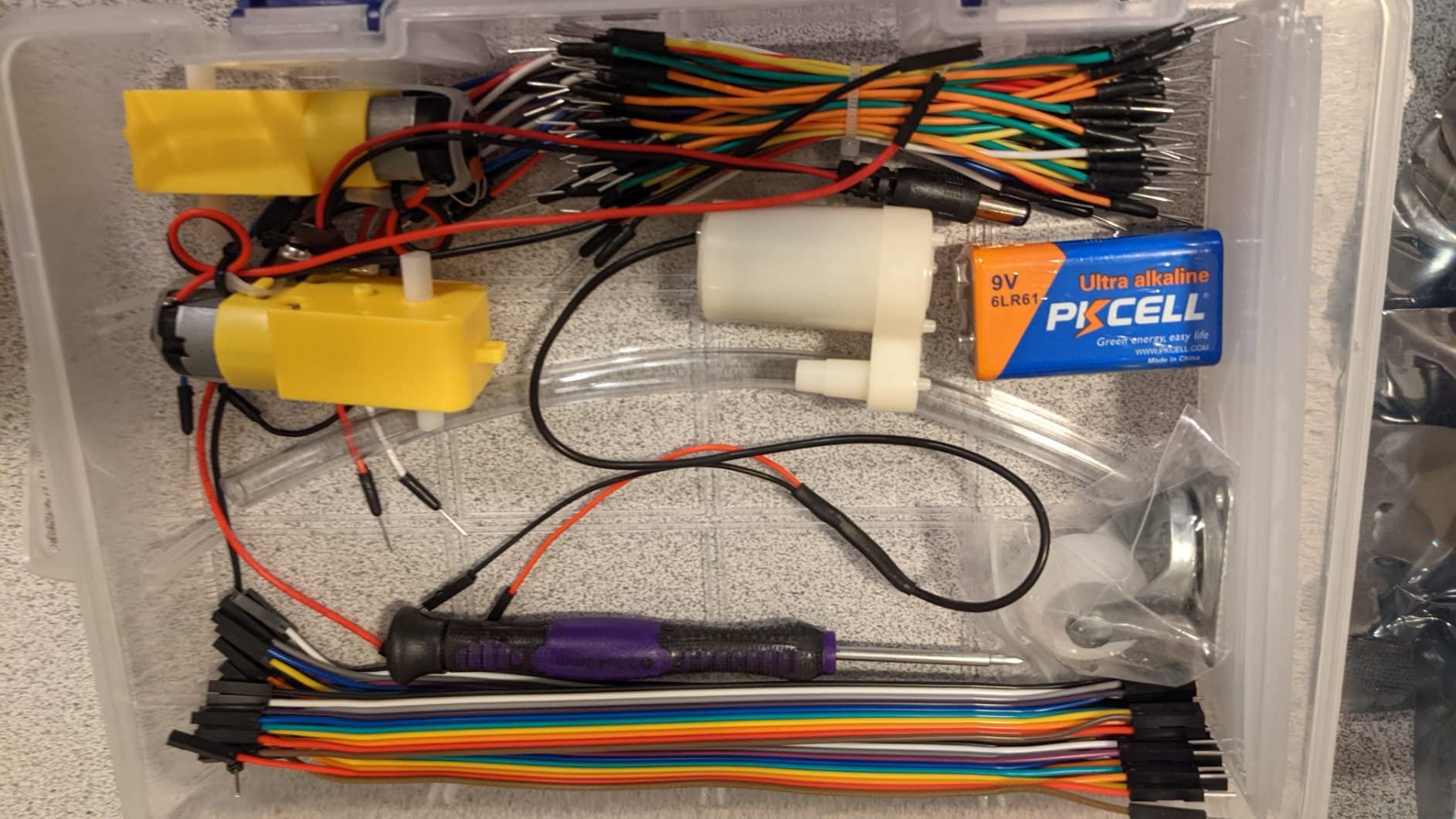
Buyers mostly rate the kit as solid value for teens building IoT or robot car projects, and the course structure is the part they praise most. The Arduino UNO-compatible controller board means the standard IDE works, and the wireless module means a phone can eventually monitor or trigger something without any extra hardware purchase.
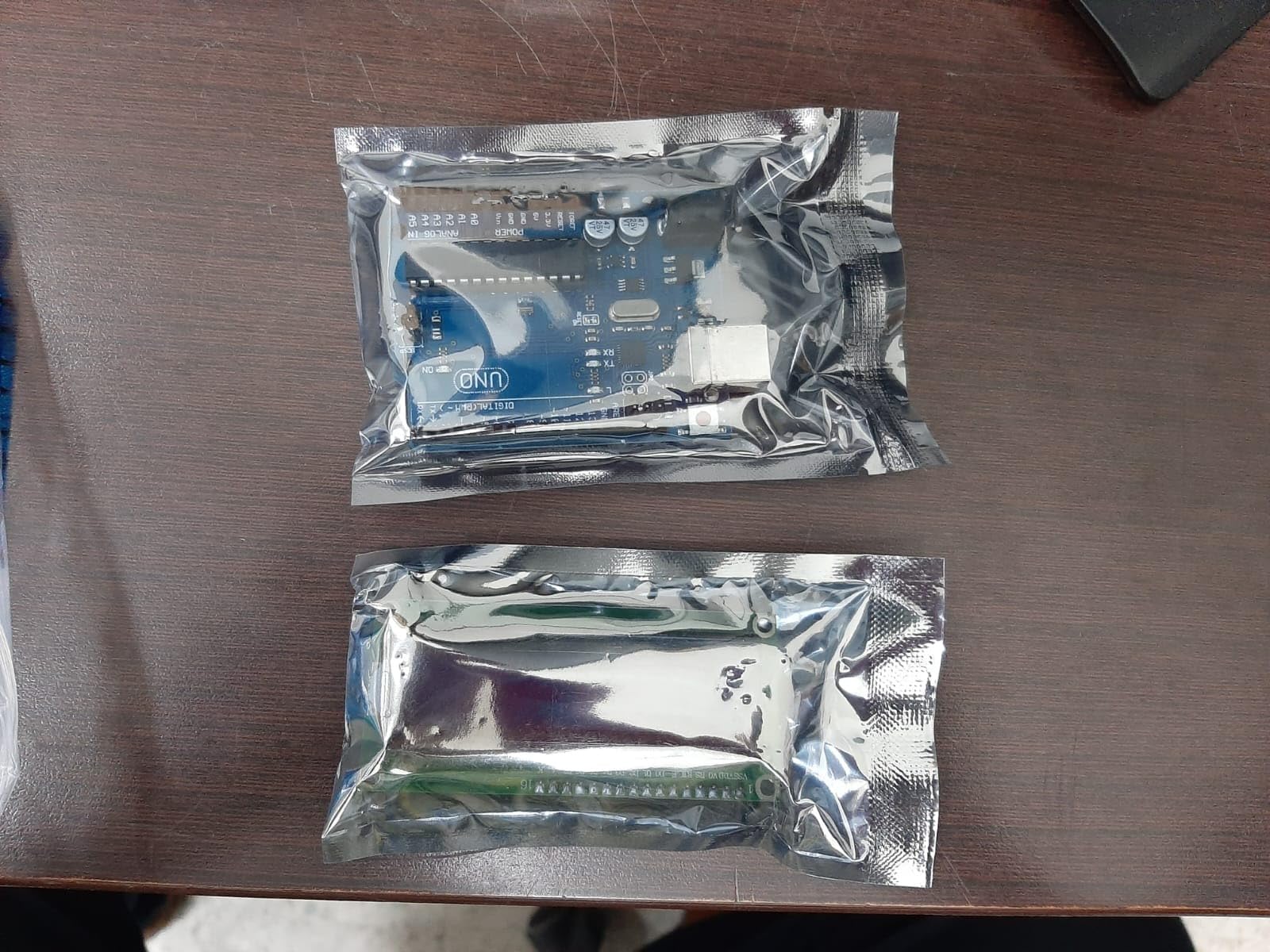
Reviewers are more cautious about the documentation and the small components. The written guidance can be too brief, and in some cases the parts changed without the assembly guide being updated, which is the kind of thing that wastes an evening. There are also isolated reports of a controller board that would not connect to a laptop and of parts missing on delivery, and the IR sensor and smaller modules are less robust than the motors and ultrasonic sensors.
Great when the teen has three interests, not one
If a teen mentions circuits, robots and smart-home ideas in the same conversation, this kit removes the guesswork. They can start with an LED, move to the car, and arrive at the WiFi projects without a second purchase or a second board.
Verify the board connects before building
The most useful five minutes a parent can spend is opening the box, plugging the board into a laptop and confirming it appears before the teen starts assembling anything. That turns a possible dead board from a ruined weekend into a quick support ticket.
8. LAFVIN Project Super Starter Kit – Best Low-Cost Way to Start
LAFVIN Project Super Starter Kit for R3 Mega2560 Mega328 Nano with Tutorial Compatible with Arduino IDE
20+ lessons
UNO Mega2560 and Nano compatible
1.4 pounds
Pre-soldered LCD1602
Pros
- One of the least expensive complete kits available
- Manual includes 20+ lessons plus code libraries and datasheets
- Works across UNO R3 Mega2560 and Nano boards
- Pre-soldered LCD1602 removes soldering from the first project
Cons
- Tutorial focuses on wiring more than programming fundamentals
- Less structured documentation than ELEGOO or SunFounder
- Lower component count and less variety than premium kits
The manual is the differentiator here, and it is a genuinely useful one: 20+ lessons with code, library references and datasheets, covering LCD1602 and 4-bit 7-segment displays, a servo, a stepper motor and a DC motor with driver, plus a general sensor, actuator and LED assortment on a breadboard with jumper wires. The LCD1602 ships with a pin header, so the first project does not need an iron.
Board compatibility is the underrated feature. The kit works with UNO R3, Mega2560 and Nano boards, so if a teen later wants the extra pins, a smaller profile or a second board, the same lessons and parts still apply. Buyers treat it as a budget-friendly first kit, and the 1.4 pound weight sits comfortably between the small UNO kits and the heavy Mega bundle.
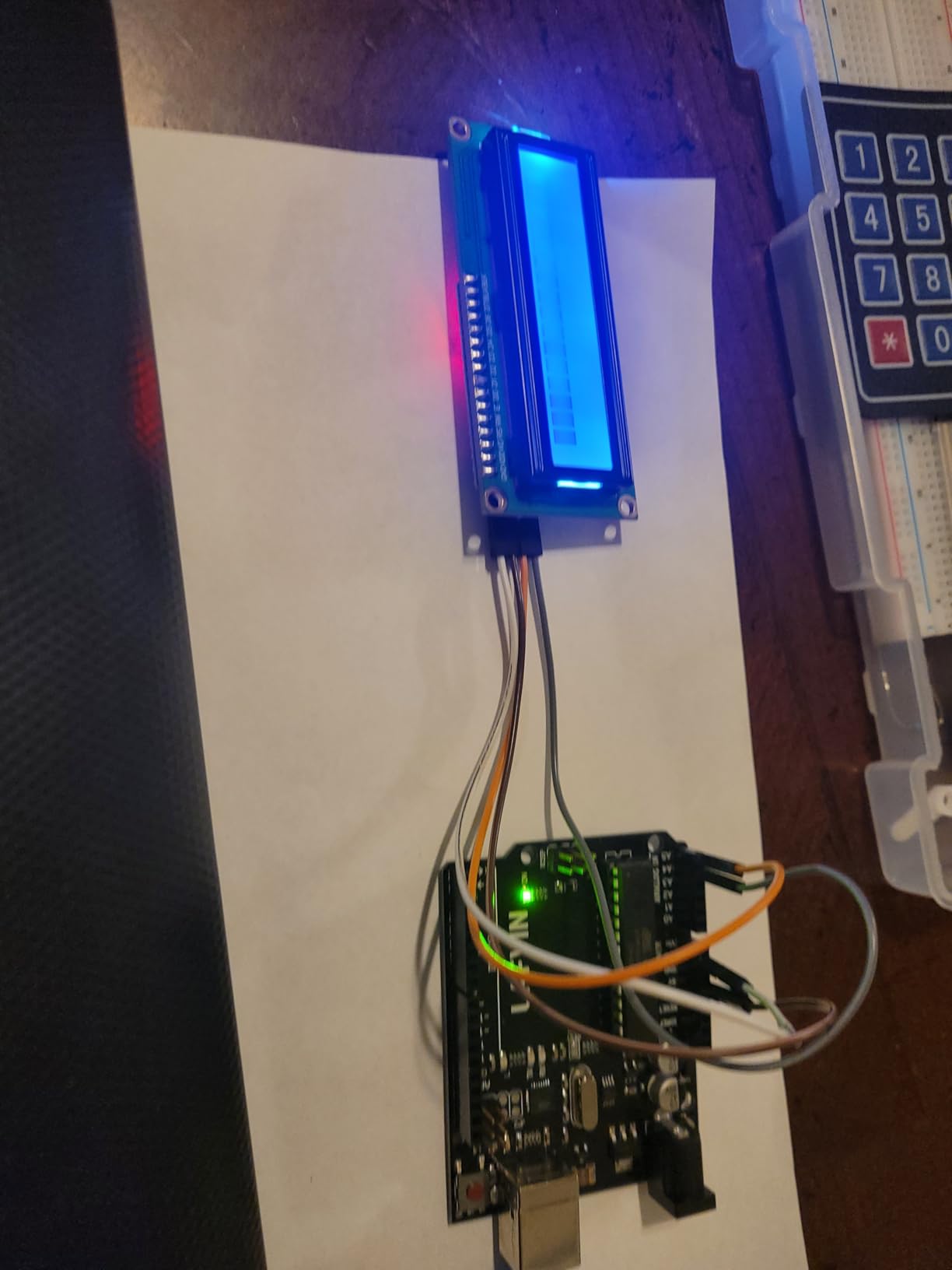
The real limitation is instructional depth. Reviewers note that the tutorial material focuses on wiring and components more than on programming fundamentals, and the documentation is less structured than what ELEGOO or SunFounder provide. A teen who wants to understand variables, functions and state machines will need another resource, though the shipped library and code files are a solid starting point.
Component count and variety are also the lowest of the UNO-compatible kits here. That is not a defect for a first three months, but it does mean a second purchase is likely sooner than with a deeper bundle, which is the budget-kit trap worth naming here rather than after the fact.
When a tight budget still deserves a real kit
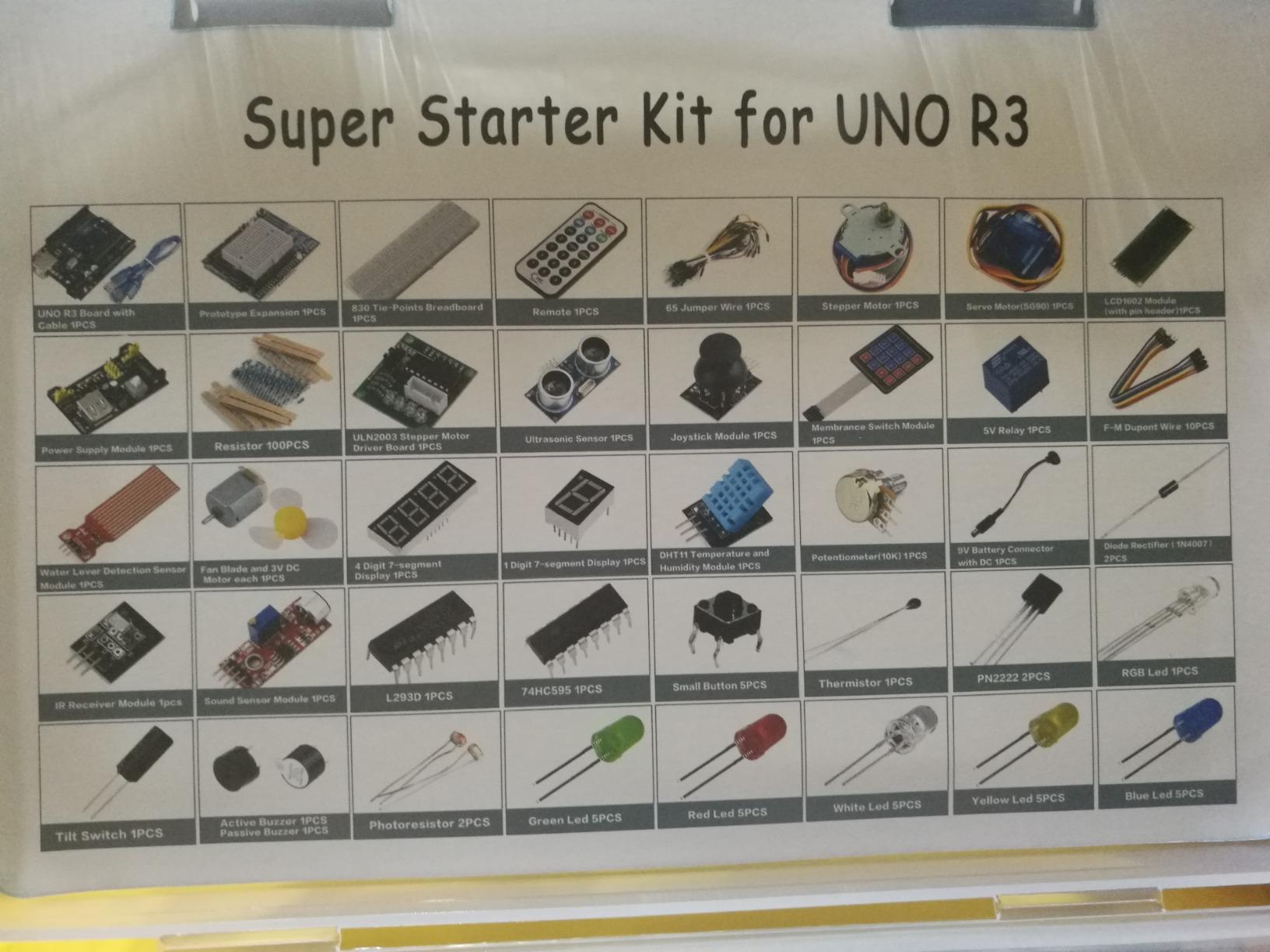
Families watching spending can get a complete, functional Arduino setup at the low end of the market with this one. Nothing is a placeholder, the breadboard is solderless and the tutorials are long enough to build real circuits rather than only a blinking LED.
Budget for a second purchase sooner
Counters in the hobby community keep saying the same thing: buyers of the cheapest kit often spend more within two months buying sensors one at a time, landing near the cost of a comprehensive kit anyway. If you can add a sensor pack or a servo set at the start, this kit stretches much further.
9. SunFounder 3-in-1 Kit with Uno R4 Minima – Best Middle Step Into Newer Hardware
SunFounder 3-in-1 Super Starter Kit with Original Arduino Uno R4 Minima, IoT&Smart Car Projects, ESP8266 WiFi, 50+ Step-by-Step Tutorials for Beginners to Engineers, RoHS Compliant
Original Uno R4 Minima
32-bit ARM Cortex-M4
ESP8266 WiFi
50+ tutorials
Pros
- Genuine Uno R4 Minima gives newer 32-bit hardware
- True 3-in-1 path covering basics smart car and IoT cloud
- ESP8266 enables remote monitoring from a phone app
- Tutorials explain the logic behind each project
Cons
- Lowest review count in the group so less long-term feedback
- Flatter rating distribution with more 4-star than 5-star reviews
- Some listing specifications appear unrelated to the kit
- Upgraders from UNO R3 may need to adjust code and libraries
The Uno R4 Minima is a 32-bit ARM Cortex-M4 board in the same Uno form factor with 5V logic, which is the important detail: it accepts the same wiring as an UNO R3 project but runs newer code. For a teen who is curious about current-generation hardware but does not want to relearn breadboarding, that is a clean upgrade path rather than a different platform.
The kit covers three paths: core Arduino projects, a smart robot car chassis build and IoT cloud work, with an ESP8266 WiFi module and adapter for remote monitoring and control from a phone app. The tutorials run to 50+ step-by-step lessons, and reviewers specifically praise them for explaining the electronics, sensors, motors and code logic rather than only handing over code to copy.
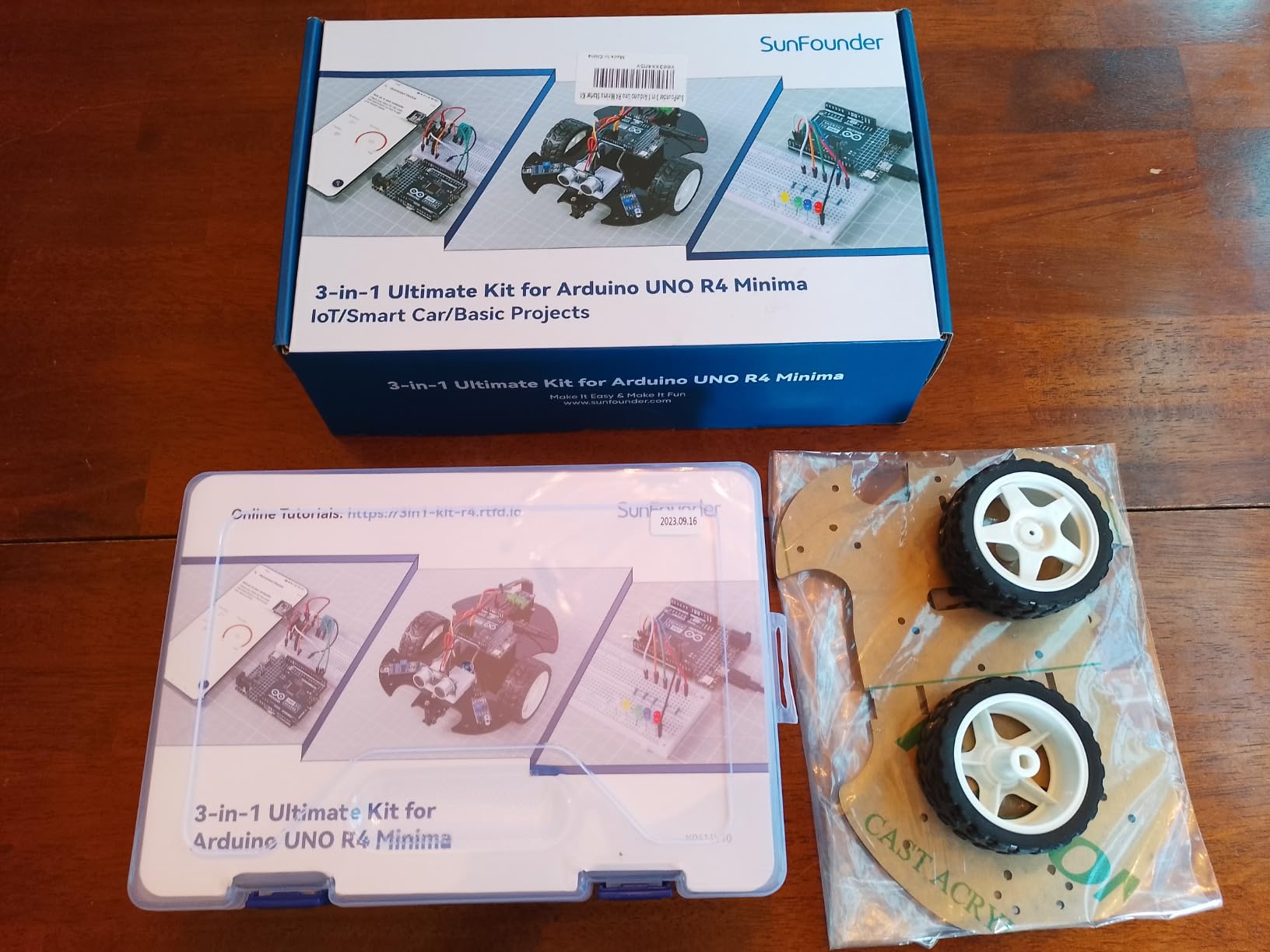
Be aware of the evidence base. With 136 reviews, this is the least-documented kit in the group, and the rating distribution is flatter than its SunFounder siblings, with more 4-star than 5-star ratings. Buyers who have used it tend to highlight the combination of genuine R4 Minima hardware with IoT and smart car paths in one box, and the lower rating spread points to some inconsistency in component quality or documentation relative to the more established kits.
Two smaller notes. Some entries in the listing specification list appear unrelated to the kit, so check the actual contents against what you need. And a teen upgrading from an UNO R3 will need to adjust some code and library choices, because the newer chip does not behave identically under every library.
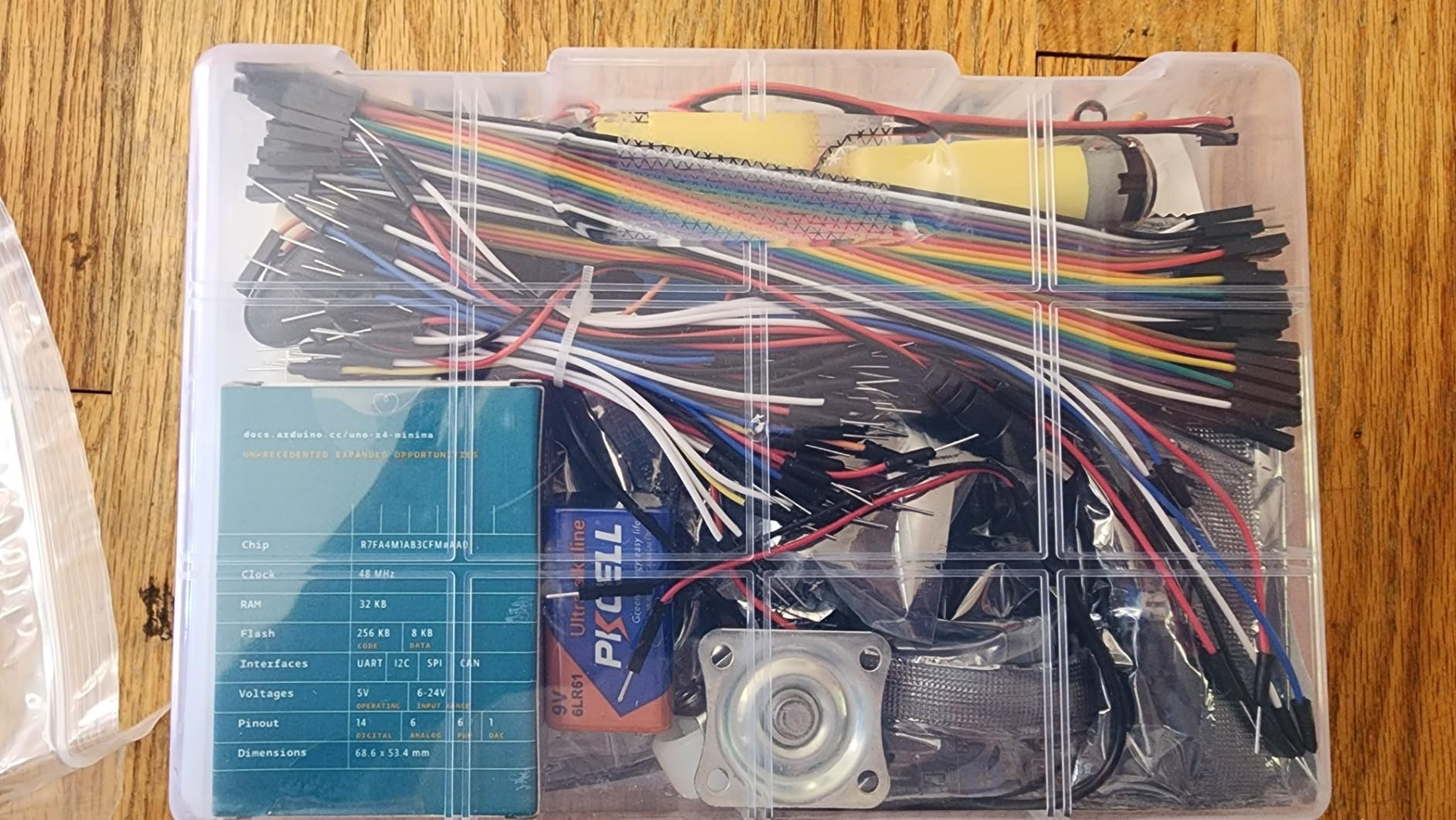
Why the Uno form factor actually matters
Same shape, same 5V logic and same pin layout means breadboard layouts, wiring diagrams and existing project code carry across. For a teen moving up from an older kit, that continuity removes a whole category of frustration that a different board shape would create.
Pick a different kit if certainty matters more than newness
If you would rather buy a kit with thousands of owners and a deep bank of troubleshooting threads, choose the ELEGOO UNO R3 kit or the official Arduino kit instead. This one is the better pick only when access to current-generation hardware is the priority.
10. Arduino Official Starter Kit Deluxe Bundle – Best for Teens Who Learn from Books
Arduino The Official Starter Kit Deluxe Bundle with Make: Getting Started The Open Source Electronics Prototyping Platform 3rd Edition Book
Uno R3 board
170-page Projects Book
Make 3rd edition book
2.6 pounds
Pros
- Full official component set plus an extra Make book
- Generous parts including phototransistors H-bridge optocoupler and MOSFETs
- Wooden base and labelled storage box keep hardware tidy
- Works for first-time students and experienced makers
Cons
- Highest cost in the group for a largely similar component set
- Component list mixes official parts with generic listing details
- Books are print only so a digital copy must be sourced separately
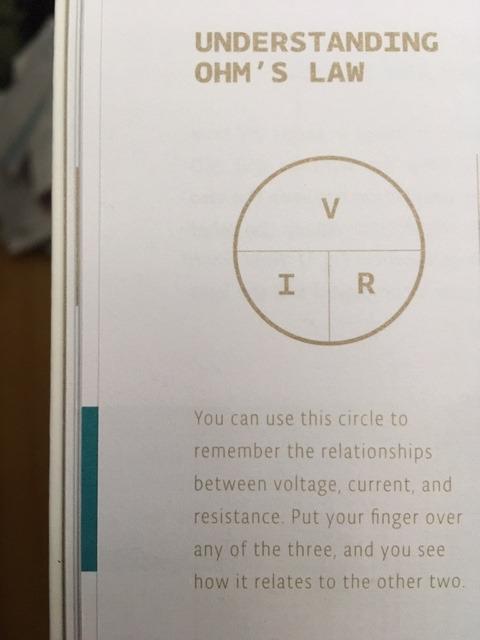
This bundle pairs the full official Arduino component set with two books: the 170-page official Projects Book and Make: Getting Started with Arduino, 3rd Edition, plus a Uno R3 pin-out chart. For a teenager who learns by reading rather than by watching, having a physical reference beside the breadboard is worth more than another three sensors, and the pin-out chart on its own saves a lot of guessing about which header is which.
The hardware is generous in a specific way. Beyond the usual LEDs, buttons, potentiometer, TMP36 temperature sensor and tilt switch, this set includes six phototransistors, a 16×2 LCD, an RGB LED, a small DC motor, a servo, a piezo capsule, an L293D H-bridge driver, a 4N35 optocoupler, two IRF520 MOSFETs and a wide resistor range from 220 ohm to 10 megohm. The H-bridge and optocoupler in particular open up motor control and isolation projects that cheaper kits skip.
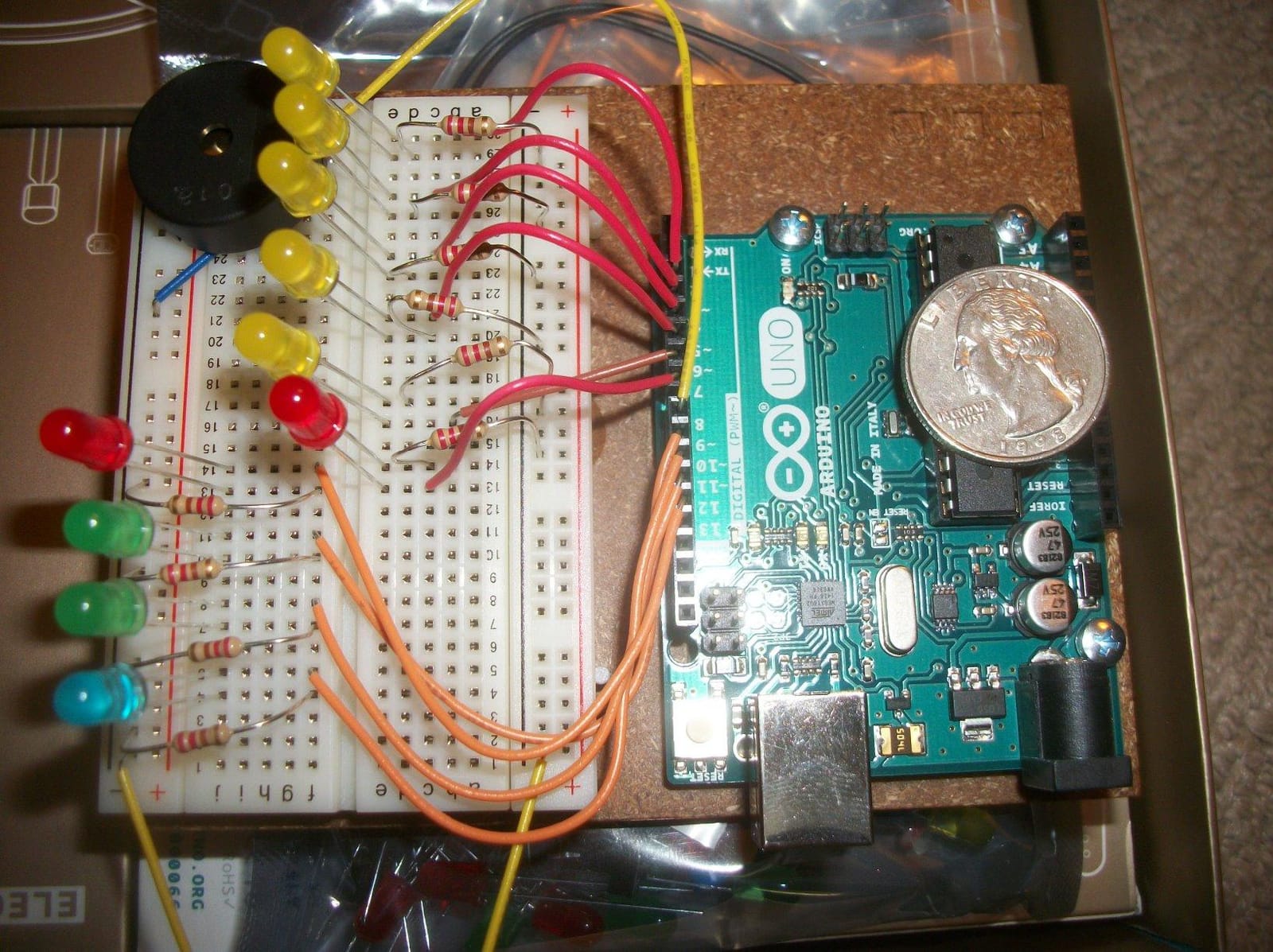
The wooden base and the labelled plastic storage box are small quality-of-life details that matter more in practice than a spec sheet suggests. Mounting the board and breadboard on a fixed base means a circuit does not get torn apart every time the table is bumped, which is the most common cause of a mysterious failure in a teenager’s first month.
Reviewers are candid that this is the most expensive option in the group for largely the same component set as the standard official kit, and that the deluxe bundle’s real differentiator is the additional book rather than new hardware. The listing also mixes official Arduino parts with generic-manufacturer details, and the books are print only.
Best for a teen who reads instructions carefully
Both books are structured, indexed and written to be followed in order. A teen who prefers to understand why a circuit works before building it will get more from this bundle than from any video-led kit, because the reference material stays open on the desk.
When the standard official kit is the smarter buy
If the extra Make volume is not going to be read, the standard official starter kit covers the same ground with a lower cost and thousands more owner reviews behind it. Choose the deluxe bundle for the books, not for the hardware.
What to Look for in an Arduino Starter Kit
Component counts are the least useful number on a kit listing. These six checks predict whether a teenager will still be using the kit in month three.
- At least 15 documented projects, with pictures. This is the number maker communities treat as the threshold for not running out of things to build. A kit with three projects is a demo, not a course.
- A solderless breadboard and 40 or more jumper wires. This is the community’s marker for a kit a beginner can actually build on during day one. No soldering should be required for a first kit.
- Board generation that matches the shipped tutorials. If the documentation is written for an UNO R3 and the board is an R4, the first project becomes a debugging exercise instead of a learning one.
- Real sensor variety, not just input and output. Look for at least an ultrasonic distance sensor, a temperature or humidity sensor and a light sensor. Bundled projects that all use the same three components get abandoned quickly.
- Motor capability, with a driver included. An SG90 servo and a DC motor with a driver board are what turn blinking lights into something a teenager recognises as a machine.
- Parts that are bagged, labelled and stored in a case. A kit that comes as a loose pile of resistors will be packed away within weeks, and that is the most common reason these purchases end up unused.
If the goal is electronics fundamentals rather than coding specifically, our circuit building kit guide for teens covers solderless breadboard sets in more detail.
UNO R3 vs UNO R4 vs Clone Boards: Which Board Should a Teen Buy?
This is the most-asked question in Arduino communities and almost no roundup answers it, so here it is in plain terms.
UNO R3 is the older ATmega328P generation. It has 2 KB of SRAM, runs at 16 MHz and is the board that the overwhelming majority of tutorials, books, libraries and forum answers were written for. If a teen follows any tutorial found by searching, there is a very high chance it assumes an UNO R3.
UNO R4 is the current generation, built on a 32-bit Renesas processor with far more memory and speed, and the WiFi variants add built-in wireless. The form factor and 5V logic are unchanged, so breadboard wiring carries over, but pin behaviour and some libraries differ, and older R3 tutorials occasionally lead a beginner down a path that does not transfer cleanly.
Clone boards from ELEGOO, LAFVIN, REXQualis and similar makers are electrically similar and run the same Arduino IDE. Forum consensus treats a well-regarded UNO R3 clone as perfectly good for a beginner, and the honest answer to why official kits cost several times more is brand, warranty, sourcing and the reference-designation benefit. The trade-off to understand is that when something goes wrong, troubleshooting advice found online is guaranteed to apply to a genuine board and probably applies to a good clone.
My rule of thumb: buy an UNO R3 kit when the teen is a beginner and the tutorials matter most, an R4 kit when they are already writing code and want current hardware, and never buy a kit where the shipped documentation does not match the board in the box.
How to Choose the Right Kit for Your Teen’s Skill Level
Age is a rough proxy for skill, and a mismatch in either direction is the most documented failure mode in this category. A kit that is too hard kills interest within weeks; a kit that is too easy gets abandoned just as fast.
Ages 11 to 13. Choose a kit with a pre-soldered LCD, a short guided path and a manageable component count. The ELEGOO UNO R3 Super Starter Kit works, as does the official Arduino Starter Kit, whose 12 to 15 projects are structured enough for a younger builder. A car kit with an hour of assembly is also fine at this age, provided an adult is nearby for the small-nut steps. Expect to help with IDE installation.
Ages 13 to 15. This is the widest band and where documentation quality decides everything. Pick a kit with 20 or more guided projects and picture-based instructions, and prefer one that includes a servo, an ultrasonic sensor and a temperature sensor. The ELEGOO UNO R3 Super, the SunFounder 3-in-1 kits and the LAFVIN manual all land in this range. Most teens here can work unsupervised once the IDE is installed.
Ages 16 to 18. Move up to wireless, more pins or robotics. The SunFounder Elite Explorer with the Uno R4 WiFi and the Mega 2560 bundle suit a teen who is already writing functions and reading serial output. A robot car is a good choice if the interest is vehicles and control rather than data. At this age, expect the first kit to be a stepping stone to a second one, and plan for that.
One useful signal from parent discussions in maker forums: the teens who stay with Arduino longest are usually working on a real problem they care about, like repairing or automating something in their own life, rather than following a numbered kit list.
Weekend Projects vs Semester Projects
Matching the project size to the attention span is the difference between a hobby and a shelf ornament. Here is how the projects in these kits scale.
One afternoon. Blinking an LED, reading a button, fading an LED with pulse width modulation, reading a potentiometer, driving a servo through a sweep, displaying text on the LCD1602. Any kit on this list handles all of these within a week of unboxing.
One weekend. A traffic light simulator with three LEDs and a timing state machine, a temperature and humidity monitor that prints to the serial monitor, an ultrasonic distance alarm with a buzzer, a light-sensitive night lamp, a keypad password entry using the relay to switch something real, and a line-following robot on a taped track.
One semester. A Bluetooth-controlled robot car with custom obstacle logic, a multi-sensor weather station logging to an SD card and a screen, an RFID access system with a servo-driven lock, a plant watering system using the soil moisture sensor and a water pump, an accelerometer reaction game on the LCD, and an IoT thermometer that reports to a phone app through the ESP8266. Every one of these is possible with parts from the kits above, but the semester projects are the ones that survive the school year.
Advice from makerspace threads worth repeating: have the teen pick the semester project first, then check that the kit contains the parts for it. Buying a kit that cannot do the thing they actually care about is the most common expensive mistake.
Beyond the Kit: What to Buy Next
A first kit is a starting point, not the whole cost of a year. In rough order of when they become useful:
- Month 1 to 2: a multimeter. Measuring voltage and continuity solves the majority of “why isn’t this working” problems, and it teaches a teen to debug instead of swapping parts.
- Month 2 to 3: an ESP8266 or ESP32 Wi-Fi module with an adapter. This is what turns a sensor sketch into something a phone can see.
- Month 3 to 4: a motor driver and a second chassis. If the teen wants more than the small TT motors that ship with robot kits, an L298N or L293D driver plus a motor and wheels opens up bigger builds.
- Month 4 to 6: a sensor expansion. A DHT series sensor, an HC-SR04, a PIR module, a soil moisture sensor and an MPU6050 accelerometer cover most semester projects.
- Month 6 to 9: an OLED display and an SD card module. Data logging and clearer readouts turn experiments into something worth keeping.
- Month 9 to 12: a second board. A Mega for more pins, a Nano for small builds, or a Pi Pico for cheaper projects. A teen who reaches this point on their own is hooked for good.
None of this is needed on day one. The mistake to avoid is buying sensors individually over months and paying more overall than a comprehensive kit would have cost, which is the budget-kit false economy that shows up repeatedly in buyer reports.
Frequently Asked Questions
What age should you start Arduino?
Most teens can start around 11 or 12, and the sweet spot is 13 to 18. Younger builders do well with a kit that has a pre-soldered LCD and 12 to 20 guided projects, and they will usually need help installing the Arduino IDE. From 13 up, a kit with 20 or more documented projects and picture-based instructions works independently, and a 16 year old who already knows basic programming can move straight to wireless and robotics kits.
What is the best Arduino starter kit for beginners?
The best Arduino starter kit for beginners is the ELEGOO UNO R3 Project Super Starter Kit. It includes 22+ guided projects, a solderless breadboard, 65 jumper wires, servo and stepper motors, an ultrasonic sensor and a temperature sensor, all of which run in the free Arduino IDE with no soldering required. For teens specifically, it is the strongest balance of documentation quality and component variety.
Is an Arduino starter kit worth it for a teenager?
It is worth it when the kit matches the teen’s age and comes with real documentation. A kit with 15 or more documented projects, a solderless breadboard and sensor variety typically stays in use for months rather than weeks. The main cost is not the kit but the add-on sensors and modules a teen buys along the way, so budgeting for a small expansion set early is sensible.
What is a good robot kit for a 14-year-old?
A robot car kit is the strongest choice at that age because it produces visible results within an hour of assembly. The ELEGOO UNO R3 Smart Robot Car Kit V4 ships with a pre-programmed board, an ESP32 camera module for live video, line tracking and obstacle avoidance, and it can be reprogrammed in the Arduino IDE once the basics are understood. Look for keyed connectors and labelled parts rather than loose hardware.
Should I buy an UNO R3 or an UNO R4?
Buy an UNO R3 kit for a true beginner, because almost all tutorials, books and library documentation assume that board. Buy an UNO R4 kit when the teen already writes code and wants a 32-bit processor, more memory or built-in Wi-Fi and Bluetooth. The R4 keeps the Uno form factor and 5V logic, so breadboard wiring carries over, but some older R3 tutorials do not transfer cleanly.
Is Raspberry Pi or Arduino better for robotics?
Arduino is the better first platform for a teenager learning robotics because real-time motor control is simple and the board runs the code alone once powered. Raspberry Pi adds a full operating system, Python support and much more processing power, which matters for vision, networking and projects that need a display. A common path is Arduino first for control and sensors, then Raspberry Pi when the project needs vision or web access.
Which Arduino Starter Kit Should Your Teen Start With?
For most teenagers, the best Arduino starter kits for teens answer starts with the ELEGOO UNO R3 Project Super Starter Kit. It has the best combination of rating depth, 22+ guided projects, a full sensor and motor assortment and a breadboard that works on day one without a soldering iron, which is why it is our top pick for 2026.
If your teen wants a car rather than a circuit, choose the ELEGOO Smart Robot Car Kit V4. If they will outgrow a UNO’s pin count within a few months, the Mega 2560 bundle buys that headroom now. If they want wireless projects and can already handle functions and variables, the SunFounder Elite Explorer with an Uno R4 WiFi is the strongest advanced option on this list.
Whichever you choose, check one thing before the box is opened: that the tutorials shipped with the kit match the board inside it. That single check removes the most common reason a promising kit ends up back on a shelf in 2026.