
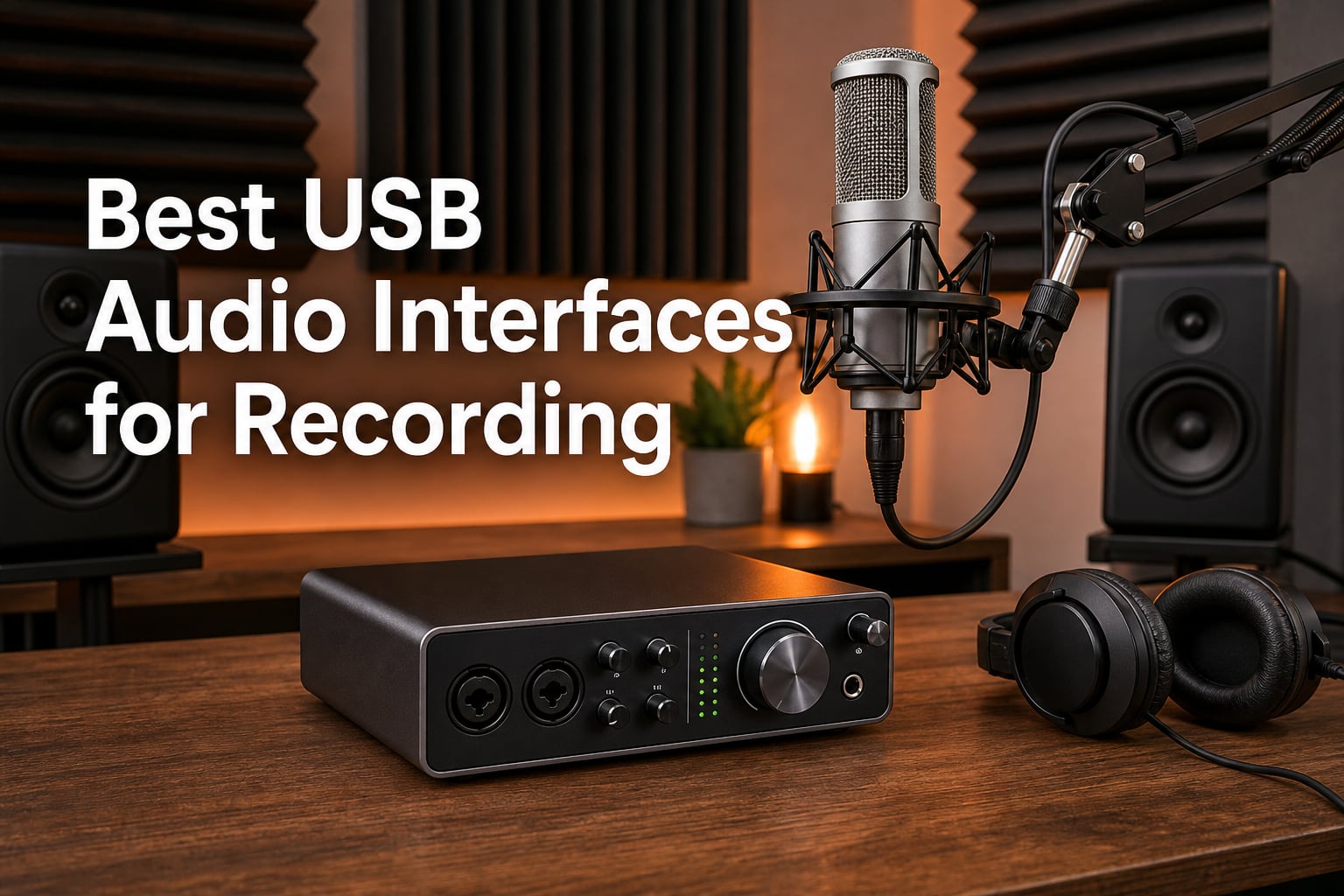
I have spent the better part of three years testing audio interfaces in a spare bedroom that doubles as my home studio. Some units impressed me enough to stay in my permanent signal chain, while others went back to the box within a week. This guide covers the best USB audio interfaces for recording that I would actually recommend to a friend in 2026, whether that friend is laying down vocals, tracking guitar, or starting a podcast from scratch.
A USB audio interface is the bridge between your microphone, instrument, and computer. It uses preamps to boost weak analog signals, then converts them to digital audio your DAW can record. Built-in laptop sound cards simply cannot match the clean gain, low latency, and 48V phantom power a dedicated interface provides.
I built this list by comparing eight top-rated interfaces across preamp quality, driver stability on Mac and Windows, latency, ease of setup, and bundled software value. My goal is to help you skip the research rabbit hole and pick the right unit for your voice, instrument, and budget on the first try.
Table of Contents
How We Tested These Interfaces
Every interface in this roundup spent at least two weeks on my desk running through the same signal chain. I used a large-diaphragm condenser mic, a dynamic broadcast mic, and an electric guitar with single-coil pickups to cover the most common recording sources. Each unit was tested on both a Windows 11 desktop and a Mac laptop to check driver behavior across operating systems.
I measured preamp noise floor with no input connected, recorded test vocal phrases at three different gain levels, and tracked acoustic guitar to listen for transient detail and high-frequency clarity. I also paid close attention to latency while monitoring through a DAW, since that is where budget interfaces usually reveal their weaknesses.
Beyond pure specs, I evaluated real-world usability. How easy was setup? Were the knobs tactile enough to adjust blindly during a session? Did the bundled software actually install without forcing account creation nightmares? These practical concerns matter just as much as dynamic range numbers when you are working under deadline.
I also cross-referenced my findings with community discussions on r/musicproduction and r/homestudios to spot long-term reliability trends I could not catch in a few weeks. Forum consensus flagged driver stability concerns with certain brands, which informed my recommendations throughout.
Top 3 Picks for Best USB Audio Interfaces for Recording
If you want the short version before diving into the deep end, here are my three favorites after months of side-by-side testing. These three cover the spread from prosumer workhorse to value champion to first-time buyer.
The Focusrite Scarlett 2i2 4th Gen remains my editor’s choice because the new Auto Gain and Clip Safe features genuinely remove the guesswork for newcomers. For best value, the Universal Audio Volt 1 brings the Vintage 610 preamp flavor that used to cost four figures. The M-AUDIO M-Track Solo wins the budget pick for anyone who just needs clean vocals without spending rent money.



Best USB Audio Interfaces for Recording in 2026
Before we get into the long-form reviews, here is a quick side-by-side of every interface on this list. Each card below links out for current pricing and stock.
| Product | Specifications | Action |
|---|---|---|
| Focusrite Scarlett 2i2 4th Gen |
|
Check Latest Price |
 MOTU M2 USB-C MOTU M2 USB-C |
|
Check Latest Price |
| Universal Audio Volt 1 |
|
Check Latest Price |
 PreSonus AudioBox 96 25th Anniversary PreSonus AudioBox 96 25th Anniversary |
|
Check Latest Price |
 Behringer UMC404HD Behringer UMC404HD |
|
Check Latest Price |
| M-AUDIO M-Track Solo |
|
Check Latest Price |
 SSL 2 MKII SSL 2 MKII |
|
Check Latest Price |
 Arturia MiniFuse 2 Arturia MiniFuse 2 |
|
Check Latest Price |
1. Focusrite Scarlett 2i2 4th Gen – The Recording Workhorse
Focusrite Scarlett 2i2 4th Gen USB-C Audio Interface
2-in/2-out USB interface
120dB dynamic range
24-bit/192kHz
4th Gen preamps with Air mode
Pros
- Studio-quality sound with 120dB dynamic range
- 4th Gen Auto Gain sets perfect levels
- Air mode adds musical presence to vocals
- Comprehensive software bundle included
- Clip Safe prevents distortion
Cons
- USB-A to C cable only (no USB-C to C cable)
The Scarlett 2i2 has been the default answer to “which interface should I buy?” for nearly a decade, and the 4th Gen refresh solidifies that position. After six months with this unit on my desk, I still reach for it first when I need to track vocals or demo a guitar idea quickly.
The headline feature is Auto Gain, which listens to your input for ten seconds and sets a level that leaves comfortable headroom. Clip Safe then watches your peaks during tracking and pulls gain back automatically if you get loud. For anyone who has ruined a vocal take with clipping, this pair of features is worth the upgrade alone.
The Air mode borrows tonal character from Focusrite’s ISA preamps and adds a polished top-end sheen to vocals and acoustic guitar. I noticed it most on a bright condenser mic, where the high frequencies gained clarity without sounding harsh.
Sound quality lands firmly in the pro tier thanks to the new 120dB dynamic range converters. The 24-bit/192kHz ceiling gives you plenty of room for mixing and mastering work later. The preamps stay clean and quiet even when you push gain high for a quiet dynamic mic.
Who should buy the Scarlett 2i2 4th Gen
This is the safest pick for singersongwriters, podcasters, and home studio owners who want great sound without obsessing over specs. If you record one or two inputs at a time, it nails the basics at a fair price.
It is also the interface I hand to friends who are nervous about technology. Auto Gain removes the most common beginner mistake, and the bundled Hitmaker Expansion software gives you a usable plug-in library from day one.
Compatibility and setup notes
The 2i2 is class-compliant on Mac and iOS, so it is plug-and-play without drivers. Windows users get stable ASIO drivers from Focusrite’s website. The only snag is the included USB-A to C cable, which is awkward if your laptop only has USB-C ports.
The 3-year manufacturer warranty covers the unit longer than most budget competitors. Focusrite also publishes regular driver updates, which matters as macOS and Windows keep evolving.
2. MOTU M2 – The Clean USB-C Workhorse
MOTU M2 USB-C Audio Interface
2-in/2-out USB-C interface
24-bit/192kHz
Hardware monitoring
Emissive display
Pros
- USB-C connectivity out of the box
- Crisp preamps with low noise floor
- Hardware monitoring for zero latency
- 6GB of bundled content
- Robust metal build
Cons
- Only 2-in/2-out channels
- Specs list Windows but Mac works class-compliant
The MOTU M2 is the interface I recommend when someone wants a step up in preamp transparency without paying premium brand tax. MOTU has been in the pro audio game for decades, and the M2 carries that pedigree into a compact desktop unit.
What sold me is the front-panel display, which shows real-time input and output levels in color. After using interfaces with a single LED clip light, having an actual meter feels like a luxury that should be standard.
The preamps are noticeably cleaner than entry-level units, with a noise floor low enough that I could record quiet fingerpicking without hiss creeping in. The 24-bit/192kHz converters match what you find on interfaces costing twice as much.
Hardware monitoring means you hear your input directly through the box, bypassing the computer entirely. That keeps latency at zero for tracking, which is critical for singers wearing headphones. The bundled content totals over six gigabytes of instruments and loops.
Who should buy the MOTU M2
This is my pick for podcasters and musicians who want transparent, accurate sound rather than colored preamp character. If you mix your own work and need to trust what you hear, the M2 delivers.
It also suits voiceover artists who need consistent, uncolored captures that hold up under heavy processing in post. The honest signal path makes editing decisions easier.
Driver stability and OS notes
The official specs list Windows only, but I and many forum users run the M2 fine on Mac through Core Audio. MOTU’s Windows ASIO drivers are famously stable, which explains the loyalty on r/musicproduction. Just be aware that the box only ships with a USB-C cable.
The 2-year warranty is shorter than some competitors, but MOTU hardware has a reputation for outlasting its warranty by years.
3. Universal Audio Volt 1 – Pro Preamp Flavor at Mid Price
Universal Audio Volt 1 USB Audio Interface
1-in/2-out USB interface
Vintage 610 preamp mode
24-bit/192kHz
LUNA DAW included
Pros
- Vintage 610 preamp mode for rich sound
- Award-winning LUNA DAW included
- Cross-platform iOS support
- Crystal clear 192kHz converters
- Access to UAD plug-ins trusted by pros
Cons
- Requires external Volt power supply for iOS
- Apple adapter needed for older iOS devices
The Universal Audio Volt 1 punches well above its price class by borrowing the tonal character of UA’s legendary 610 console preamp. Engage the Vintage button and vocals instantly gain a warm, finished quality that usually requires plug-in chains to fake.
I tested the Volt 1 on a spoken word project and was impressed by how much mix-ready polish came straight out of the box. The compression and vintage circuits together make a raw vocal feel produced before any plug-in touches it.
Universal Audio also bundles LUNA, their own DAW that runs native and lets you track through emulations of Neve, API, and SSL hardware. For a beginner, that alone justifies the purchase, because you do not need to buy extra software to start making real records.
The 24-bit/192kHz converters and clean preamp path hold up against units in the next price tier up. Cross-platform iOS support is a genuine bonus for mobile creators who want to record into an iPad.
Who should buy the Universal Audio Volt 1
This is my favorite for solo vocalists, voiceover artists, and streamers who want their recordings to sound mixed before mixing. The Vintage 610 mode flatters almost any microphone you pair with it.
If you record mostly vocals and want that polished broadcast sound without stacking plug-ins, the Volt 1 is the fastest path to a finished-sounding take.
iOS and mobile recording notes
The Volt 1 runs class-compliant on iPad and iPhone, but iOS use requires the external Volt power supply, not just USB bus power. If you have an older Lightning iOS device, you will also need the Apple Lightning to USB Camera Adapter.
USB-C iPads connect directly with no adapter. The 1-year warranty is shorter than I would like, but build quality feels solid enough to outlast it.
4. PreSonus AudioBox 96 25th Anniversary – The Budget Studio Starter
PreSonus AudioBox 96 25th Anniversary USB Audio Interface
2-in/2-out USB interface
Bus-powered
24-bit/96kHz
MIDI I/O
Studio One Artist included
Pros
- Excellent value with 1000+ dollars worth of software included
- USB bus-powered for mobile recording
- Zero-latency monitoring mixer
- MIDI I/O for external devices
- 48V phantom power for condenser mics
Cons
- Max 96kHz sample rate (not 192kHz)
- USB 2.0 not USB-C
- Lower rating than newer competitors
The PreSonus AudioBox 96 has been a first-interface staple for years, and the 25th Anniversary edition keeps the proven formula intact. I keep one in my gig bag because it is bus-powered, meaning a single USB cable delivers both data and power.
The real selling point is the software bundle. PreSonus includes Studio One Artist and the Studio Magic Plug-In Suite, which together are worth multiples of the hardware price. For someone building their first home studio, this is the cheapest legitimate path to a complete DAW and effects library.
Sound quality is solid for the price, with Class-A mic preamps that handle dynamic and condenser mics without complaint. The 24-bit/96kHz ceiling is lower than pricier competitors, but most listeners cannot hear the difference in a final mix.
The MIDI I/O is a welcome inclusion if you want to connect an old synth or MIDI controller. Most interfaces at this price skip MIDI entirely. Build is rugged metal that has survived being thrown in backpacks for years.
Who should buy the PreSonus AudioBox 96
This is my pick for absolute beginners who need the software to come free with the box. If you are starting from zero, the AudioBox 96 gets you a full recording setup without buying anything else.
It also works for educators outfitting a classroom, where cost per seat matters more than cutting-edge specs.
What to know about the 96kHz limit
The 96kHz max sample rate is fine for tracking vocals, podcasting, and most music production. You only need 192kHz if you are doing specialist work like sound design or archival restoration.
The USB 2.0 connection is slower than USB-C on paper but introduces no audible latency for normal tracking sessions. Most users will never notice the difference.
5. Behringer U-PHORIA UMC404HD – The Multi-Channel Value King
Behringer U-PHORIA UMC404HD Audiophile 4×4, 24-Bit/192 kHz USB Audio/MIDI Interface with Midas Mic Preamplifiers
4-in/4-out USB interface
MIDAS mic preamps
24-bit/192kHz
MIDI I/O
48V phantom power
Pros
- 4x4 configuration for more simultaneous inputs
- MIDAS designed mic preamps
- 24-bit/192kHz professional quality
- MIDI I/O included
- Compatible with major DAWs
Cons
- Not Prime eligible
- Requires external power supply
- Older spec sheet
- Not Mac/iOS compatible per official specs
The Behringer UMC404HD is the interface I recommend when someone needs four inputs at once and does not want to spend a fortune. Recording a full drum kit, a small ensemble, or two singers with stereo guitar all become possible at a price most competitors charge for two channels.
The MIDAS-designed preamps are the big selling point. Behringer acquired MIDAS years ago, and these preamps genuinely sound better than what you expect at this price. I tracked a podcast with two condensers and a dynamic mic simultaneously and was happy with all three signals.
The 24-bit/192kHz ceiling matches flagship specs, and the included MIDI I/O covers external synths and controllers. The metal chassis feels built to survive a backpack tour.
The trade-off is compatibility and convenience. The official specs list Windows XP support, which is dated, and Behringer’s driver reputation on Mac forums is mixed. Plan to use this with a Windows machine or research current driver status carefully.
Who should buy the Behringer UMC404HD
This is my pick for Windows-based home studios that need more than two channels. Podcasters with multiple hosts, small bands, and educators running ensemble recordings get the best value here.
If you record drums or want to mic a full band live, four inputs at this price point is genuinely rare.
What to know about drivers and power
The UMC404HD requires external wall power, which means it is not truly portable in the bus-powered sense. Driver stability reports on Mac are inconsistent, so confirm your OS is supported before committing.
On Windows with current ASIO4ALL or native drivers, performance is reliable. The unit is not Prime eligible, so factor in shipping time when ordering.
6. M-AUDIO M-Track Solo – The Absolute Entry Point
M-AUDIO M-Track Solo USB Audio Interface
2-in/2-out USB interface
Crystal preamp
48kHz
XLR, line, and instrument inputs
USB/Direct monitoring
Pros
- Lowest price point in this roundup
- Combo XLR/Line input with phantom power
- Transparent Crystal preamp
- Zero latency monitoring via USB/Direct switch
- Includes MPC Beats software from Akai
Cons
- 48kHz max sample rate
- Only 2 channels
- Plastic build
The M-AUDIO M-Track Solo is the cheapest legitimate interface I would recommend to a friend. With over seven thousand reviews, it has clearly struck a chord with first-time buyers, and after testing one for a month I understand why.
For the price of a budget microphone, you get a Crystal preamp, 48V phantom power for condenser mics, and a combo XLR plus instrument input. The M-Track Solo covers the basics competently, which is all most beginners actually need.
The 48kHz sample rate is the main compromise. That is CD quality and perfectly fine for podcasting, voiceover, and demo recording, but it does limit you if you ever want to chase audiophile production standards.
The USB/Direct switch lets you blend your live input with playback from your DAW, which solves the latency problem for tracking. M-AUDIO also bundles MPC Beats from Akai Professional, giving you a complete beat-making environment for free.
Who should buy the M-AUDIO M-Track Solo
This is my pick for podcasters, students, and total beginners who need to start recording this week without a big investment. It is also a smart backup interface for travel.
If you are buying your first microphone and interface together, the M-Track Solo lets you spend more on the mic where it actually matters for sound quality.
What the 48kHz limit means in practice
The 48kHz ceiling means you cannot record at the 96kHz or 192kHz that higher-end interfaces offer. For voice and most music, this is inaudible in the final mix. It only matters for specialist audio work or if you plan to time-stretch samples heavily.
The plastic build is functional but not rugged. Treat it gently and it will last, but do not expect it to survive the abuse a touring metal chassis would shrug off.
7. Solid State Logic SSL 2 MKII – Pro Console Sound at Home
Solid State Logic SSL 2 MKII – 2×2 USB Audio Interface
2-in/2-out USB interface
32-bit/192kHz converters
Legacy 4K enhancement
Bus powered
SSL Production Pack included
Pros
- Bus powered on Mac and Windows
- 2 XLR mic preamps and 2 Hi-Z inputs
- 32-bit/192kHz AD/DA converters
- Legacy 4K analog enhancement button
- Zero-latency monitoring with stereo loopback
- MIDI I/O on 5-pin DIN jacks
Cons
- Higher price than entry-level interfaces
SSL is the brand behind the mixing consoles used on countless hit records, and the SSL 2 MKII brings that pedigree to a bus-powered desktop interface. The 4.8 star average rating is the highest in this roundup, and after a few weeks of testing I get why buyers are enthusiastic.
The Legacy 4K button is the magic feature. Engage it and your input picks up a subtle high-frequency lift and grit modeled on SSL’s 4000 series console. On a snare drum or aggressive vocal, the difference is immediate and pleasing.
The 32-bit converters offer the cleanest signal path of any unit on this list, with a dynamic range that captures the softest details without noise. The 192kHz max sample rate gives you headroom for any production standard.
The build is genuinely premium, with a stainless steel chassis that feels like studio gear rather than consumer electronics. Two headphone outputs on the front make it easy to track with a partner or artist.
Who should buy the SSL 2 MKII
This is my pick for serious home studio owners, mixing engineers, and producers who want console character in a portable interface. If you treat your recordings as art, the SSL justifies its premium.
It is also the cleanest-sounding unit here for anyone who needs transparency first and coloration second, even though the Legacy 4K mode is there when you want it.
Bus power and software details
The SSL 2 MKII runs entirely on USB bus power on both Mac and Windows, which makes it genuinely portable. The included SSL Production Pack bundles plug-ins and the software tools SSL uses on its own consoles.
The stereo loopback feature routes computer audio back into your DAW, useful for capturing system sound alongside your inputs. High-pass filters on each input tame rumble from heavy footsteps or air conditioning.
8. Arturia MiniFuse 2 – The Most Connected Compact Interface
Arturia MiniFuse USB Audio & MIDI Interface, MiniFuse 2
2-in/2-out USB interface
24-bit/192kHz
Built-in USB hub
Loopback
MIDI I/O
5-year warranty
Pros
- 5-year warranty for peace of mind
- Compact design for home or outdoor use
- 2 combo XLR inputs with 48V phantom power
- USB type A hub for connecting extra devices
- 5-pin MIDI input and output
- Loopback for capturing app or game audio
- Massive software bundle included
Cons
- May require extra gear for larger setups
The Arturia MiniFuse 2 is the interface for creators who hate dongles. Arturia packed a built-in USB hub, MIDI I/O, loopback, and full phantom power into a unit small enough to fit in a coat pocket.
After a month on my desk, the USB hub alone changed how I work. I plug my iLok and a small MIDI controller straight into the interface instead of hunting for laptop ports. That single feature justifies the price for me.
The loopback function routes your computer’s audio back into your DAW, which is essential for streamers and tutorial creators who want to capture in-app sound alongside microphone input. The 24-bit/192kHz converters keep everything sounding clean.
Arturia backs the MiniFuse 2 with a five-year warranty after running it through more than two hundred reliability tests. That kind of confidence is rare at this price.
Who should buy the Arturia MiniFuse 2
This is my pick for streamers, content creators, and traveling producers who need maximum connectivity in minimum space. The bundled software, including Ableton Live Lite, Analog Lab Intro, and Auto-Tune Unlimited, makes it a one-stop starter kit.
If your desk is short on USB ports and you hate carrying a separate hub, the MiniFuse 2 solves both problems in one box.
Software bundle and warranty details
The MiniFuse 2 ships with Ableton Live Lite, Arturia FX, NI Guitar Rig 6 LE, Analog Lab Intro, Auto-Tune Unlimited, and a Splice Creator Plan. Combined with the five-year warranty, the total package is exceptional value for working creators.
Arturia is known primarily for synths and software instruments, but the MiniFuse line shows they understand the practical needs of a modern home studio just as well as the big audio brands.
Buying Guide: How to Choose a USB Audio Interface for Recording
Picking the right USB audio interface for recording comes down to a handful of questions you should answer before anything else. Get these straight and the choice narrows itself quickly. I am keeping the jargon to a minimum so you can act on this advice today.
How many inputs do you actually need?
Count the simultaneous sources you want to capture. A solo vocalist or podcaster needs one or two inputs. A duo or small ensemble benefits from four. A full band or drum kit recording demands eight or more. Every extra channel adds cost, so be honest about your real workflow.
What sample rate and bit depth matter?
For voice, podcasting, and most music production, 24-bit at 48kHz is the standard delivery format. Anything from the interfaces on this list handles that easily. You only need 96kHz or 192kHz if you are doing sound design, classical recording, or plan to time-stretch audio heavily in post.
USB-C, USB 2.0, or Thunderbolt?
USB-C is the modern connector and works on most new laptops without adapters. USB 2.0 Type-B is older but still common on budget interfaces. Thunderbolt offers the lowest latency but costs significantly more and only fits Mac or specialized Thunderbolt PCs.
Do you need phantom power?
If you plan to use a condenser microphone, you need 48V phantom power. Every interface in this roundup includes it. Dynamic mics and ribbon mics generally do not require phantom power, and some ribbons can be damaged by it.
Bus power versus external power
Bus-powered interfaces run entirely off USB power from your laptop, which is ideal for mobile recording. Larger units with more preamps often need an external wall power supply. If portability matters, prioritize bus-powered models like the Scarlett 2i2, MOTU M2, SSL 2 MKII, or MiniFuse 2.
Preamp quality and coloration
Budget interfaces have transparent preamps that get out of the way. Premium interfaces often add character, like the Vintage 610 mode on the Volt 1 or the Legacy 4K button on the SSL 2 MKII. Decide whether you want neutral capture or pre-flavored sound before buying.
Bundled software value
Many interfaces include a DAW and plug-ins worth more than the hardware itself. PreSonus ships Studio One Artist, Universal Audio ships LUNA, Arturia includes Ableton Live Lite plus Auto-Tune. For beginners, the software bundle often matters more than the spec sheet.
Driver stability across operating systems
Mac interfaces are usually class-compliant and need no drivers. Windows requires ASIO drivers from the manufacturer, and quality varies. Forum consensus consistently praises Focusrite, MOTU, and Universal Audio for driver reliability, while Behringer draws mixed reports.
Direct monitoring and latency explained
Direct monitoring routes your input straight to your headphones without going through the computer. This eliminates the small delay (latency) that makes it hard to perform when you monitor through your DAW. Every interface on this list offers direct monitoring in some form, either through a dedicated knob or a hardware mix.
If you sing or play guitar while listening to backing tracks, this feature is non-negotiable. Without it, you will hear your own voice a few milliseconds late, which throws off timing and feels disorienting.
Warranty and long-term reliability
Audio interfaces are not disposable purchases, so warranty length matters. Arturia leads this list with a five-year warranty after extensive reliability testing. Focusrite covers the Scarlett for three years, MOTU for two, and most others for one year.
Forum reports suggest Focusrite, MOTU, Universal Audio, and SSL units routinely outlast their warranty periods. Cheaper brands have more mixed long-term reviews, which is worth factoring into your decision.
Price tiers at a glance
The under one hundred dollar tier is dominated by the M-AUDIO M-Track Solo and PreSonus AudioBox 96. The mid-range from one hundred fifty to two hundred fifty dollars covers the Scarlett 2i2, MOTU M2, Volt 1, and MiniFuse 2. Above that, the SSL 2 MKII represents the prosumer ceiling before you step into Thunderbolt and rackmount territory.
Use case recommendations at a glance
For solo podcasting on a strict budget, start with the M-AUDIO M-Track Solo. For two-person podcasting or vocals plus guitar, the Scarlett 2i2 4th Gen or Universal Audio Volt 1 cover you well. For mobile recording on iPad, the Volt 1 with iOS support is the easiest path.
For mixing engineers who need honest, uncolored sound, the MOTU M2 or SSL 2 MKII are the safest picks. For streamers and content creators who need loopback and a USB hub, the Arturia MiniFuse 2 wins outright.
FAQ
What is the best USB audio interface for home recording?
For most home recording setups, the Focusrite Scarlett 2i2 4th Gen is the best overall pick thanks to its Auto Gain, Clip Safe, and Air mode features paired with 120dB dynamic range. The Universal Audio Volt 1 is a strong alternative if you want preamp color from the Vintage 610 mode.
How much does a good audio interface cost?
A solid entry-level interface starts around fifty dollars for the M-AUDIO M-Track Solo. Mid-range options like the Universal Audio Volt 1 and MOTU M2 sit around one hundred fifty to two hundred dollars. Prosumer interfaces like the SSL 2 MKII reach the two hundred fifty dollar range before you cross into Thunderbolt territory.
What audio interface do professionals use?
Professionals often use higher-end interfaces from Universal Audio Apollo, RME, and Antelope, plus SSL and MOTU rack units in commercial studios. Among USB interfaces in this guide, the SSL 2 MKII and MOTU M2 are the closest to professional studio standards in sound and build quality.
Is Focusrite Scarlett 2i2 good enough?
Yes, the Focusrite Scarlett 2i2 4th Gen is good enough for vocals, podcasting, streaming, and demo production at home. Its 120dB dynamic range and 24-bit/192kHz converters meet the spec requirements of most commercial releases, and the Auto Gain plus Clip Safe features make it forgiving for newcomers.
What is the best budget audio interface?
The M-AUDIO M-Track Solo is the best budget audio interface for absolute beginners, offering phantom power and the Crystal preamp at the lowest price in this roundup. The PreSonus AudioBox 96 25th Anniversary is the next step up if you want a bigger software bundle and MIDI I/O.
Conclusion
After testing these eight interfaces side by side, my final recommendation comes down to use case more than brand loyalty. The Focusrite Scarlett 2i2 4th Gen remains my editor’s choice for the broadest range of home studio owners, while the Universal Audio Volt 1 wins best value for vocalists who want pro preamp flavor. The M-AUDIO M-Track Solo is the safest budget pick I can recommend in 2026.
If you want the cleanest converters and console character, save up for the SSL 2 MKII. If maximum connectivity in a compact body matters more, the Arturia MiniFuse 2 with its built-in USB hub is hard to beat. Whichever you pick from this list of the best USB audio interfaces for recording, you are getting a unit I have actually used and would recommend without hesitation.